
10 YouTube Scraping APIs: Features, Limits, and Pricing
You've found a YouTube channel worth monitoring, and now your prototype needs more than a list of video titles. Maybe the team wants to track search positions, collect transcripts for a RAG pipeline, review comments for research, or feed YouTube data into a product that already supports other social platforms. Those jobs look similar at first, but they put very different demands on a YouTube scraping API.
Search endpoints are built for discovery and ranking checks. Full extraction platforms can collect richer page data, but may leave parsing and browser logic to your team. Transcript and comment workflows bring their own questions about availability, pagination, freshness, and permitted use. Choosing the wrong category can mean paying for fields you don't need, or building maintenance work your product team didn't plan to own.
This comparison weighs data coverage, implementation effort, rate and pricing models, and operational trade-offs across ten options. Captapi is included for teams that want one interface spanning YouTube and other social platforms. For a broader perspective on collection choices, see how FLYP handles data.
Table of Contents
- 1. Captapi
- 2. Bright Data YouTube Scraper API
- 3. Oxylabs Web API
- 4. SerpApi YouTube Search API
- 5. DataForSEO YouTube SERP API
- 6. Apify YouTube Scraper Actors
- 7. Zyte API
- 8. ZenRows Scraping API
- 9. Scrapfly Web Scraping API
- 10. Scrape.do YouTube Scraper API
- Top 10 YouTube Scraping APIs: Feature Comparison
- Match the API to Your Production Workload
1. Captapi
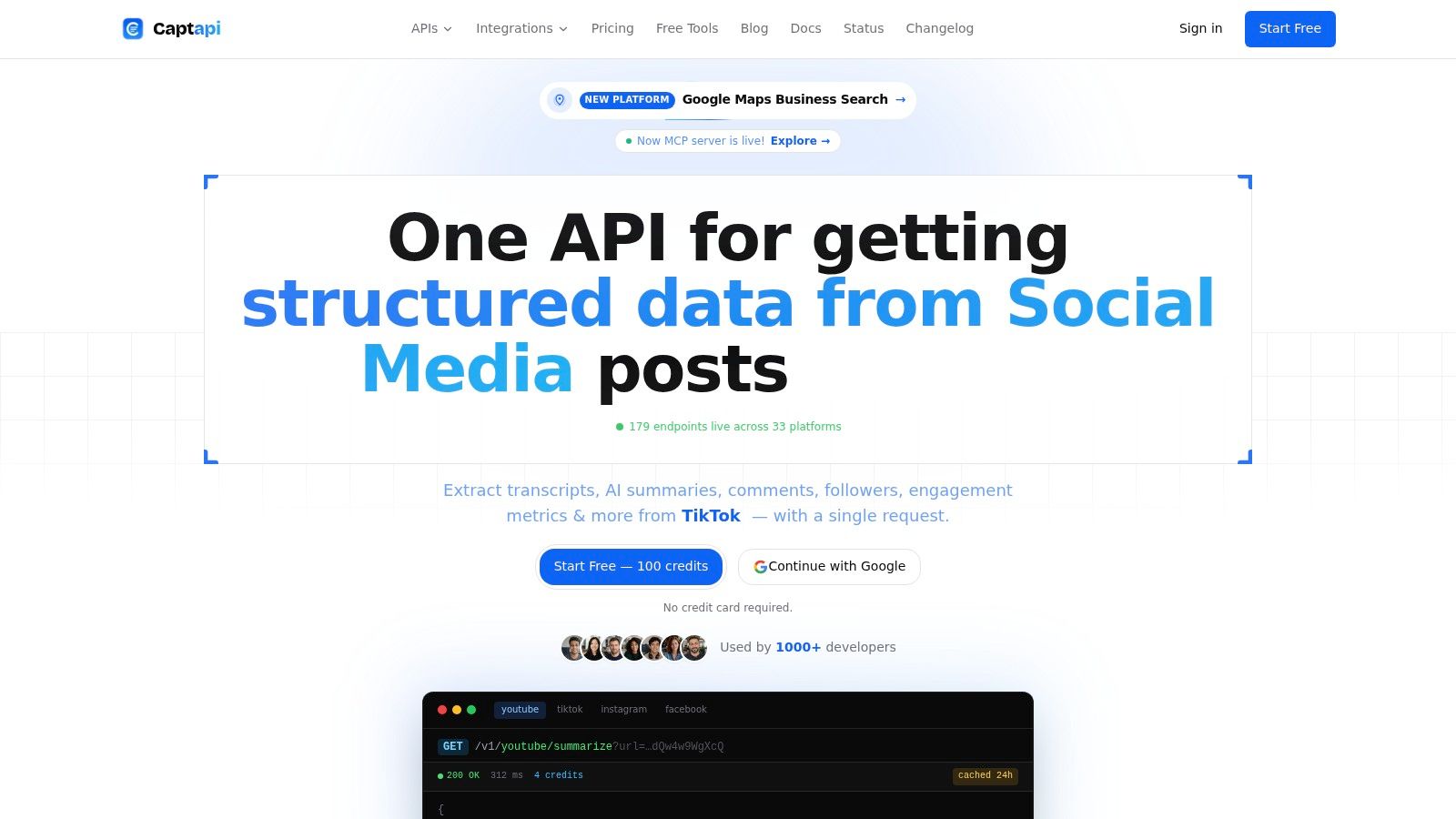
Captapi is a read-only social data API for developers who'd rather call a consistent REST interface than maintain separate integrations for each platform. Its YouTube endpoints cover search, video details, channel information, comments, and transcripts, making it relevant to both discovery and enrichment workflows. The same API key can also access other social platforms, which may help teams building products that need more than YouTube data.
A RAG or video-Q&A pipeline can use transcript endpoints to collect available caption text, then pass it to downstream indexing or summarization. Captapi also offers summaries with key points, topics, and sentiment. For competitor research, search results and engagement fields can help seed a collection workflow, while comments offer material for further analysis. None of these endpoints removes the need to check whether the source content has captions or whether the returned fields fit the intended use.
Where it fits, and what to verify
Captapi's options include REST, an MCP server, n8n, Make, and Apify. Automatic retries, fallback behavior, and an optional shared cache are intended to reduce repeated work in integrations. The published cache window is 24 hours, and the product page lists a free tier with 100 lifetime credits and a rate limit of 40 requests per minute. Published paid plans are Starter at $9 per month, Pro at $27 per month, and Business at $90 per month, with the Business plan allowing up to 600 requests per minute. These plan details can change, so confirm current terms on Captapi's website.
Trade-off: A unified API can reduce integration work, but it doesn't make platform data uniform. Check endpoint-specific credit costs, field coverage, transcript availability, and cache behavior against your own workload.
Captapi is limited to publicly accessible data and is read-only. Customers remain responsible for how they collect, retain, and use results. A missing caption track, restricted video, or source-platform change can also affect what an endpoint returns. Teams should validate those cases before making the API a dependency for a production dataset.
Pros
- Consistent integration: One API key and common response patterns can simplify work across platforms.
- Useful read-side coverage: Transcripts, comments, summaries, search, and engagement fields support several distinct workflows.
- Operational assistance: Retries, fallback, and cached repeats can reduce repeated requests.
- Accessible entry point: A free tier lets developers evaluate an integration before moving to a paid plan.
Cons
- Public data only: The API doesn't grant permission to collect, store, or redistribute data.
- Variable endpoint costs: Credit use and available fields depend on the endpoint and the source content.
2. Bright Data YouTube Scraper API
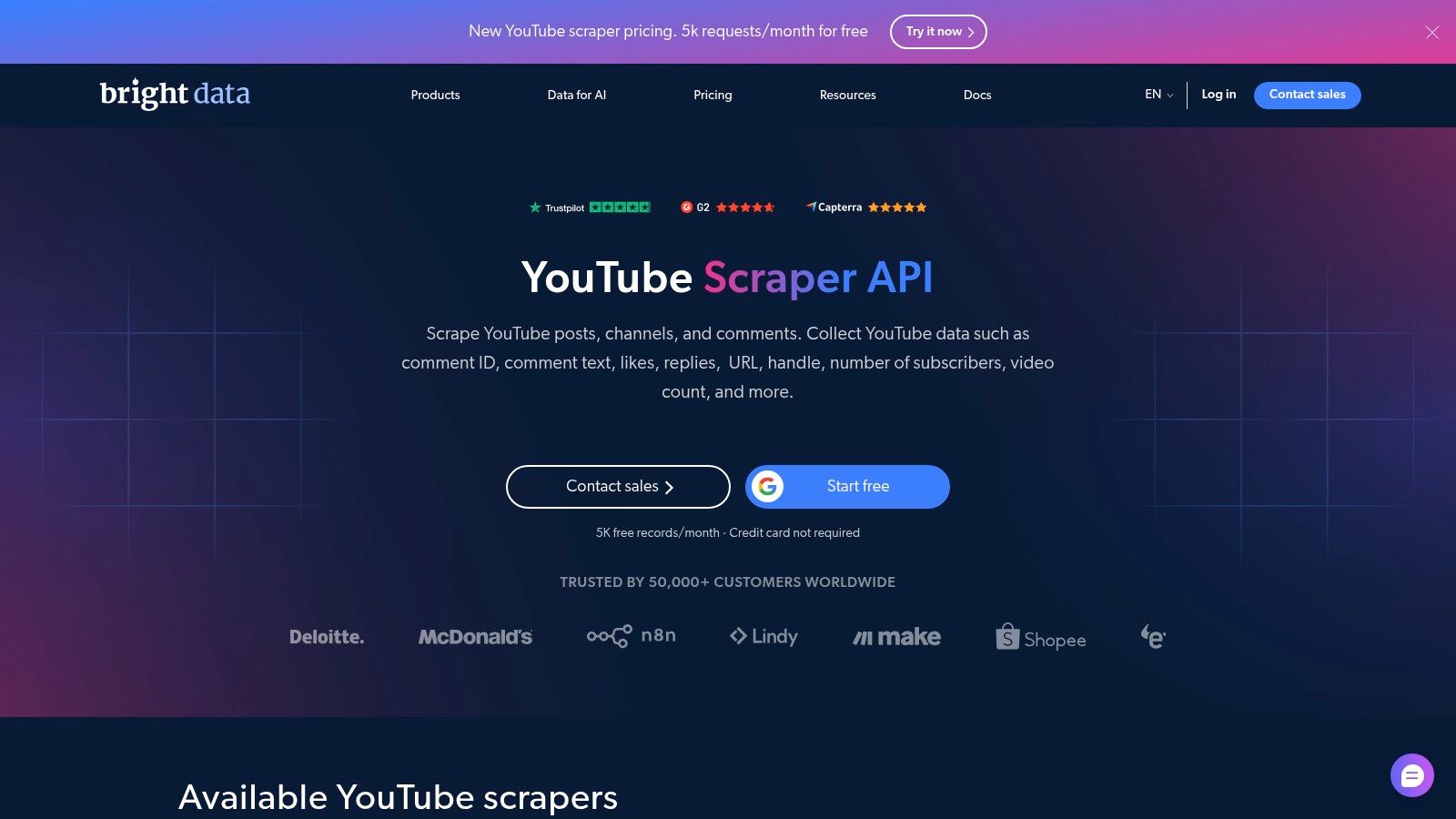
Bright Data is a fit for teams that want a maintained YouTube-specific extraction service rather than a search-only endpoint or a browser stack they must configure themselves. Its scraper is designed to return structured video, channel, and engagement data, including fields such as titles, views, likes, comment counts, tags, duration, and publish dates. Managed proxy and unblocking infrastructure can reduce the amount of access-handling work an engineering team owns.
The usage model is billed per successful record, so estimate cost using the records your workflow needs, not just the number of jobs submitted. That distinction matters when a process searches broadly but only enriches a smaller set of selected videos. Review the vendor's current plan and billing details on the Bright Data YouTube Scraper API page.
Stronger for managed extraction than ranking research
The main appeal is the combination of a maintained scraper and broader vendor tooling. That can suit data teams that expect to scale or later add other sources. In exchange, a per-record model may be less economical than a small custom collector at large volumes, and the dataset or scheduler concepts may add a learning curve for teams used to simple request-response APIs.
If your product's core feature is keyword rank tracking, a dedicated search API may be easier to evaluate and operate. Bright Data makes more sense when the requirement is structured extraction beyond search results and you value managed infrastructure.
Pros
- Managed operations: Proxies and unblocking are handled as part of the service.
- Structured fields: The scraper is oriented toward video, channel, and engagement records.
- Vendor support: The platform is aimed at teams that need broader tooling and enterprise support.
Cons
- Record-based costs: High-volume collection needs careful cost modeling.
- Platform learning curve: Dataset and scheduling workflows may take time to fit into an existing pipeline.
For a search-specific comparison, see Captapi's YouTube API options.
3. Oxylabs Web API
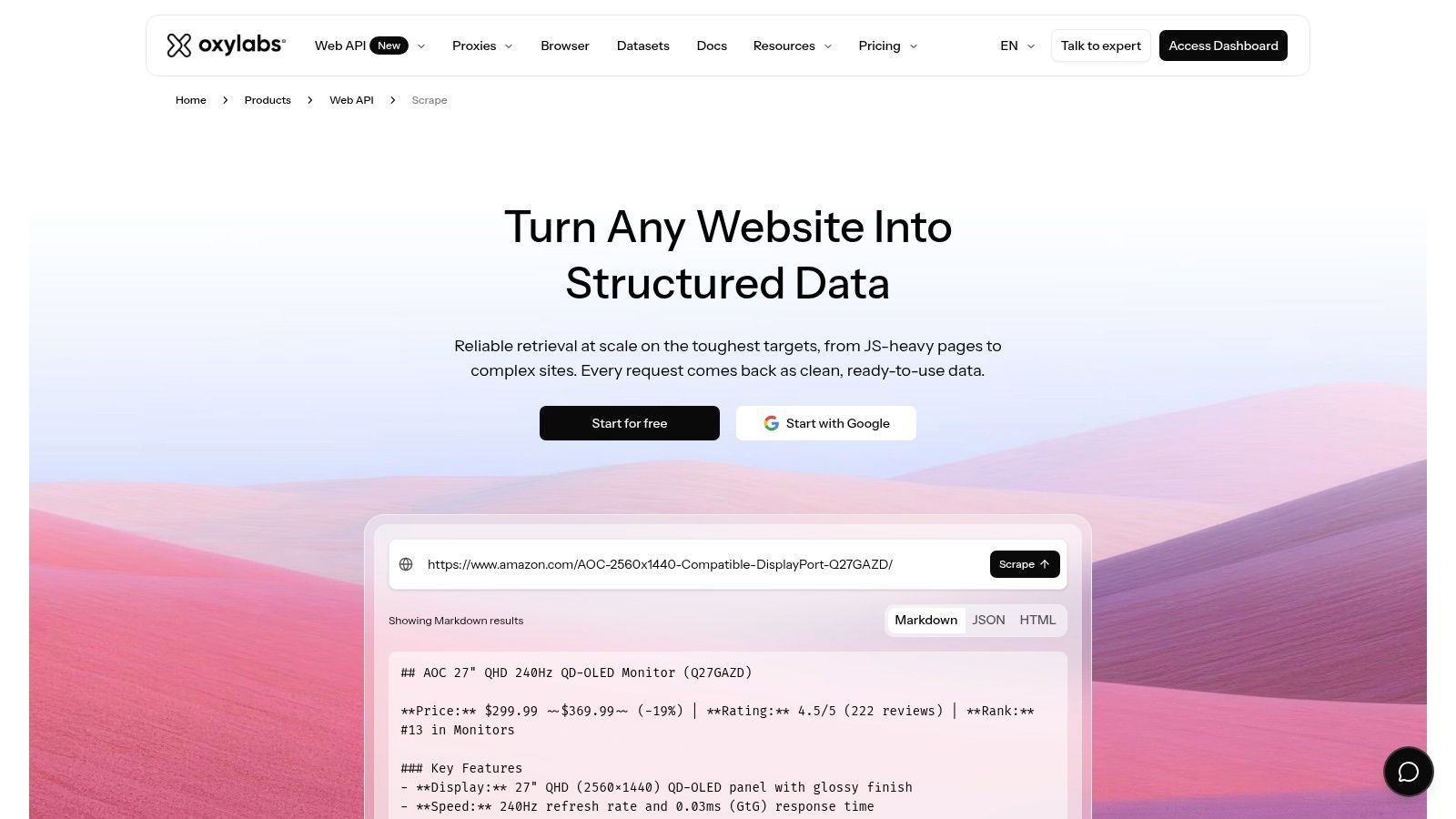
Oxylabs is a general-purpose web scraping API, not a turnkey YouTube data schema. Browser rendering and automated unblocking can help teams fetch pages from dynamic sites, while the application team decides how to interpret the returned content and extract the fields it needs. That makes it a candidate for companies scraping several kinds of sites with shared infrastructure requirements.
The trade-off is ownership. If a YouTube-specific JSON response is essential, your team may need to build and maintain selectors or extraction logic rather than receiving a finished video or comment record. Oxylabs provides rate controls and domain-based performance monitoring, which can help operators observe scraper behavior, but monitoring the request doesn't replace testing the completeness of your parser.
When the browser layer is the product
Choose this kind of service when your engineers want control over the extraction logic and need browser capabilities for more than one target. Teams that only want search results or transcripts may find a general browser API broader than necessary. Configuration and success requirements can also affect cost, so evaluate the intended setup using representative pages rather than relying on a headline plan.
The vendor lists enterprise support and SOC reports, along with a free trial for evaluation. Confirm the scope of those materials and the current commercial terms directly with Oxylabs Web API.
Pros
- Broad infrastructure: Browser rendering and automated unblocking can support complex sites beyond YouTube.
- Operational controls: Rate limits and domain monitoring help teams observe collection behavior.
- Evaluation path: A trial can help assess whether the chosen configuration returns usable pages.
Cons
- Custom parsing required: You may need to create and maintain YouTube selectors or JSON extraction.
- Configuration-dependent costs: Budgeting requires testing the setup you intend to run.
4. SerpApi YouTube Search API
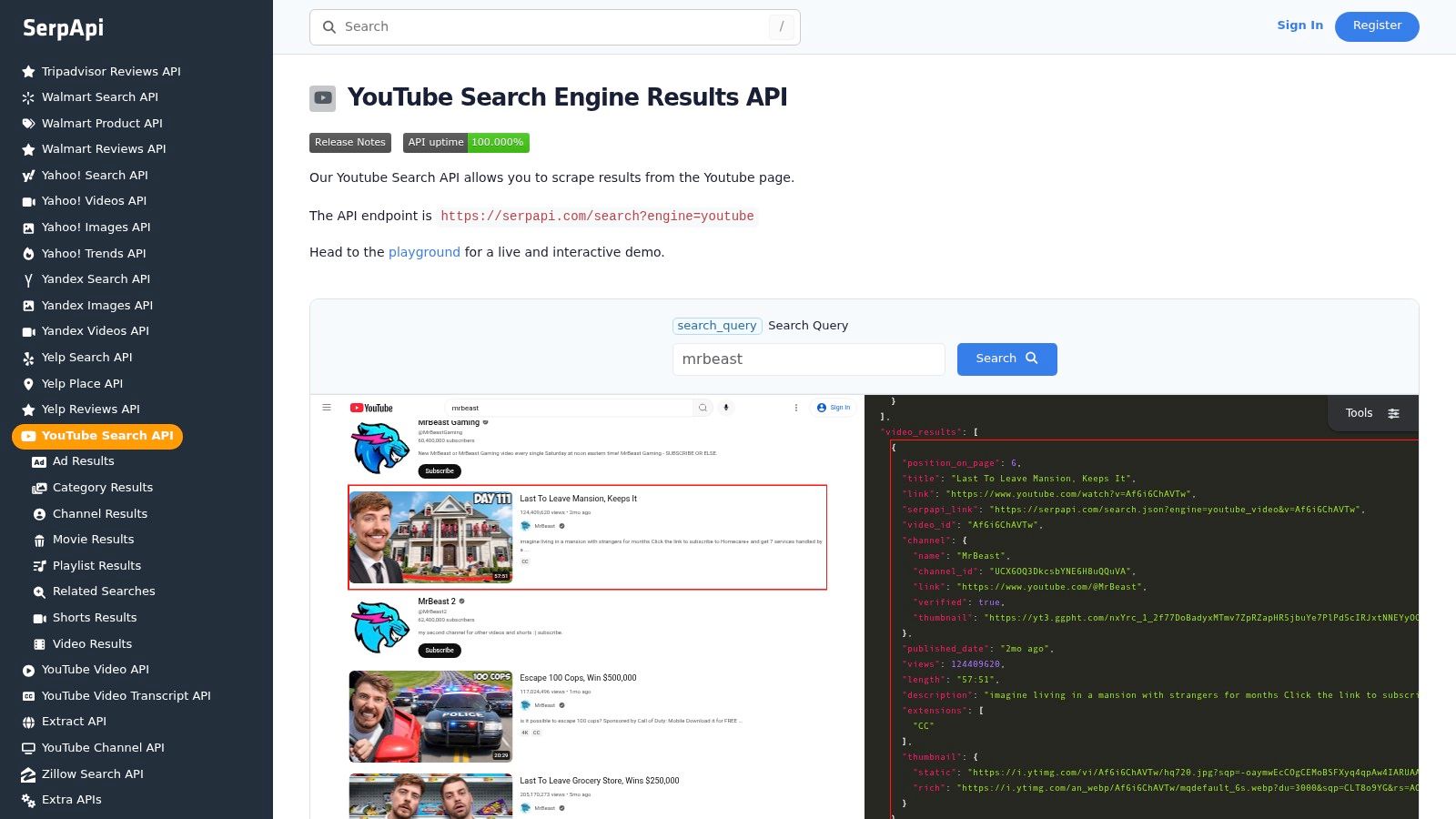
SerpApi is designed for YouTube search results as JSON, which makes it a natural fit for keyword discovery, search ranking checks, and finding related videos or channels. It's not a full-page extraction platform. That separation is useful: teams can avoid paying the engineering cost of building a scraper when the product needs to know which videos appear for a query and how the results are represented.
The API offers CLI and SDK integrations, along with cache controls that can bypass cached results. Public monthly plans are based on search volume, so assess the price against the number of query-and-locale combinations you need to monitor. A rank tracker that samples many keywords repeatedly has different economics from a one-off discovery workflow. Current plan details are available on the SerpApi YouTube Search API page.
Search-result reproducibility needs more than a saved rank. Record the query, time, locale, filters, and page position so later comparisons have context.
Search endpoints generally don't replace transcript, comment, or full video-page collection. If your workflow discovers promising videos and then needs richer data, plan a separate enrichment step. The discovery and enrichment services may have different pricing, latency, and failure modes.
Pros
- Search-first scope: The endpoint is built for YouTube search results, not generic page fetches.
- Fast prototyping: SDKs and sample code can shorten initial integration.
- Search-volume billing: A plan based on searches can be straightforward to model for defined query workloads.
Cons
- Limited extraction scope: Search results aren't a substitute for comments, transcripts, or full-page data.
- Repeated query costs: Large monitoring sets can make recurring searches expensive.
For a separate search-and-enrichment option, compare Captapi's YouTube search endpoint.
5. DataForSEO YouTube SERP API
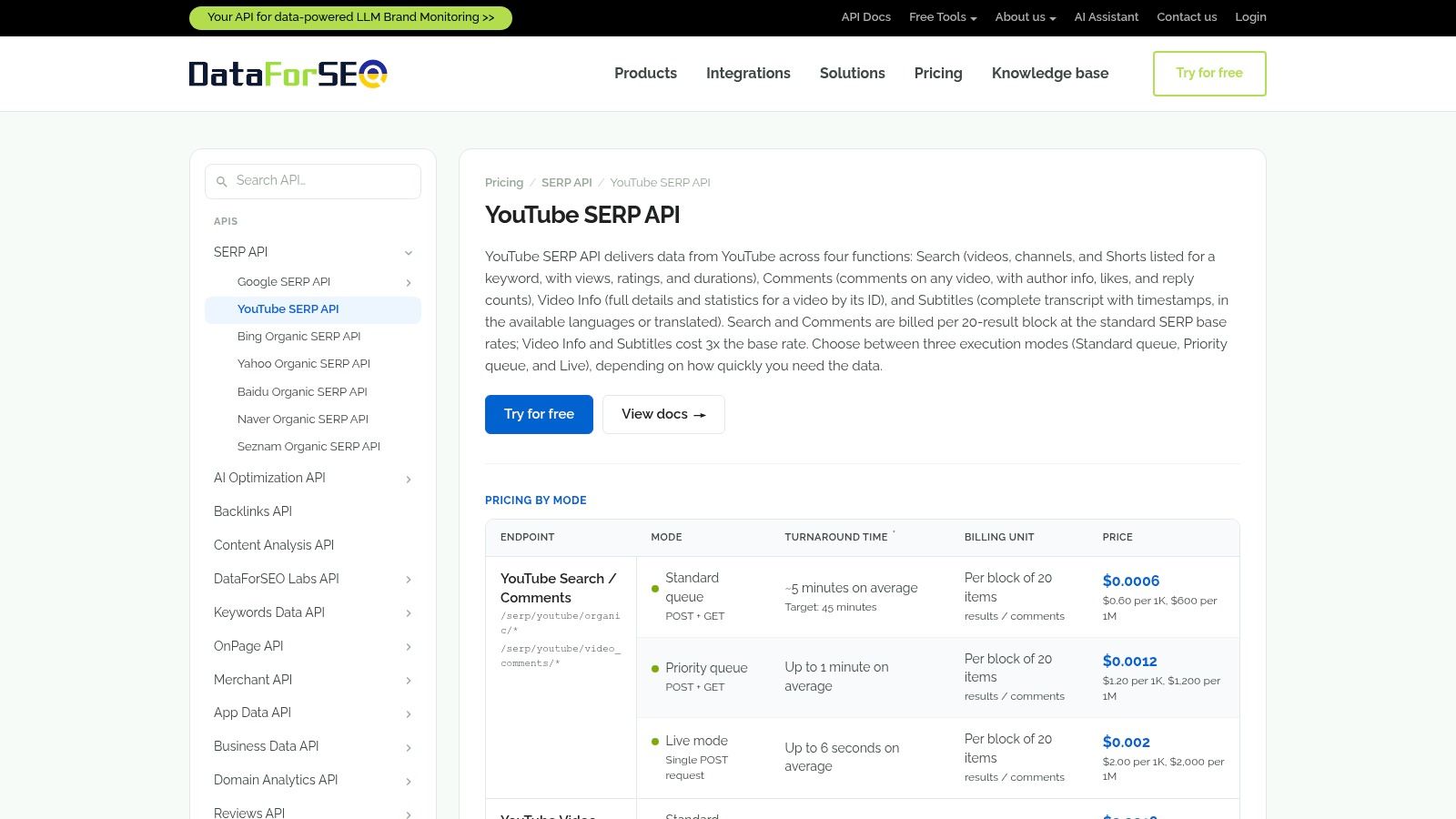
DataForSEO covers more than search discovery. Its YouTube endpoints include search, video information, comments, and subtitles, with a pay-as-you-go, task-based model. That combination can suit teams that want to submit defined collection jobs, choose turnaround options, and avoid committing to a recurring subscription before demand is clear.
The task model also changes what your application must do. Rather than treating every operation as an immediate response, you may need to create jobs, track their status, retrieve results, handle retries, and reconcile incomplete tasks. That orchestration is manageable for data pipelines, but it's additional code for a lightweight application that expects a simple request-response interaction.
A useful bridge between discovery and enrichment
The broader endpoint coverage can reduce the need to coordinate separate providers for search, comments, and subtitles. It doesn't guarantee that every video has captions or that every request returns the same fields. Build fallback handling for missing data and check method-specific prices and priority options on the DataForSEO YouTube SERP API pricing page before estimating spend.
Pros
- Broader YouTube coverage: Search, video information, comments, and subtitles can support discovery and follow-up analysis.
- Flexible billing approach: Pay-as-you-go can work for workloads without steady subscription-level demand.
- Turnaround choices: Priority options let teams evaluate speed against cost.
Cons
- Job orchestration: Task submission and result retrieval add operational work.
- Rates vary by method: Pricing and priority affect the estimate, so confirm the current schedule.
For transcript and comment workflows, compare the available Captapi channel details endpoint with the fields your pipeline needs.
6. Apify YouTube Scraper Actors
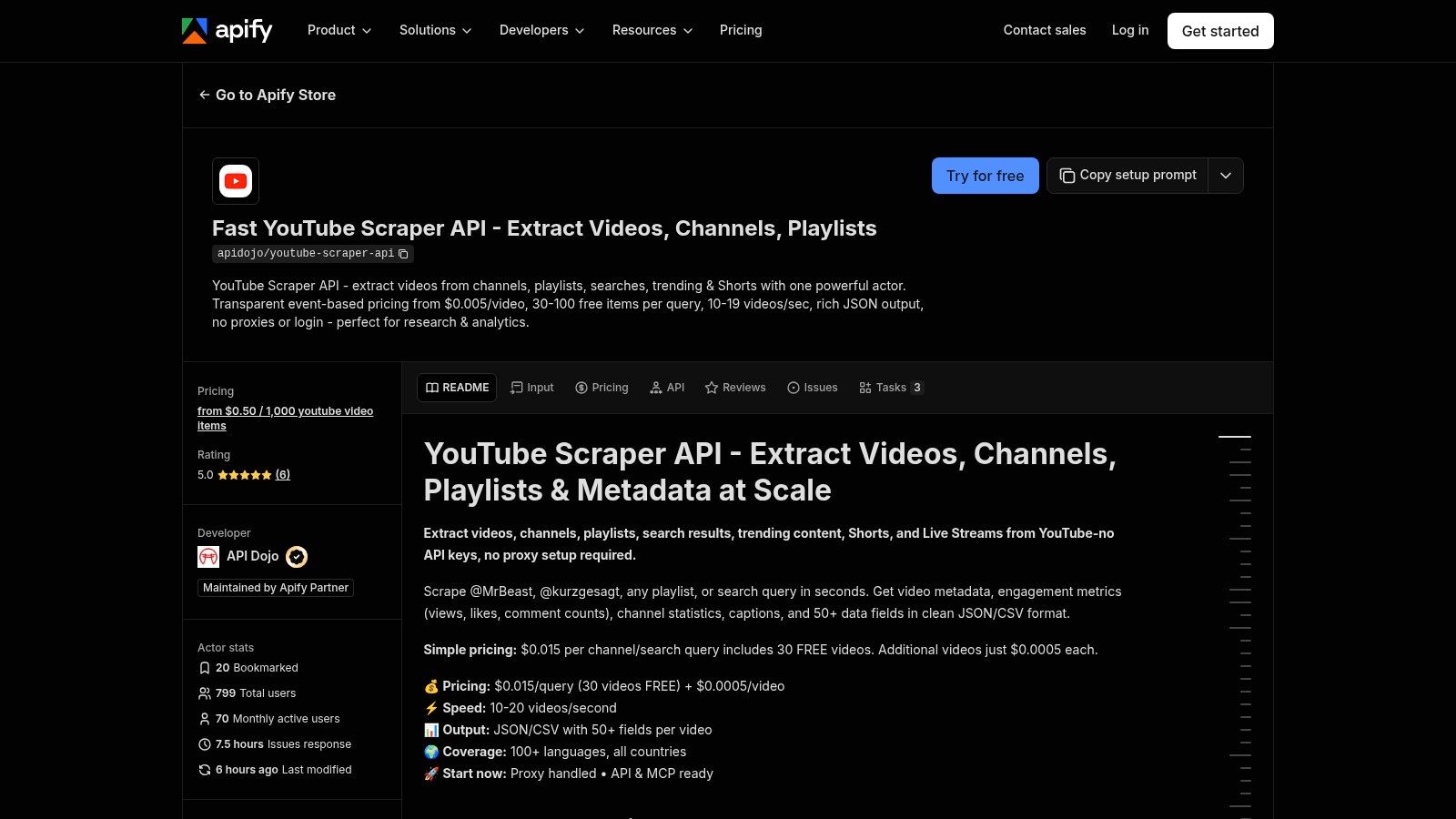
Apify's Actors are serverless scraper jobs that can run through HTTP and return structured output. Its YouTube catalog includes Actors for search, channel and video collection, comments, and transcripts. That breadth can suit teams assembling separate workflows from ready-made scrapers, especially when they do not want to operate browser or proxy infrastructure themselves.
Actor selection matters more than the marketplace listing. Each Actor may have different pricing, limits, input requirements, and maintenance practices. Two Actors built to collect comments can handle pagination differently or return incompatible data shapes. Evaluate each one as a distinct dependency, with its own maintainer and update history, rather than assuming a shared platform contract.
Choose the Actor, not just the marketplace
For a transcript or comment collection task with a defined input and output, a specialized Actor may reduce the work of building an extractor. Search and rank tracking call for different checks, such as result consistency and support for the query patterns your pipeline uses. For multi-platform extraction, confirm that the Actors you select provide compatible fields. Apify offers a catalog of jobs, not one uniform interface across every workload.
HTTP access can fit an existing pipeline, but Actors run as jobs and publish results through datasets, rather than returning everything in one synchronous response. Plan for status polling, partial results, retries, and schema changes. Before production use, review the Actor's documentation and terms, verify who maintains it, and understand how issues are handled. Account for those operational steps alongside the extraction work.
Browse Apify's YouTube Scraper Actor and compare its current limits and output with your intended workload. For channel-level collection, inspect the fields offered by Captapi's YouTube channel details endpoint before deciding whether a separate Actor fits your schema.
Pros
- Off-the-shelf jobs: Actors cover several YouTube collection tasks without requiring a team to run its own browser fleet.
- HTTP access: Existing systems can start runs and retrieve datasets through API calls.
- Specialized options: The catalog includes tools for tasks such as transcript and comment collection.
Cons
- Actor-specific terms: Limits, pricing, and output schemas can differ by developer.
- Maintenance dependency: Reliability depends on each Actor's updates and support.
7. Zyte API
Zyte is a general scraping API for teams that want browser and proxy infrastructure but their own extraction logic. Browser rendering and automated unblocking can help retrieve dynamic pages, while proxy mode offers another route for teams that need to control how they fetch content. The service also integrates with Scrapy, which can make it a better fit for engineering groups already operating larger crawl systems.
Unlike a YouTube-specific parser, Zyte doesn't hand you a ready-made schema for comments or transcripts. Your team must decide how to identify page elements, extract fields, and recover when YouTube changes its interface. That can be an advantage if your data model is unusual or the same infrastructure supports multiple sites. It's less appealing if the only requirement is standard YouTube metadata.
Infrastructure in exchange for parser ownership
The useful comparison is not “which API scrapes YouTube best?” but “which parts of the scraper do we want to own?” Zyte can take on browser execution and routing. It won't remove the need to validate records, detect missing fields, and maintain extraction rules.
The platform has self-serve and enterprise options, but price and trial availability depend on the plan. Confirm those terms alongside browser-mode behavior, response formats, and support scope on the Zyte API site.
Pros
- Developer ecosystem: SDKs and Scrapy integration can suit teams with existing crawl infrastructure.
- Multi-target use: The same API can support scraping beyond YouTube.
- Browser options: Rendering and proxy modes support different extraction strategies.
Cons
- No turnkey YouTube parser: Your application owns field extraction and schema validation.
- Plan-dependent terms: Pricing and evaluation access need confirmation.
For a prebuilt video record instead of custom page parsing, compare the data fields available from Captapi's YouTube video details endpoint.
8. ZenRows Scraping API
ZenRows offers a general scraping and browser stack for teams that want to fetch pages and build their own YouTube parser. Its options include JavaScript rendering, protection handling, batch requests, and browser sessions. That breadth can be useful when one collection service must support YouTube alongside other targets, but it doesn't turn page content into a complete YouTube-specific dataset by itself.
The request model is accessible to engineers who already have parsing code: provide a URL, retrieve content, then extract the fields your application needs. You'll need to handle comment threads, pagination, and schema changes in your own logic. A page-fetch service may be the wrong abstraction if your core requirement is a normalized transcript or comments endpoint.
Model shared credits carefully
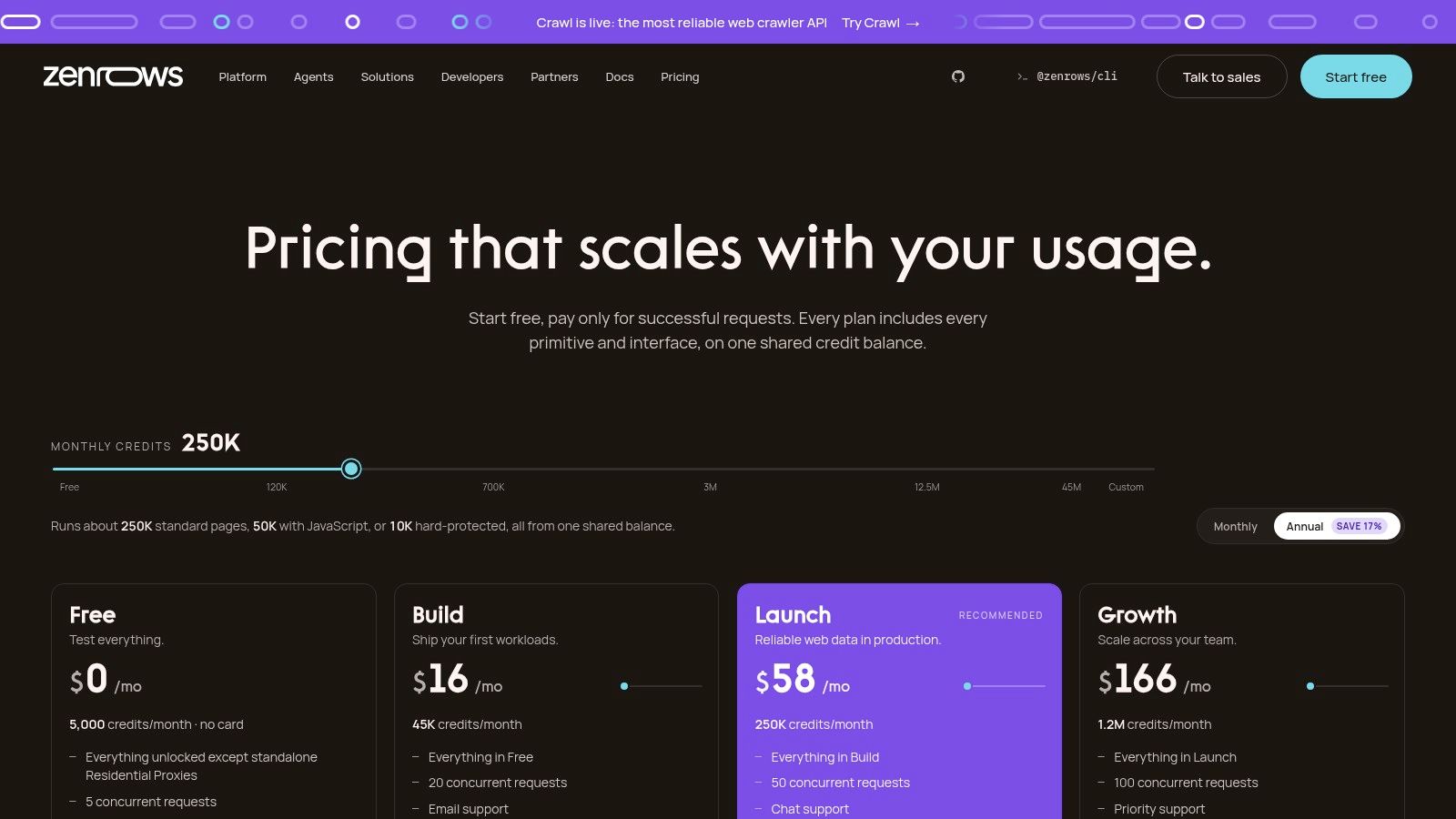
ZenRows uses a shared credit system across products. The feature set used for a request can affect credit consumption, so the cheapest configuration isn't necessarily the one that returns enough content for your parser. Test the exact browser and protection-handling options your pages require, then verify how those map to the current plan.
Pricing has changed over time, making it especially important to confirm current limits and credit costs on the ZenRows pricing page. Teams should also measure whether the returned page contains the data their parser expects, rather than treating a successful HTTP response as a successful extraction.
Pros
- Multiple collection modes: Fetch, extract, batch, and browser-session options provide flexibility.
- Shared billing: One credit system can simplify management across supported products.
- Published plans: Public plan information gives teams a starting point for evaluation.
Cons
- Custom comment parsing: Thread and pagination logic remain your responsibility.
- Credit mapping needs testing: Current feature-to-credit costs should be checked before forecasting spend.
9. Scrapfly Web Scraping API
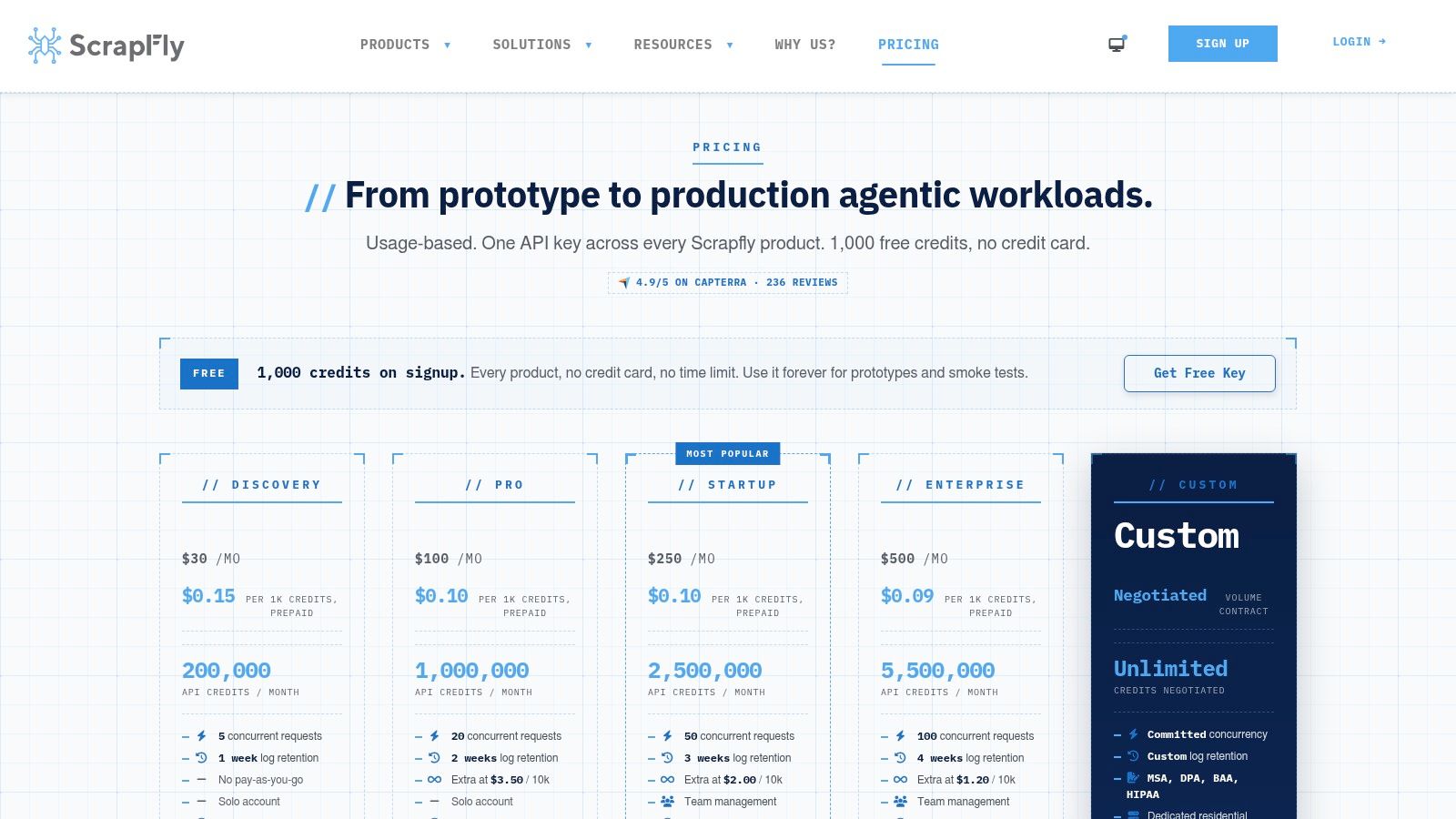
Scrapfly gives engineers more control over the request itself. Its web scraping API offers configurable browser, proxy, and anti-bot options, alongside extraction helpers and storage integrations. Credit use varies with request options, so the service suits teams willing to tune the setup against the reliability and data quality they need.
That flexibility comes with a practical cost: the team must know which configuration retrieves usable content, and then maintain the parser for that content. Scrapfly isn't a turnkey YouTube comment or transcript API. Heavily throttled pages may require iterative testing, and the team should measure not only successful fetches but also whether each response contains complete records.
Tune against extraction success
A configurable browser layer can be a better fit than a fixed endpoint when your product needs unusual fields or handles multiple targets. It can also create more operational decisions than a prebuilt parser. Measure the total cost of a usable record, including requests that fail or return incomplete data, rather than comparing only the nominal credit price.
Scrapfly's pricing explains how options affect credit use. Review the current terms on the Scrapfly pricing page, then test representative video pages and comment threads before adopting the API.
Pros
- Fine-grained controls: Request options let engineers adjust browser, proxy, and anti-bot behavior.
- Cost transparency: Published pricing describes how configuration affects credits.
- Broader applicability: The infrastructure can support other scraping targets.
Cons
- Parser maintenance: YouTube-specific transcript and comment extraction still needs application logic.
- Configuration work: Difficult pages may take repeated tuning to collect reliably.
10. Scrape.do YouTube Scraper API
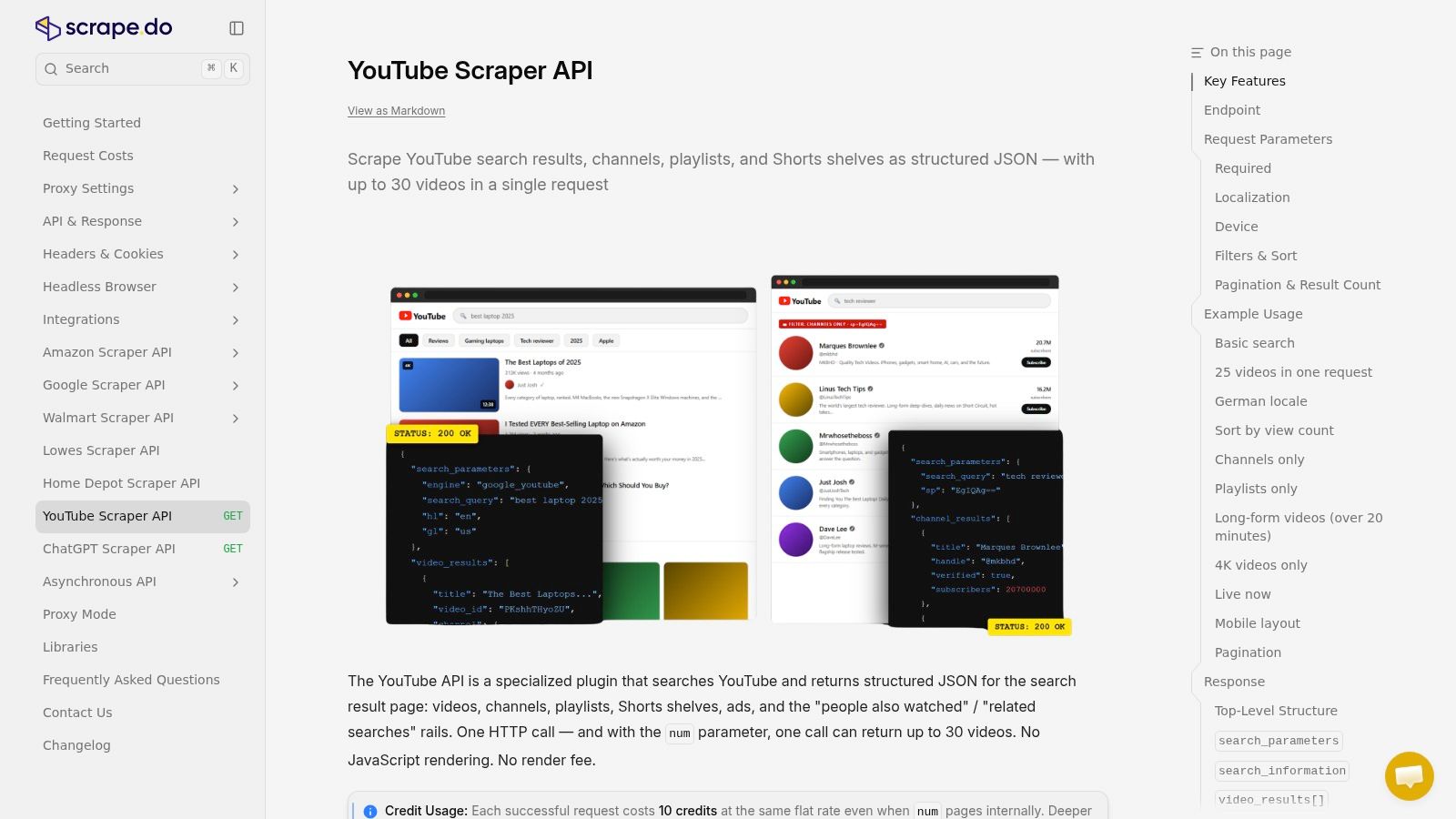
Scrape.do's YouTube endpoint sits between a general browser service and a search-only API. It's a YouTube-specific endpoint designed to return structured JSON, using managed proxies and unblocking rather than asking customers to maintain their own selectors. That can simplify integration for teams that need a direct request interface and want to avoid operating a browser fleet.
The endpoint's purpose-built shape doesn't remove the need to test coverage. Heavy comment or subtitle collection can involve pagination, missing captions, or content restrictions that aren't captured by a simple request-success metric. Ask how the endpoint handles those cases, how errors are represented, and whether the returned schema contains every field your downstream system requires.
Fit the endpoint to the exact data
Scrape.do may appeal to teams that want managed extraction without adopting a broad job marketplace or building page parsers from scratch. Its ecosystem and public benchmarking information are less extensive than those of the largest scraping vendors, so production teams should validate their own workload rather than assume performance based on general claims. Check current quotas, supported parameters, and rate limits in the Scrape.do YouTube API documentation.
Pros
- Purpose-built endpoint: Structured JSON can reduce initial integration work.
- Managed infrastructure: Proxies and unblocking reduce the need to maintain those layers.
- REST parameters: The request model can be straightforward to test and integrate.
Cons
- Less public benchmarking: Teams may need to perform more independent validation.
- Heavy collection needs testing: Comment and subtitle workloads can stress different parts of the endpoint.
For a separate comments-focused workflow, compare the fields and pagination behavior of Captapi's YouTube comments API.
Top 10 YouTube Scraping APIs: Feature Comparison
| Platform | Coverage & data | Developer experience / quality | Pricing | Best for / unique value |
|---|---|---|---|---|
| 🏆 Captapi | 33+ platforms; transcripts, comments, profiles, search, summaries | One REST API; retries, optional 24-hour cache; ★ 97.4% reported success | 💰 Free 100 lifetime credits; paid plans from $9/month | 👥 Developers needing unified social data; ✨ summaries, MCP and workflow integrations |
| Bright Data, YouTube Scraper API | YouTube video, channel and engagement data | Managed proxies and maintained scrapers | 💰 Usage-based, per successful record | 👥 Teams scaling YouTube collection; ✨ enterprise tooling |
| Oxylabs, Web API | General web scraping, including YouTube | Browser rendering, automated unblocking and monitoring | 💰 Tiered; configuration-dependent; free trial | 👥 Enterprise scraping teams; ✨ SOC reports and broad platform |
| SerpApi, YouTube Search API | YouTube search results and metadata | JSON API, CLI and SDKs; cache controls | 💰 Monthly plans based on search volume | 👥 Search and rank-tracking workflows; ✨ predictable credits per search |
| DataForSEO, YouTube SERP API | Search, video details, comments and subtitles | Task-based API with priorities and spend caps | 💰 Pay-as-you-go; rates vary by method | 👥 Teams balancing cost and turnaround; ✨ no subscription required |
| Apify, YouTube Scraper Actors | Search, channels, videos, comments and transcripts | HTTP-accessible Actors; limits vary by Actor | 💰 Pay-per-result or event; varies by Actor | 👥 Teams wanting ready-made scrapers; ✨ broad Actor catalog |
| Zyte, Zyte API | General scraping for YouTube and other sites | Browser and proxy modes; Scrapy integration | 💰 Plan-dependent; contact sales may be needed | 👥 Engineers building custom extraction; ✨ managed scraping infrastructure |
| ZenRows, Scraping API | General page fetching; YouTube parsing is custom | JavaScript rendering, retries and protection handling | 💰 Tiered credit plans; verify current usage costs | 👥 Teams building their own parsers; ✨ multiple scraping modes |
| Scrapfly, Web Scraping API | General web scraping with optional extraction helpers | Browser, proxy and anti-bot controls | 💰 Credit-based; cost varies by request options | 👥 Teams wanting extraction control; ✨ fine-grained configuration |
| Scrape.do, YouTube Scraper API | YouTube-specific structured JSON | Managed proxies and unblockers; REST parameters | 💰 Check current plans and quotas | 👥 Teams seeking a dedicated YouTube endpoint; ✨ less selector maintenance |
Match the API to Your Production Workload
Start with the job your system must complete, not the broad label “YouTube scraper.” For keyword discovery and rank tracking, SerpApi or DataForSEO offer search-oriented endpoints. SerpApi's focus is results discovery; DataForSEO adds video information, comments, and subtitles through a task-based workflow. Before choosing either, decide how often queries must be repeated and how you'll record locale, time, filters, and pagination. Search rankings can vary with those conditions, so an undocumented result snapshot won't support a defensible trend analysis.
For transcript and comment collection, Captapi or DataForSEO provide endpoint coverage aimed at those outputs. Apify Actors may also fit a narrow task when you've checked the individual Actor's ownership, schema, and limits. Test videos with and without captions, as well as restricted or unavailable content, because transcript coverage depends on the source. The official YouTube Data API also has a quota-based model: Google documents a default project allocation of 10,000 quota units per day, with search.list costing 100 units per request. Those limits are a useful comparison point for workloads, but official API access and automated extraction are not equivalent approaches. Review the official quota guidance and assess authorization, terms, provenance, and caching separately.
If you want maintained YouTube-specific extraction, compare Bright Data and Scrape.do against the fields, record costs, and operational support you need. If you want broader browser infrastructure and are prepared to maintain your own parser, evaluate Oxylabs, Zyte, ZenRows, or Scrapfly. A general scraping API can provide browser rendering or unblocking, but your team still owns the logic that turns page content into valid records.
Compliance is a buying requirement, not a footnote. YouTube's developer policies prohibit API clients from directly or indirectly scraping YouTube or Google applications, or obtaining scraped YouTube data. They also require clear privacy disclosures for information accessed, collected, stored, processed, and shared. Read the YouTube developer policies and obtain legal guidance for your use case. Keep source URLs and timestamps, minimize stored user-identifying data, and establish deletion and takedown workflows before collecting comments or creator-level identifiers at scale.
Before committing, run a representative test. Measure the cost of successful, complete records rather than submitted requests; check missing-caption and restricted-content behavior; and confirm current rate limits, retention rules, retry behavior, and response schemas. If the project includes media workflows for creators, compare a purpose-built mass download tool for creators rather than assuming a data API also supplies media files.
Captapi provides read-only endpoints for YouTube search, transcripts, comments, video details, and channel data through a consistent REST interface that also supports other social platforms. If that mix matches your pipeline, review the endpoints, test them against representative videos, and visit Captapi to see whether it fits your production workload.