
How to Get an Instagram Transcript Using API
How to Get an Instagram Reel Transcript
To obtain a text transcript from an Instagram Reel using Captapi, start by acquiring an API key from captapi.com. This key provides access to the required endpoints for extracting data from Instagram. Once you have the API key, consult the API documentation at captapi.com/docs for detailed guidelines on request formatting and parameter specifications.
The basic process involves sending a request to the designated Instagram endpoint with the appropriate parameters. First, identify the unique identifier for the Instagram Reel you wish to transcribe. The ID is essential for fetching specific media data. Next, structure your HTTP GET request to include authorization, specifying the API key in the header. The endpoint will typically resemble: https://api.captapi.com/instagram/transcripts.
Ensure your request includes the following:
- The Instagram Reel's unique identifier
- Your authorized API key
- Any optional parameters, such as language preference, if supported
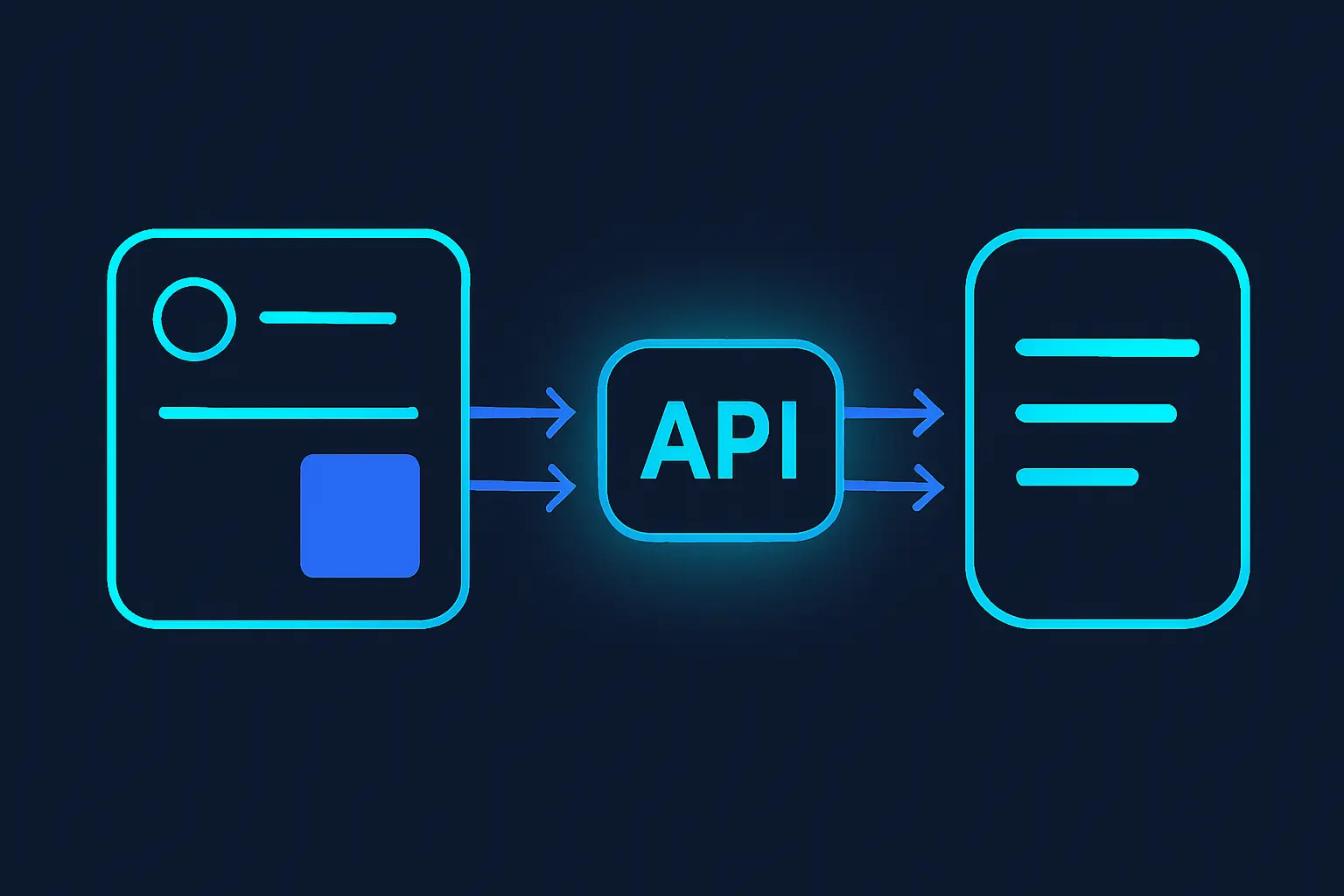
Upon sending the request, the API processes the transcript extraction from the Instagram Reel. Captapi returns the transcript as clean JSON, allowing easy parsing and integration into applications. Review the JSON response to extract the transcript content and any additional metadata provided. With Captapi's solutions, you can streamline the process of collecting social media transcripts without compromising data quality.
Benefits of Using API Solutions for Transcription
Using API solutions to obtain Instagram transcripts provides significant advantages over manual methods. Automation is the key benefit; APIs eliminate the need for labor-intensive transcription processes, saving time and reducing human error. An API can automatically pull and convert audio to text quickly and uniformly, handling large volumes of content with consistency.
Another benefit is accessibility. By enabling programmatic access to Instagram transcripts, APIs allow developers to integrate these transcripts directly into their applications or systems. This integration helps streamline workflows without needing to switch between different tools or platforms. Additionally, APIs often come with extra functionalities, such as AI-based summarization or language translation, that manual methods cannot match easily.
API solutions also offer scalability. Whereas manual transcription might struggle to keep up with increasing content demands, APIs can adapt to higher volumes efficiently, ensuring that transcription capabilities grow alongside your needs. This scalability is essential for businesses or developers managing multiple social media accounts.
Moreover, APIs like Captapi provide security and reliability. By using a standardized and tested interface, developers can ensure that data is handled securely, reducing concerns over data breaches or loss. Captapi offers comprehensive functionality on over 27 platforms, including Instagram. You can check their features for Instagram transcripts at this link.
- Automation and reduced errors
- Direct integration with applications
- Optional AI functionalities
- Scalability and efficiency
- Security and reliability
Supported Platforms and Formats
Captapi provides comprehensive API solutions for acquiring social media data, offering support for a broad array of platforms and formats. With its extensive range of features, Captapi facilitates seamless access to data such as profiles, posts, comments, and transcripts across 27 different platforms. This diverse support ensures that developers can integrate social media data retrieval easily into their applications irrespective of the platform in focus. Captapi's API solution delivers data consistently in clean JSON format, optimizing it for developer use and subsequent processing.
The wider the platform support, the more use cases and versatility it offers for application developers aiming for extensive market reach. Below is a comparison table displaying some of the supported platforms and corresponding data formats available through Captapi.
| Platform | Available Formats |
|---|---|
| YouTube | JSON for comments, transcripts, videos |
| TikTok | JSON for posts, comments |
| JSON for transcripts, stories, posts | |
| JSON for posts, comments, transcripts | |
| JSON for threads, comments |
In particular, data retrieval from Instagram comprises transcripts, stories, and posts formatted in JSON, making it easy for developers to handle and manipulate the data programmatically. Such a wide array of supported platforms and formats ensure that Captapi caters to diverse needs, facilitating robust integration for developers seeking comprehensive social media data solutions.
Example API Request for Instagram Transcript
To obtain a transcript from an Instagram Reel using Captapi, you can employ either the curl command line tool or a Python script. Both methods send a GET request to the Captapi endpoint dedicated to processing Instagram content. The request requires your unique API key and the Instagram Reel's identifier. Below are examples of how you can send such a request, followed by a sample JSON response.
Using curl:
curl -X GET 'https://api.captapi.com/instagram/transcripts' \
-H 'Authorization: Bearer YOUR_API_KEY' \
-H 'Content-Type: application/json' \
-d '{"reel_id": "REEL_ID_HERE"}'
In this command, replace YOUR_API_KEY with your Captapi API key, and REEL_ID_HERE with the ID of the Instagram Reel you are interested in.
Using Python:
import requests

url = 'https://api.captapi.com/instagram/transcripts'
headers = {
    'Authorization': 'Bearer YOUR_API_KEY',
    'Content-Type': 'application/json'
}
data = {
    'reel_id': 'REEL_ID_HERE'
}

response = requests.get(url, headers=headers, json=data)
transcript = response.json()
print(transcript)
Below is a sample JSON response you might receive:
{
    "reel_id": "REEL_ID_HERE",
    "transcript": "This is an example transcript of the reel.",
    "language": "en",
    "captions": [
        {"start": 0.0, "end": 1.5, "text": "This is an"},
        {"start": 1.5, "end": 3.0, "text": "example transcript"}
    ]
}
Be sure to handle the response in your client code to access properties like the transcript text and captions, which provide detailed timings and content as needed.
Real-Time vs Batch Processing
When generating Instagram transcripts, understanding the difference between real-time and batch processing is essential to selecting the right approach for your needs. Real-time processing involves retrieving and processing data as it is generated. This means that transcripts are available almost immediately after an Instagram reel is published, allowing developers to integrate features that depend on timely access to content, such as live sentiment analysis, proactive content moderation, or rapid content delivery changes based on trending interactions.
In contrast, batch processing involves collecting data over a period and processing it in large volumes at scheduled intervals. This method is suitable for scenarios where immediate access to the data is not critical, offering benefits such as reduced computational cost and more efficient resource use. Batch processing is ideal for applications focused on detailed analytics, historical data mining, or periodic reporting where near-instantaneous access is not a priority.
- Real-Time Processing: Instantaneous, time-sensitive, resource-intensive.
- Batch Processing: Scheduled, efficient resource use, cost-effective.
Choosing between real-time and batch processing often depends on the application's specific requirements. If low-latency access to Instagram data is crucial for your use case, real-time processing is the better choice. Conversely, if your application can afford to wait for updated transcripts for comprehensive analysis later, batch processing can offer significant efficiency advantages. Ultimately, many developers find benefit in combining both methods, using real-time processing for urgency and batch processing for bulk data handling.
Handling Multiple Languages
Captapi is equipped to manage transcription in multiple languages, including those found in Instagram content. When dealing with diverse language inputs on this platform, Captapi's API leverages natural language processing (NLP) techniques to accurately transcribe and identify language nuances in audio and video content.
Through automatic language detection, Captapi can identify and process various languages used within Instagram Reels. This feature is particularly useful for creators and businesses operating in multilingual environments. By dynamically recognizing the spoken language, the API ensures the transcription aligns with the original audio content's linguistic properties.
Once the language is detected, Captapi utilizes language-specific models to ensure transcriptions are as accurate as possible. This tailored approach takes into account unique grammatical structures, idiomatic expressions, and slang prevalent in different languages, thus improving the quality and reliability of the output data.
Moreover, users can specify their desired language for transcription if known in advance, offering a degree of customization. Captapi can also handle instances where multiple languages are spoken within a single clip. The API is capable of segmenting the audio to provide transcriptions for each part in the appropriate language.
- Automatic language detection and processing
- Language-specific models for enhanced transcription quality
- Support for audio containing multiple languages
In environments where precision in various languages is essential, Captapi's solution offers significant advantages, ensuring the richness and intricacies of multiple languages are maintained within transcriptions.
Frequently asked questions
How can I transcribe Instagram Reels automatically?
To transcribe Instagram Reels automatically, you can use APIs like Captapi that support transcription services. Such APIs can process the audio from Reels and return a text transcript in JSON format. Simply provide the Reel URL or relevant identifiers as required by the API documentation.
Is there a free tool to get Instagram video transcripts?
Yes, there are free tools like Captapi's free tier offering, which requires no credit card and provides 100 credits for API use. These credits can be used to request transcripts for a limited number of Instagram videos. Always check the specific conditions and limitations of free service tiers.
Can I transcribe Instagram voice messages?
Transcribing Instagram voice messages may require different processing compared to video or Reels. Tools like Captapi can potentially handle various audio sources, but confirm the specific functionality for voice messages in the API documentation or user guide.
What is the accuracy rate for Instagram transcript tools?
The accuracy rate for Instagram transcript tools depends on several factors, including the audio quality and the tool's underlying transcription technology. APIs such as Captapi leverage advanced transcription engines, but specific accuracy rates should be verified with the service provider or through trial use.