
YouTube Channel URL Formats and API Integration
You copy a creator's YouTube channel link into a monitoring dashboard, store it in a database, and move on to the next source. Months later, the creator changes their handle. The old public link stops resolving, your scheduled jobs can't find the channel, and historical records split across what your system treats as two different entities.
That failure usually isn't caused by the channel disappearing. It comes from confusing a public routing URL with a stable channel identifier. YouTube supports several URL formats because its identity system has evolved over time, but those formats don't have the same durability or technical purpose. For developers, researchers, and marketers, the practical rule is simple: accept every reasonable YouTube channel URL at the boundary of your system, then normalize it to the underlying channel ID before storing or analyzing it.
Table of Contents
- Understanding YouTube Channel URL Structures
- The Three Main YouTube Channel URL Formats
- How to Find and Copy Any Channel URL
- Converting Between URL Formats and Handles
- Why Channel IDs Matter for Developers and APIs
- Extracting Channel Data with the Captapi API
- Handling URL Changes and Broken Links
- Quick Reference Guide for YouTube URL Structures
- Glossary of YouTube Channel Identifier Terms
Understanding YouTube Channel URL Structures
A social listening pipeline often starts with a perfectly ordinary input, such as youtube.com/@creatorname. The link works in a browser, so an engineer stores the full string as the channel key. Later, the creator updates the handle. The dashboard still contains historical data, but the next API request follows a public address that may no longer resolve in the same way.
The mistake is treating a readable address as the entity itself. A handle is designed for people to recognize and share. A channel ID is designed for YouTube to identify the channel. Those roles overlap in the interface, but they aren't interchangeable in a long-running data workflow.
Practical rule: Store the channel ID as the entity key. Keep the submitted URL and current handle as metadata.
YouTube's own documentation describes the standard channel URL as an address containing the channel's unique ID. The same documentation also explains that channel statistics are available through the YouTube Data API, which is why the ID-based representation is the natural anchor for structured integrations. You can review the mechanics of related video-link collection in this guide to getting YouTube video URLs, but channel identity requires a separate normalization step.
Why the public link can mislead you
A URL such as ` looks canonical because it's short and readable. In practice, it's a routing attribute. YouTube uses the handle to direct visitors to the channel, but the handle can change when the owner rebrands or selects another available name.
Legacy formats create another source of confusion. Older channels may still appear under /user/username or /c/customname, while newer public sharing centers on /@handle. A long /channel/UC... address is less attractive in a social post, yet it expresses the identifier that matters most to an API client.
The platform's history explains why all these forms remain in circulation. Channels first used username-based addresses, then moved toward platform-assigned IDs. YouTube introduced 128-bit channel IDs encoded in base64url in 2012, creating a much more durable identity layer than earlier naming systems. Handles arrived in 2022 and added a shorter public URL without removing the older ID representation. Google's channel URL documentation also confirms that existing custom URLs continue to work even though new custom URLs can no longer be created or changed.
The result is a deceptively simple user experience backed by several generations of identifiers. A solid system doesn't ask which URL "looks right." It asks which URL can be resolved to the same channel ID every time.
The Three Main YouTube Channel URL Formats
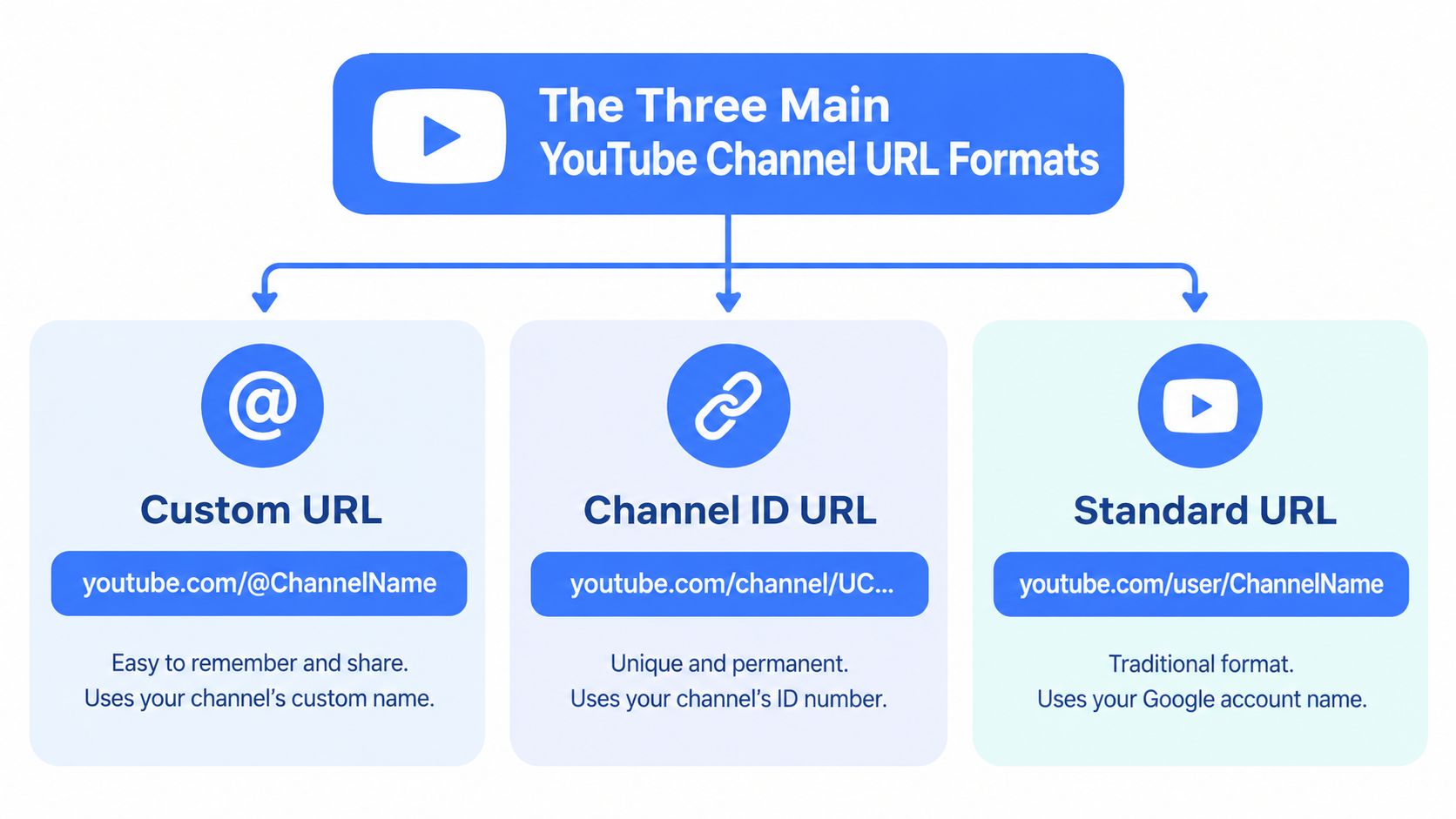
You'll encounter four practical forms in channel lists, spreadsheets, citations, and user-submitted data. They fall into two broad groups: human-facing routes and the machine-oriented ID.
Handle URLs
The modern public format looks like youtube.com/@handle. Google states that handles begin with @, are distinct from channel names, and automatically become the channel's new public URL. The handle is easier to read aloud, place in a campaign brief, or share in a profile bio.
That convenience comes with a trade-off. A handle is a mutable public label, not the safest database primary key. If the owner changes it, links and integrations that depend on the old string need to be checked.
Custom URLs
The legacy custom format commonly appears as youtube.com/c/name. It was created to give channels a memorable public route, and older channels may still use it. Existing custom URLs continue to function, and older custom URLs can redirect to the current handle-based address, but new custom URLs can no longer be created or changed under YouTube's current rules.
Treat /c/ as a legacy route. It can help you locate a channel, but it shouldn't become the authoritative key in a new application.
Username URLs
The older form, youtube.com/user/username, belongs to YouTube's username-based era. It may still work for an established channel, but it carries more historical baggage and gives you less confidence about how the route behaves after a rebrand.
Channel ID URLs
The ID format looks like youtube.com/channel/UC..., where the trailing value is the unique channel ID. This address is longer and less memorable, but it's the strongest candidate for backend storage, API lookup, deduplication, and archival references.
A useful engineering distinction is:
- Routing attributes: handles, custom names, and usernames help YouTube route a visitor.
- Canonical identity: the channel ID identifies the channel that your records describe.
- Display values: the current name and handle can change without changing the entity in your database.
For practical media workflows, you may also need to separate channel URLs from individual video URLs. A dedicated guide to getting a YouTube video URL is useful when your ingestion system handles both entity types.
How to Find and Copy Any Channel URL
The fastest method depends on whether you need a shareable link or a stable identifier. For a campaign brief, the handle URL is usually the cleanest choice. For an integration, take the extra step to identify the channel ID before saving the record.
On desktop
Open the channel page in a browser and inspect the address bar.
- If the address contains
/channel/, copy the full URL and extract the value after/channel/. - If it contains
/@, record the handle, then resolve the page to its channel ID before inserting it into your database. - If it contains
/c/or/user/, treat it as a legacy route and resolve it rather than assuming the visible name is permanent. - Open the channel's share menu if you need a clean public link for a presentation or profile.
- Save both values when useful: the canonical ID for processing and the current public URL for human-facing output.
The channel page source or browser developer tools can help when the interface only exposes a handle. Search the loaded HTML or network responses for a field such as channelId, or for the /channel/ pattern. The exact page structure can change, so use this as a discovery technique rather than a contract for production scraping.
On mobile
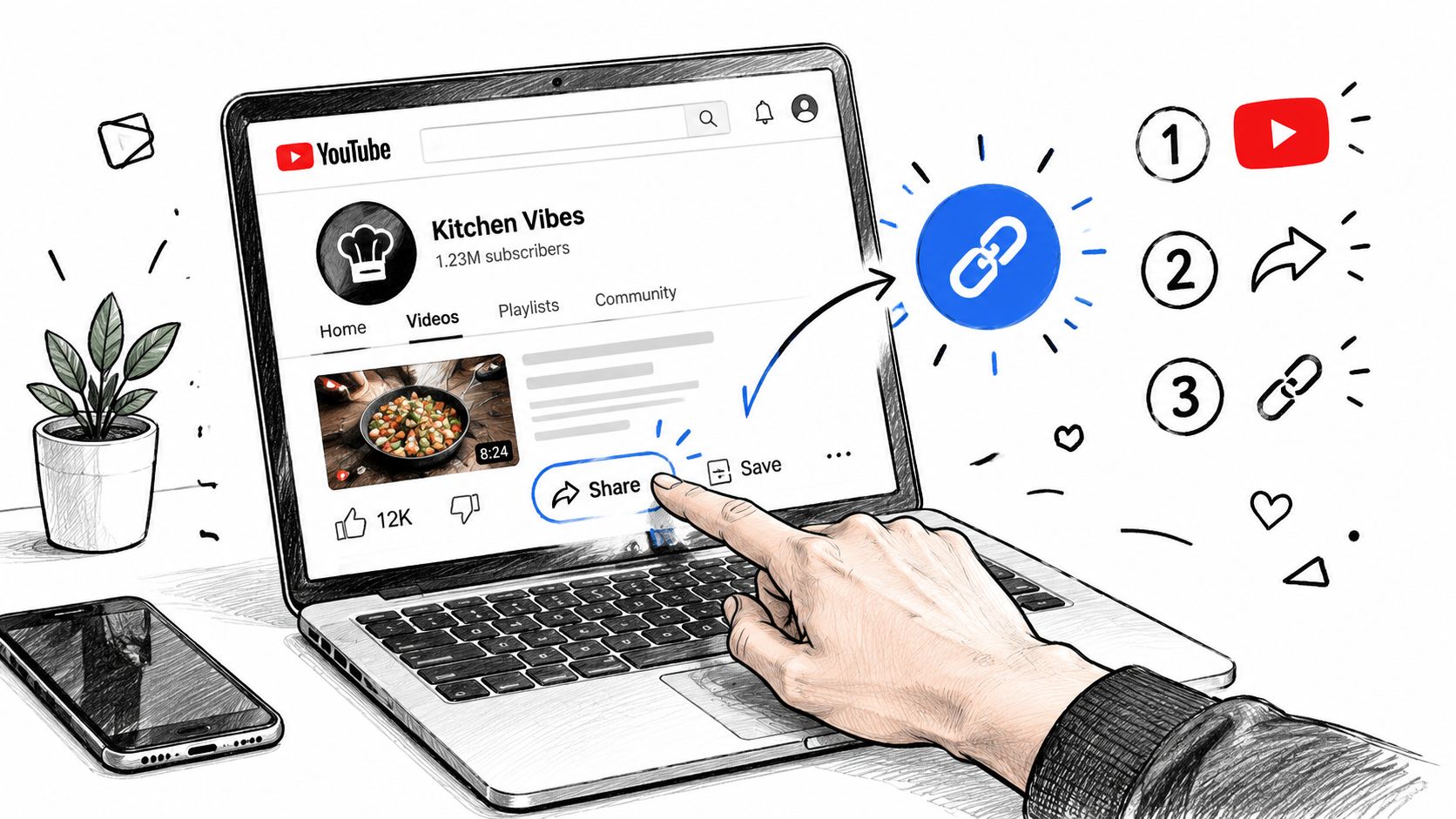
The YouTube app makes public sharing easy but often hides the underlying ID. Open the channel, tap Share, and copy the link. If the result uses a handle, send it through your resolver before storing it. For a stable ID, open the copied link in a desktop browser or use an API-backed lookup that accepts the handle.
Verify before you publish
A copied URL can be valid for a visitor and still be unsuitable for your internal records. Check that the resolved page has the expected channel name, avatar, description, and recent content. If you're preparing a creator directory or campaign brief, these best practices for sharing channels provide useful context for choosing a public-facing link.
Don't infer identity from the channel name alone. Names aren't necessarily unique, and creators can change them. Resolve the URL, capture the ID, and record the observed handle with a timestamp so future audits can explain how the record was created.
Converting Between URL Formats and Handles
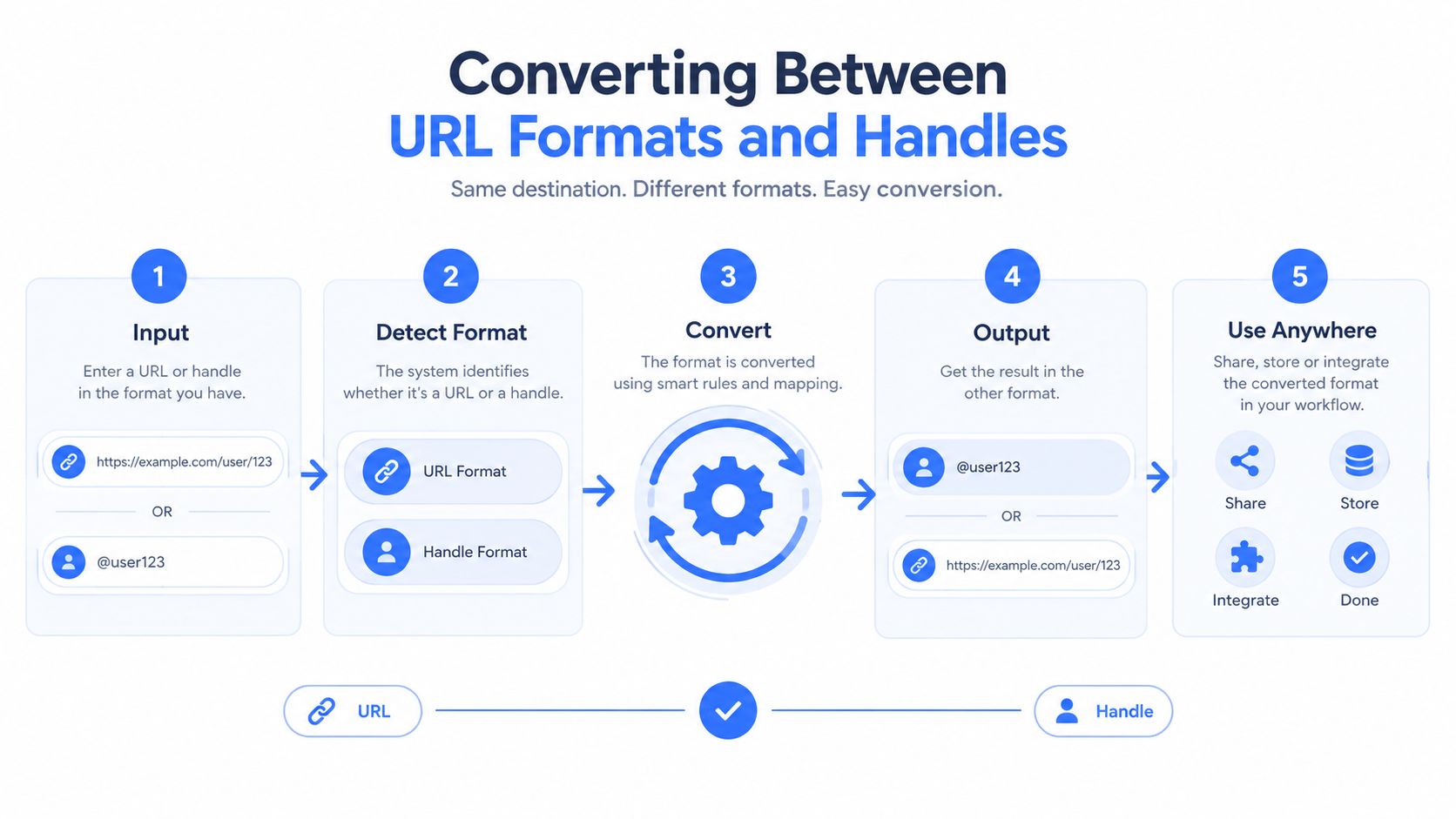
A normalization function should accept messy input and produce one internal representation. That input may be a full URL, a bare @handle, a legacy /user/ route, a custom /c/ route, or an already extracted channel ID. Your database shouldn't preserve that variety in its primary key.
A reliable resolution sequence
Start by parsing the input as data, not as a string to concatenate into another endpoint.
- Canonicalize the input. Trim whitespace, decode ordinary URL encoding where appropriate, and remove tracking parameters.
- Classify the path. Detect
/channel/,/@,/c/, and/user/. Also accept a bare ID or handle if your product supports pasted shorthand. - Short-circuit an ID. If the input is already a channel ID, validate its shape and use it directly.
- Resolve public routes. Query YouTube or a compliant data service to identify the channel behind the handle or legacy route.
- Persist the result. Store the channel ID as the key, while keeping the original input, resolved URL, handle, and last-checked timestamp as separate fields.
The YouTube Data API exposes snippet.customUrl, but that field isn't the canonical channel ID. It's best treated as a display or routing attribute. Google's handle documentation also makes clear that a handle is distinct from a channel name and becomes a public URL, which reinforces the separation between presentation and identity.
A practical record model
A channel table might include:
channel_id, the immutable application key used for joins and API workflowscurrent_handle, the latest observed public handlecurrent_url, the URL your interface should displayinput_url, the value originally supplied by a user or importresolved_at, the time the route was last checkedstatus, such as active, unresolved, or review-required
This structure prevents a handle change from creating a new channel row. It also gives researchers an audit trail when an old citation no longer matches the current public route.
A scraper or extraction service can help with the resolution stage, but it shouldn't remove the identity layer from your design. If your workflow collects channel pages at scale, document the accepted input forms and normalize before queuing downstream work. That separation makes retries, deduplication, and provider changes much easier to manage. For broader extraction patterns, see this overview of a YouTube channel scraper.
Why Channel IDs Matter for Developers and APIs
A channel ID isn't merely a less attractive URL component. It's the identifier that lets software connect observations over time. If your database uses a handle as the primary key, a rebrand can fragment one creator's history into multiple records. If it uses the channel ID, the public label can change while the entity record remains intact.
The scale of YouTube makes that distinction operationally important. A channel-history study reported more than 106 million unique channels in its processed dataset by the end of 2023, while a 2026 census paper reported 1.21 billion total channel snapshots and at least 106 million unique channels in its dataset. Those figures come from different measures, so they shouldn't be combined as a single platform total. Together, they show why ad hoc string matching becomes fragile when applied to a large, long-lived ecosystem. The channel-census paper also recorded ID-format, handle-format, custom-format, and username-format snapshots, reflecting the coexistence of multiple URL generations.
The cost of using a handle as a key
Suppose an agency imports a competitor list and uses @brandname as the unique identifier. A public rename can cause several failures:
- historical metrics become attached to a key that no longer resolves
- a re-import may create a second row for the same channel
- scheduled jobs may return empty results or the wrong entity
- citations and saved reports retain an obsolete route
- analysts lose confidence in trend lines because identity continuity is unclear
These aren't theoretical schema concerns. They appear whenever a system runs longer than the current branding cycle. The visible URL is useful input, but it's a poor substitute for the underlying ID.
Recommended identifier policy
| Format Type | URL Structure | Stability | Recommended Use Case |
|---|---|---|---|
| Channel ID | /channel/UC... |
Highest for machine workflows | Database keys, API requests, archives, joins |
| Handle | /@name |
Public route that can change | Sharing, display, user-facing navigation |
| Custom URL | /c/name |
Legacy route, existing links may redirect | Historical references and migration input |
| Username URL | /user/name |
Older route with legacy behavior | Import compatibility and discovery |
Use the ID in foreign keys, job payloads, cache keys, and research datasets. Keep handles and URLs in a history table or metadata columns, not in the field that defines the entity.
The same principle applies when choosing an API integration. A YouTube Data API guide can help with endpoint mechanics, but the identity decision belongs in your schema. Resolve once at ingestion, then pass the ID through every later stage.
Extracting Channel Data with the Captapi API
Once a channel URL has been normalized, the extraction request becomes much simpler. Instead of asking every downstream component to understand handles, custom routes, and legacy usernames, pass the resolved channel ID into the data layer and keep URL interpretation at the edge.
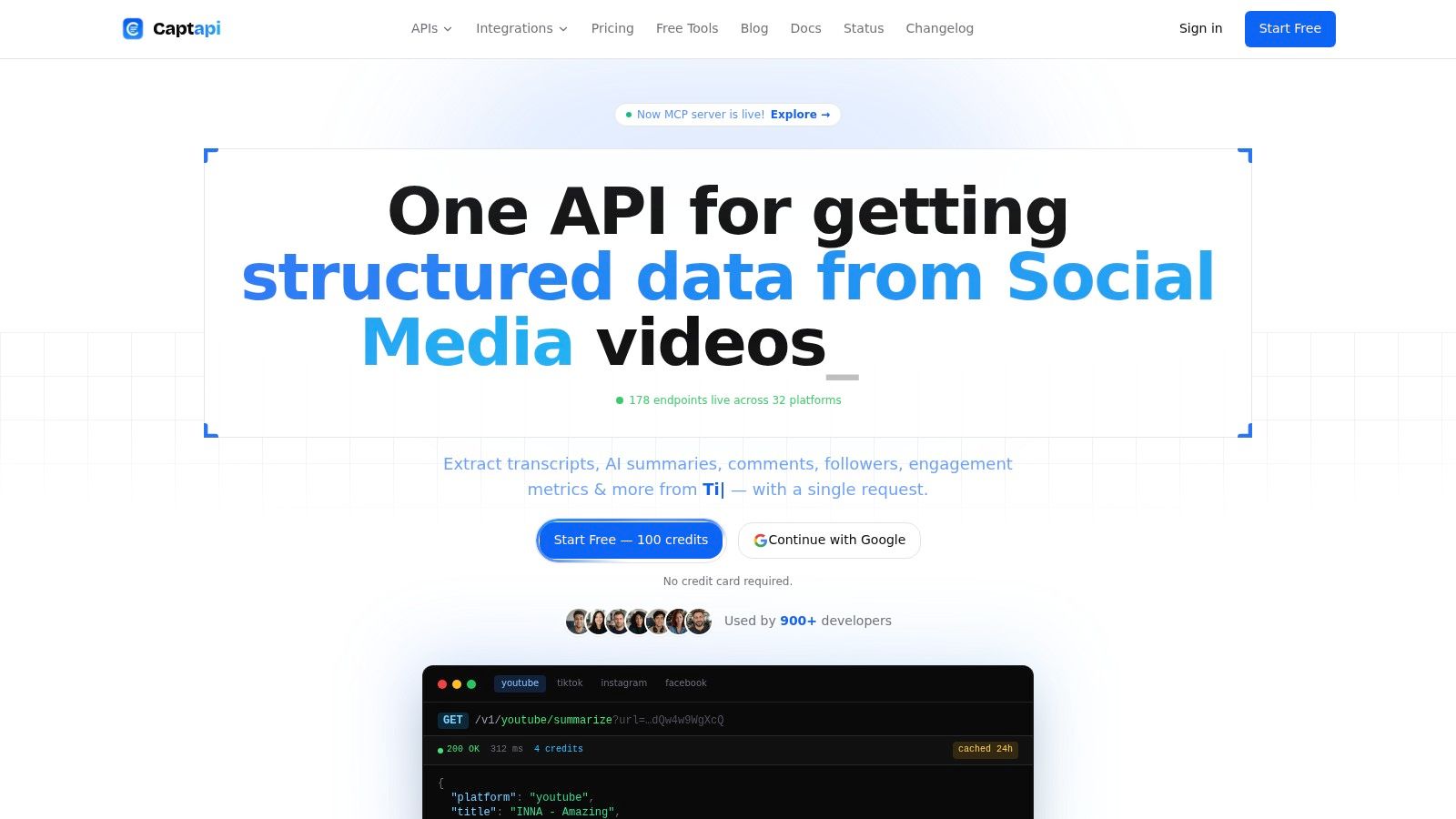
Captapi provides a REST interface for public social data and accepts YouTube channel URLs, handles, bare handles, and channel IDs for channel-detail requests. In a practical workflow, a developer can first resolve and validate the input, then call the YouTube Channel Details API with the normalized value. The returned JSON can supply channel profile information and audience-related fields for storage or analysis.
A pipeline that keeps identity separate
A sensible ingestion flow looks like this:
- Accept the user's input. It may be a copied handle URL, a legacy link, or an ID.
- Resolve the channel. Confirm that the route points to the expected creator and obtain the channel ID.
- Store the identity record. Save the ID as the key and retain the submitted route for provenance.
- Request channel data. Use the ID for repeatable details, streams, playlists, or related extraction jobs.
- Attach content observations. Link videos, comments, transcripts, and metrics to the channel ID rather than to the current handle.
This model is useful for competitive monitoring because a brand's public presentation can change without forcing a new competitor entity into the warehouse. It also supports research archives, where preserving the original URL matters for citation but shouldn't determine whether two observations belong to the same channel.
Where extraction fits
A channel-details response is often only the first request. A content pipeline may then collect video metadata, transcripts for retrieval-augmented generation, summaries, comments for qualitative analysis, or engagement fields for reporting. Captapi exposes these types of social-data operations through a consistent REST interface, so the application can keep its transport and authentication pattern stable while it handles YouTube-specific identifiers internally.
Don't make the extraction provider responsible for your database design. Even when a service accepts a handle directly, normalize the returned identity and verify it before merging records. A convenient input format can reduce setup work, but it doesn't change the underlying durability trade-off.
Handling URL Changes and Broken Links
The common assumption is that YouTube will preserve every old channel link forever. That isn't safe. A handle change changes the channel's public URL, and YouTube says the old handle URL typically doesn't automatically redirect. Older custom URLs often redirect to the handle-based URL, but that behavior shouldn't be generalized to every historical format.
YouTube's channel-link guidance is the right reference for the platform's current behavior, especially when a product depends on clickable links or public sharing. The operational conclusion is more important than the redirect detail: a public URL needs revalidation, even when the channel itself remains active.
Build for continuity instead of recovery
A dashboard that stores only the current URL discovers the problem after a request fails. A resilient system records identity and routing history separately.
- Retain the ID permanently. Never replace the canonical key because a handle changed.
- Keep previous routes. Store old handles and URLs with observation dates.
- Recheck unresolved links. A failed route may indicate a rename, a deleted channel, a transient issue, or an incorrect import.
- Compare resolved identity. When a route changes, verify the channel name, description, avatar, and content before updating metadata.
- Alert on divergence. Send a review event when a URL resolves to a different channel than the stored ID.
This approach protects both automated systems and human readers. A citation index can preserve the original link while displaying the current handle. A marketing dashboard can show the latest public address without losing the historical record.
Researchers and agencies can pair URL monitoring with a broader audit process. A resource on a YouTube growth roadmap can help organize channel-level review, but the identity check still belongs in the data workflow. Growth analysis is only meaningful when observations remain attached to the same channel.
Test the uncomfortable cases
Don't test only a stable /channel/ URL. Include a handle change, an old custom route, a username route, a malformed pasted link, and a channel that no longer resolves. Your system should distinguish “route changed” from “entity unavailable” rather than collapsing both into a generic 404.
Run periodic validation for important datasets. The interval depends on the value of the data and the frequency of reporting, but the principle is constant: public labels are mutable, so long-lived references require maintenance.
Quick Reference Guide for YouTube URL Structures
Use this as a field guide when a channel link enters an ingestion queue.
Identify the input
| Input pattern | Meaning | First action |
|---|---|---|
youtube.com/channel/UC... |
Channel ID route | Extract and validate the ID |
youtube.com/@name |
Current handle route | Resolve to a channel ID |
youtube.com/c/name |
Legacy custom route | Resolve and record as historical input |
youtube.com/user/name |
Older username route | Resolve and avoid using the name as a key |
Bare UC... value |
Possible channel ID | Validate, then confirm the channel |
Bare @name value |
Handle shorthand | Convert into a resolvable handle route |
Apply the routing rule
For sharing, use the current handle URL because people can read and recognize it. For backend storage, use the channel ID. For migration, accept every legacy form and preserve the original input. For reporting, display the current handle while linking the record to the ID.
A simple validator can check whether a candidate ID follows the expected YouTube channel-ID shape, but format validation alone doesn't prove ownership or existence. Always resolve the value and compare the returned channel with the user's intended target.
Remember redirect behavior
- Existing custom URLs may redirect to the handle URL.
- A changed handle may leave the previous handle URL without an automatic redirect.
- A public route can become stale even when the channel remains active.
- A channel name isn't the same thing as a handle.
snippet.customUrlisn't the canonical channel ID.- The ID should anchor records, cache keys, and historical joins.
Teams that work across social platforms should document each platform's link conventions separately. A reference on TikTok and Instagram link formats is useful for that broader documentation, but don't assume another platform's URL behavior maps cleanly onto YouTube's identifier model.
Glossary of YouTube Channel Identifier Terms
Channel ID
The platform-managed identifier associated with a YouTube channel. It appears in a /channel/ URL and should serve as the primary key in an application or research dataset.
Canonical ID
The authoritative internal value used to represent the channel across requests, tables, jobs, and historical observations. In this context, it means the channel ID, not the current handle or display name.
Handle
A public name beginning with @. Handles are distinct from channel names and form the modern public URL. They're convenient for sharing but can change.
Custom URL
A legacy, human-readable route commonly using /c/. Existing custom URLs may continue working or redirect, but they no longer provide a dependable basis for creating or changing a public identity.
Username URL
An older route using /user/. It belongs to an earlier phase of YouTube's URL system and should be treated as an input format that needs resolution.
Routing attribute
A value used to direct a visitor to a channel, such as a handle, custom name, or username. It can be useful in the interface without being suitable as a database key.
Base64url
An URL-safe encoding style used in the historical design of YouTube's 128-bit channel IDs. The term describes the encoding representation, not a mutable public name.
Normalization
The process of accepting different channel-link forms, resolving them, and storing one canonical channel ID with the original route and current metadata retained separately.
URL history
The record of previously observed handles, custom URLs, usernames, and timestamps. It helps explain broken citations, rebrands, and changes in public routing without splitting the underlying channel entity.
Captapi accepts YouTube channel URLs, handles, and channel IDs through a REST API, then returns structured channel data for downstream workflows. If you're building monitoring, research, or content pipelines, visit Captapi to start with normalized channel inputs instead of rebuilding URL resolution and extraction from scratch.