
YouTube Automation: Enhance Video Performance Easily
How Does YouTube Automation Work?
YouTube automation works by leveraging various tools and technologies to perform repetitive tasks automatically, reducing the need for manual intervention and allowing creators to focus on content creation. The key to automation lies in using APIs and scripts to integrate with YouTube's backend systems, enabling the execution of tasks that would typically require human input.
One common application of YouTube automation is the scheduling and uploading of videos. By using automation software, creators can set specific times and dates for their videos to be published, ensuring content is consistently released to their audience. This is especially beneficial for channels with global audiences, as it allows releases to align with peak viewing hours in different time zones.
Automation also facilitates comment management. Automatically moderating comments can help in filtering spam and highlighting positive interactions, thereby maintaining a healthy community environment. Furthermore, bots can be set up to respond to frequently asked questions, providing immediate engagement without needing a dedicated community manager.
- Automated video uploading and scheduling
- Comment moderation and response bots
- Data collection for analytics and reporting
Another significant area where automation is used is in gathering analytics data. APIs can pull statistics directly from YouTube, such as views, likes, and audience demographics. These insights can then be integrated into reporting tools, giving creators a clearer picture of their channel's performance without having to navigate multiple dashboards. By streamlining these tasks, YouTube automation allows creators to allocate their time toward producing high-quality content.

Setting Up Automated YouTube Transcripts to Enhance Content
YouTube transcripts are crucial for improving video accessibility and audience engagement. By automating transcript generation, you enhance content accessibility for viewers who are deaf or hard of hearing. Moreover, transcripts contribute positively to SEO, making your videos more discoverable by search engines.
To automate transcript creation, start by leveraging YouTube's built-in auto-captioning feature. However, for more control and customization, using a third-party API like Captapi's YouTube API can be more beneficial. By integrating this API, you can programmatically retrieve video transcripts in a well-structured JSON format. This facilitates easy editing and styling of captions, tailored to your content strategy.
Incorporating automated transcripts can also enhance audience engagement by providing multiple consumption options. Many users prefer reading over watching videos, particularly in settings where listening might be inconvenient. Offering both viewing and reading options can make your content more appealing to a wider audience.
- Automated transcripts improve accessibility for those with hearing impairments.
- They boost SEO by making video content text-searchable.
- Multiple content formats increase audience engagement.
Automated transcripts also allow for efficient content repurposing. You can extract insights and quotes from transcripts to create supplementary content such as blog posts, infographics, or social media updates. This approach not only maximizes the value of your video content but also caters to diverse audience preferences, further enhancing engagement.
The Role of AI in YouTube Automation
AI technology is pivotal in streamlining YouTube automation, making content management and creation more efficient. One significant area where AI excels is in generating transcripts. Automated transcription services use machine learning algorithms to convert audio from videos into text, providing a reliable and quick method to produce video transcripts. This tool is invaluable for content creators looking to improve SEO and accessibility. Detailed and accurate transcripts can be easily accessed through services like automated YouTube transcript tools, which simplify this traditionally labor-intensive process.
Another application of AI is in the realm of video editing. AI can analyze video content to suggest and sometimes execute edits such as scene changes, background music adjustments, and visual enhancements. This applies to tasks like color grading or generating highlights from longer videos. AI-powered platforms can optimize these processes, allowing for rapid turnaround and more engaging content output.
AI also assists in content recommendation and personalization. By analyzing user behavior and video content, AI algorithms can predict which videos are likely to retain viewer interest, enhancing recommendations. This results in better audience targeting and increased channel engagement.
- Automated marketing insights: AI evaluates viewer interaction data to provide actionable marketing insights.
- Content moderation: AI algorithms detect and manage inappropriate content swiftly, ensuring compliance with platform standards.
AI's integration into YouTube automation significantly reduces manual effort, optimizing content strategy and overall channel performance.
Key Tasks in YouTube Automation
YouTube automation streamlines various tasks to maximize efficiency and content reach. Here are key tasks that can be automated for YouTube channels:
- Scheduling: Automate video posting schedules to release content at optimal times for audience engagement. Many tools allow setting publishing times to reach a global audience effectively.
- Uploading: Batch upload videos and descriptions with automation scripts to save time and focus on content creation rather than manual uploads.
- Metadata Optimization: Automate the application of video metadata, including titles, tags, and descriptions, to ensure consistency and improve searchability.
- Thumbnail Generation: Use automated tools to create visually appealing thumbnails that capture audience attention and maintain branding consistency.
- Analytics Tracking: Monitor video performance metrics such as views, watch time, and audience demographics through automated analytics platforms to better understand content impact and audience preferences.
- Comment Moderation: Deploy bots to automatically moderate comments, removing spam and potentially harmful content, while allowing genuine feedback.
| Task | Automation Benefit |
|---|---|
| Scheduling | Ensures content reaches audience at the best times |
| Uploading | Saves time by batching content uploads |
| Metadata Optimization | Improves searchability and branding consistency |
| Thumbnail Generation | Attracts views with automatically created engaging visuals |
| Analytics Tracking | Provides insights to refine content strategy |
| Comment Moderation | Keeps community engagement constructive and civil |
Implementing a YouTube Data API for Automation
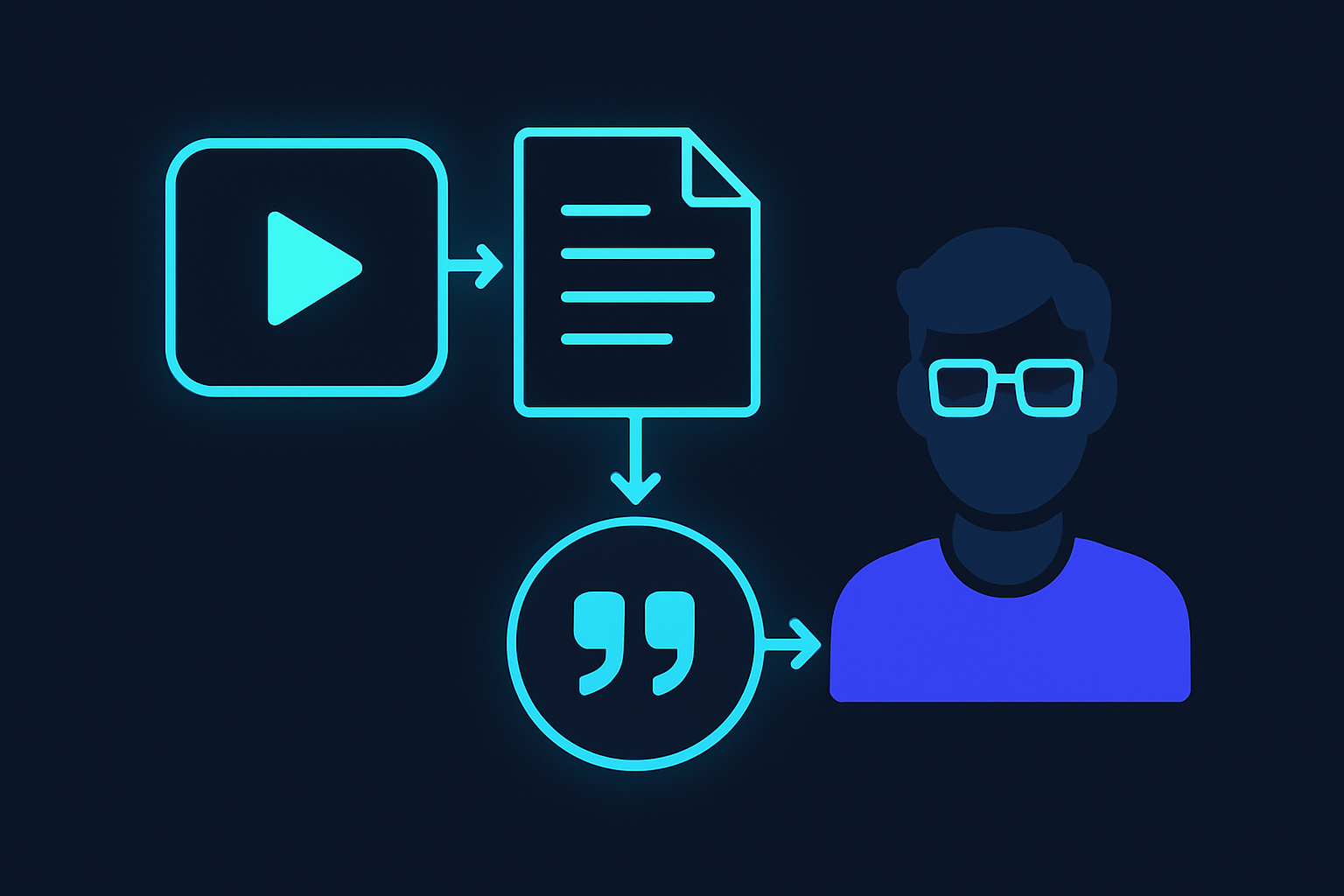
Integrating a YouTube Data API simplifies the process of accessing structured data for various automation tasks. With tools like Captapi, you can programmatically retrieve YouTube content and metadata. This includes automating the retrieval of video details, comments, transcripts, and more without manual intervention.
Below is an example of how you can use Captapi to access YouTube video details. This example demonstrates both a curl command for shell environments and a Python script using the requests library. The API key is assumed to be stored in an environment variable named CAPTAPI_KEY.
# cURL Example
curl -X GET "https://captapi.com/youtube/video-details?video_id=YOUR_VIDEO_ID" \
-H "Authorization: Bearer $CAPTAPI_KEY"

# Python Example
import os
import requests

api_key = os.getenv('CAPTAPI_KEY')
video_id = 'YOUR_VIDEO_ID'
url = f"https://captapi.com/youtube/video-details?video_id={video_id}"

headers = {
    'Authorization': f'Bearer {api_key}'
}

response = requests.get(url, headers=headers)

if response.status_code == 200:
    print(response.json())
else:
    print(f"Error: {response.status_code}")
The response from this API call includes JSON data with the video's attributes such as title, description, and statistics. Here is what a snippet of the JSON response might look like:
{
  "title": "Example Video Title",
  "description": "This is a sample description of the video.",
  "view_count": 12345,
  "like_count": 678
}
Utilizing a REST API like Captapi allows developers to streamline YouTube data retrieval, saving time and reducing the scope for errors in data handling.
Pros and Cons of YouTube Automation
YouTube automation offers several advantages for content creators and businesses aiming to streamline their workflows. One major benefit is time savings. By automating repetitive tasks like video uploads, metadata updates, and comment filtering, creators can focus more on content production and creative aspects. This efficiency boost often leads to increased productivity and more consistent content schedules, which can be crucial for audience retention and growth.
Automation tools also provide valuable insights through data analysis. By integrating with APIs, such as Captapi, creators can automate the collection of engagement metrics and audience demographics, offering a data-driven approach to content strategy. Additionally, automated social media management helps maintain an active online presence without continuous manual intervention, ensuring that audiences remain engaged with up-to-date posts and interactions.
However, there are downsides to consider. Automation can sometimes lead to a loss of personalization, as automated interactions may lack the nuance of human communication. This can negatively impact audience engagement if subscribers feel they're interacting with a bot rather than a human. Moreover, over-reliance on automation tools can result in a superficial understanding of subscriber needs if the data is not interpreted with the necessary depth.
- Pros: Time savings, enhanced data insights, consistent engagement
- Cons: Potential loss of personalization, superficial engagement
Ultimately, while YouTube automation presents opportunities for efficiency and growth, it requires careful implementation to ensure that automated actions complement personal engagement strategies.
Frequently asked questions
How can I start automating my YouTube channel?
To begin automating your YouTube channel, identify repetitive tasks that could benefit from automation, such as video scheduling, updating titles or descriptions, and comment management. Tools like YouTube's native Creator Studio and third-party APIs, such as Captapi, can assist in streamlining these processes. Ensure compliance with YouTube's terms of service when using automation tools.
Are there free tools for YouTube automation?
Yes, there are free tools available for YouTube automation, including YouTube's own Creator Studio which offers basic scheduling and analytics features. Additionally, Captapi offers 100 free credits that can be used to access YouTube data, which may assist in partial automation efforts. However, more advanced features and greater automation often require using paid services.
What are some popular YouTube automation software?
Popular software solutions for YouTube automation include TubeBuddy and VidIQ for SEO optimization and analytics, as well as Zapier for integrating YouTube with other services. These tools help automate tasks like video tagging, content insights, and cross-platform sharing. Captapi, although primarily a data API, can also be used to automate retrieval of comprehensive YouTube data for further analysis and integration into custom workflows.
Can automation help increase YouTube channel revenue?
Automation can potentially increase YouTube channel revenue by optimizing your workflow, allowing more time to focus on content creation and audience engagement. Automation tools can improve SEO, ensure timely video posting, and facilitate interaction with your audience, all of which can contribute to higher viewer retention and monetization opportunities. However, content quality and audience engagement remain essential to revenue growth.