
10 Video to Text API Options Compared

A content team has a growing archive of interviews, webinars, podcasts, product demos, and social videos. Marketing wants searchable transcripts and reusable quotes. Product wants speaker labels and timestamps. Analysts want comments, engagement data, and summaries from public channels. Engineering wants predictable latency, manageable costs, and a failure path for missing captions or unsupported languages.
The right video to text API depends on which layer creates the most work for your team. A specialized social-data API may be better than a pure speech engine when the workflow starts with a public YouTube or TikTok URL. A realtime speech platform matters more for live agents and interactive applications. Cloud-native services can simplify governance when your files already live in Google Cloud, AWS, or Azure. Self-hosted deployment becomes important when data control outweighs operational convenience.
This comparison evaluates transcription quality, language coverage, timestamps, diarization, pricing complexity, latency, implementation path, limitations, and best-fit use case. The list starts with social-content extraction and enrichment, then moves through dedicated speech platforms, cloud services, deployment-controlled systems, and broader AI ecosystems. For background on the underlying workflow, see this explanation of how AI transcribes audio and video.
The market signal is substantial. The speech-to-text API market was valued at USD 2.44 billion in 2025 and is projected to reach USD 7.21 billion by 2031, with a projected 20.23% CAGR from 2026 to 2031, according to Mordor Intelligence's speech-to-text API analysis. That growth doesn't make every provider interchangeable. It makes the implementation decision more important.
Table of Contents
- 1. Captapi
- 2. AssemblyAI
- 3. Deepgram
- 4. Google Cloud Speech-to-Text
- 5. Amazon Transcribe
- 6. Microsoft Azure AI Speech
- 7. Rev AI
- 8. Speechmatics
- 9. OpenAI Audio Transcription
- 10. Gladia
- Top 10 Video-to-Text API Comparison
- Match the API to Your Production Constraint
1. Captapi
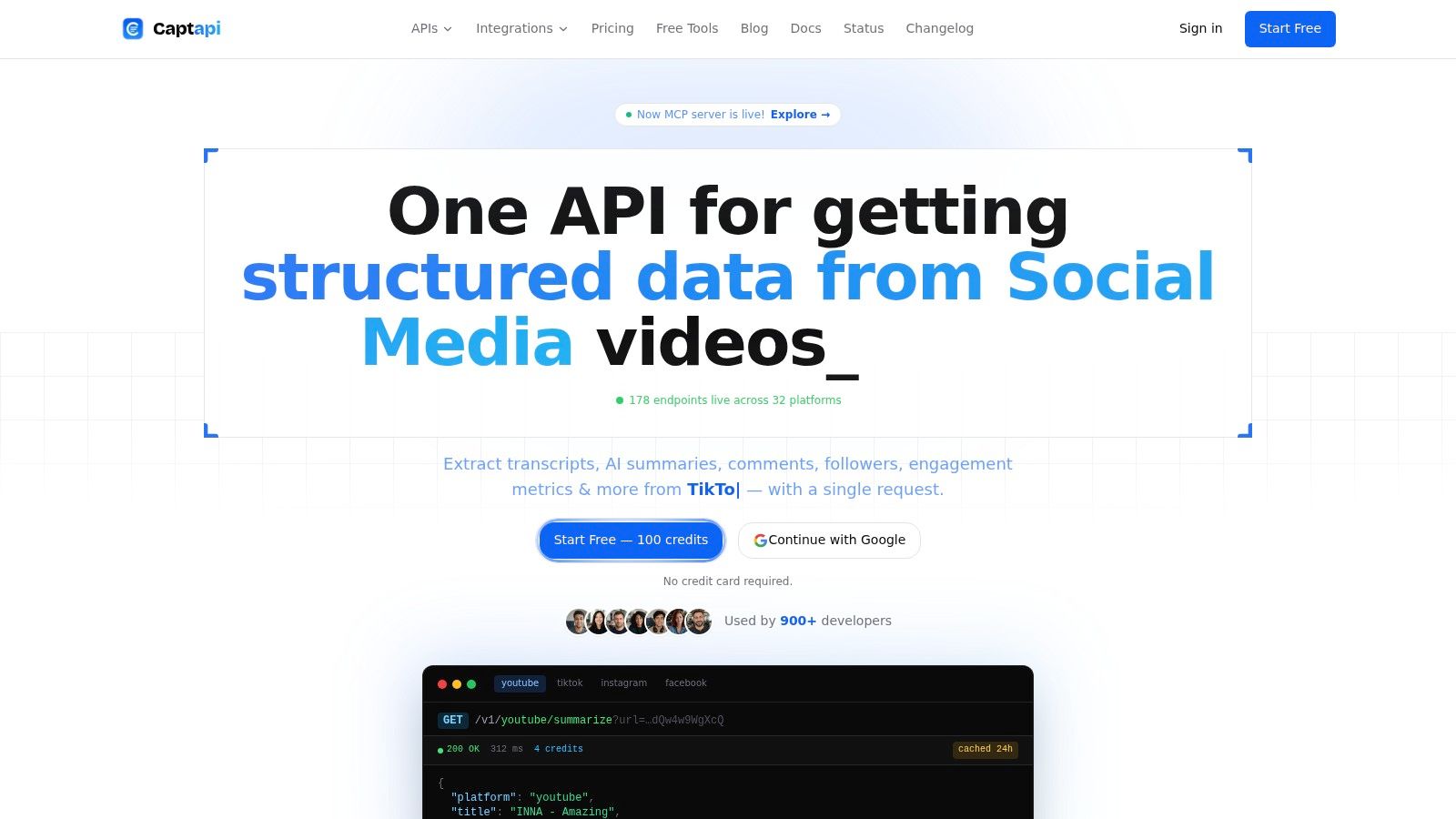
Captapi is the strongest fit when “video to text” really means extract intelligence from public social video, not upload an audio file to a speech model. Its unified Social Media Data API can retrieve transcripts, comments, engagement metrics, channel and page details, and content intelligence through a consistent REST interface across major public platforms. That removes a difficult layer of platform-specific work, including separate URL handling, extraction logic, and response normalization.
The practical advantage is the output context. A transcript on its own can power search or retrieval, but a transcript joined with comments, views, likes, engagement data, and channel information supports competitive monitoring, social listening, content research, and RAG pipelines. Captapi also offers GPT-4o-mini-powered summaries with key points, topics, and sentiment, so teams can move from raw media to a structured interpretation without immediately building a separate enrichment pipeline.
Implementation and operational trade-offs
The implementation path is deliberately simple. A developer signs up, creates an API key, identifies the content URL, and calls the relevant endpoint. Captapi also documents a video-file transcript workflow that accepts an uploaded video or audio file and returns a timestamped transcript in JSON through an authenticated request. For platform content, transcript extraction can preserve the connection between the media source and its surrounding public data.
Apify-backed scrapers, retries, and fallbacks are useful when platforms change page structures or expose different public fields. An optional shared cache can also make repeated requests faster and avoid unnecessary repeat extraction. Those features address a problem that a conventional speech API doesn't solve: the hard part may be obtaining and normalizing the video before transcription begins.
Practical rule: Choose Captapi when your first input is a public social URL and your final output needs more than words.
Captapi uses credit-based billing, with a free tier and paid plans that scale by usage. Costs vary by endpoint, and heavier list or search operations can consume more credits than simple lookups. That model is easier to understand when each workflow is measured by endpoint calls, but teams should still model retries, bulk exports, and uncached repeat requests before committing to sustained volume.
The limitation is equally important. Captapi works with publicly accessible data, not private or authenticated account content, and customers remain responsible for storage, processing, local law, and platform-term compliance. If the job is a live voice agent or a tightly controlled enterprise speech pipeline, a dedicated speech provider may be a better transcription layer. For social intelligence, transcript extraction, and cross-platform enrichment, Captapi is the most direct starting point.
2. AssemblyAI
AssemblyAI suits teams that want a managed speech layer with transcription and post-processing in one developer workflow. It supports asynchronous transcription for recorded audio and video, realtime transcription for streams, partial and final results, word-level timestamps, and speaker diarization. The API is designed for developers who don't want to assemble a separate system for every downstream transcript operation.
Its add-on pipeline is the main differentiator. PII redaction, sentiment, topic detection, and summarization can reduce the amount of custom processing required after transcription. That matters for customer calls, interviews, and internal media where the deliverable isn't a text dump but a structured record with speakers, themes, and sensitive-data handling.
Where it fits
AssemblyAI is a sensible choice when your team owns the media files and needs a conventional speech API rather than public-platform extraction. A typical integration uploads or references a file, starts an asynchronous job, polls for completion, and stores the resulting transcript and metadata. Realtime applications use streaming connections and consume interim results before the final transcript arrives.
The platform offers US and EU endpoints, which gives teams a documented path for regional processing. Regional routing doesn't remove the need to review retention, access, and contractual requirements, but it can simplify architecture for organizations that need to keep processing aligned with a chosen region.
Developers evaluating social video may still need a separate acquisition layer. A workflow that begins with a YouTube URL, for example, may need URL resolution, caption retrieval, or media handling before AssemblyAI receives anything. Captapi's guide to a YouTube video summarizer illustrates the difference between extracting intelligence from a public platform and transcribing an asset that your application already controls.
Pricing is usage-based and becomes more complex when premium models, regional processing, realtime work, or enrichment features enter the calculation. AssemblyAI is best for teams that value managed speech understanding and a quick path from audio to structured insights. It isn't the obvious choice when public social discovery and cross-platform metadata are the primary requirements.
3. Deepgram
Deepgram is built for applications where latency, streaming, and production throughput matter. It provides batch and low-latency streaming transcription, model and region choices, language identification, speaker diarization, punctuation, custom vocabulary, and optional NLP features such as summarization, topics, and sentiment.
The implementation decision is straightforward. Use batch processing for recorded video libraries, and use streaming when the application must show or act on transcript fragments while someone is speaking. A streaming path can support live captions, call intelligence, voice interfaces, and realtime moderation. A batch path is more appropriate for indexing a finished recording or generating a post-event summary.
Quality and cost boundaries
Independent benchmarking makes latency and accuracy more concrete than feature checklists. A production-oriented Coval benchmark evaluated five speech-to-text APIs across 2,400 runs, using time to first token for latency and word error rate for accuracy. Another industry benchmark reported real-world English WER as low as 4.50% for batch transcription and 5.19% for realtime voice-agent workloads, establishing a practical high-end target rather than a guarantee for every recording. These figures come from the 2026 STT API benchmark, and teams should still test their own accents, noise, terminology, and speaker overlap.
Deepgram offers an EU processing endpoint, which can help teams that need a regional route. Data-retention and opt-out settings require careful per-request configuration, so privacy can't be treated as a one-time dashboard setting. Optional analytics features may also be billed separately from transcription, creating a total cost that differs from the base speech rate.
For a marketing team analyzing already-collected public media, Deepgram may be more infrastructure than necessary. Captapi's guide to video content analysis reflects a broader workflow that combines transcript extraction with surrounding content signals. Deepgram is the better decision when your engineering team controls ingestion and needs a high-performance speech engine underneath a realtime or high-volume product.
4. Google Cloud Speech-to-Text
Google Cloud Speech-to-Text is the ecosystem choice. It supports batch and streaming recognition, speaker diarization, word-level timestamps, reusable v2 recognizer configurations, and broad language and locale coverage. Its strongest advantage isn't a single transcription feature. It's the connection to Google Cloud Storage, BigQuery, Vertex AI, monitoring, quotas, and enterprise cloud controls.
That fit changes the implementation path. A team with media already stored in Google Cloud can keep ingestion, transcription jobs, analytics, and machine-learning workflows within the same environment. Transcripts can move into downstream data systems without introducing another provider boundary or authentication pattern.
What to verify before adoption
Google's flexibility also creates configuration work. Pricing differs by model and feature, and storage, processing, and other Google Cloud resources can generate separate charges. Language and model availability can vary, so a locale listed in general service documentation may not support every advanced feature in the same way.
For recorded video, teams should decide whether they want to extract an existing caption track, send the media to recognition, or preprocess the audio before submission. Those paths produce different latency, cost, and quality outcomes. A public YouTube workflow also needs a retrieval layer before Google's speech service becomes useful. Captapi's documentation on getting a YouTube transcript addresses that first-mile problem, while Google is better suited to files and streams under your control.
Google Cloud is a strong choice for a data platform team that already uses GCS and BigQuery, needs mature quotas and monitoring, and can absorb cloud-specific configuration. It is less attractive when the requirement is a single request from a public video URL to normalized transcript, comments, engagement data, and summary. In that scenario, ecosystem depth doesn't necessarily compensate for extra ingestion work.
5. Amazon Transcribe
Amazon Transcribe belongs in an AWS-native pipeline. It supports batch and streaming transcription, speaker diarization, channel identification, language identification, word timestamps, confidence scores, PII redaction, and vocabulary filtering. The service connects naturally with S3, Lambda, and Kinesis, making it useful for event-driven media processing and live data flows.
A common architecture stores media in S3, triggers a transcription job, writes structured output to another service, and uses Lambda or downstream analytics to process the result. Streaming applications can use Kinesis-oriented workflows to pass live audio into recognition and route the transcript to applications or monitoring systems.
Configuration is part of the product decision
Amazon's breadth can become a configuration burden. Diarization, channel identification, vocabulary filtering, redaction, language settings, and output choices all need to be selected deliberately. A technically valid request can still return an output that isn't suitable for search, captions, or compliance if the options don't match the recording.
Extra processing features can also raise the bill at scale. Teams should calculate the cost of the full output they need, not just base transcription. That includes redaction, additional analysis, storage, retries, and any media conversion performed around the API.
Amazon Transcribe is a good fit when the surrounding application already runs on AWS and governance teams prefer a service with extensive documentation and AWS service controls. It doesn't solve public social-video acquisition by itself. For creators who want to add captions to a finished video, Captapi's guide to adding auto-captions to video represents a more workflow-oriented starting point, while Transcribe suits teams building their own AWS media pipeline.
6. Microsoft Azure AI Speech
Azure AI Speech is designed for enterprises that want speech recognition inside an existing Microsoft cloud and security environment. It offers batch and realtime transcription, speech translation, word timestamps, diarization, custom phrases, SDKs, REST access, and Azure features such as role-based access control and Private Link.
The main implementation benefit is organizational. If applications, identities, networking, and data already live in Azure, the speech service can inherit established patterns instead of creating a separate vendor workflow. That can simplify reviews for security, procurement, and operations, even if another provider has a more attractive standalone developer experience.
Deployment and regional checks
Azure's flexibility requires careful regional planning. Pricing varies by feature and region, and some advanced models or capabilities are limited to particular regions. Teams should test the exact language, model, diarization, timestamp, and translation combination they intend to deploy instead of assuming that every option is globally consistent.
The Speech SDK is useful when an application needs platform-specific integration, while REST is appropriate for service-to-service workflows and batch jobs. For live captions, the realtime path should be evaluated with the application's actual network conditions, because a model's recognition quality doesn't determine end-to-end display latency on its own.
Azure AI Speech is the practical recommendation for a Microsoft-centered enterprise that prioritizes identity, network controls, and cloud governance. It isn't automatically the best multilingual option because it offers many locales. Lower-resource languages, accents, overlapping speakers, and domain terminology still need direct testing. If the source is public social content, a unified extraction service may reduce more engineering work than a cloud-native speech engine.
7. Rev AI
Rev AI offers asynchronous and streaming speech recognition for developers who need practical transcript outputs and a possible escalation path to human transcription. Its machine transcription API includes speaker diarization, per-word timestamps, custom vocabulary, and profanity filtering. The distinction between automated Rev AI and Rev's human transcription service matters for teams designing quality workflows.
A useful production pattern is to use machine transcription for searchable content and flag selected files for human review when the audio is legally sensitive, commercially important, or unusually difficult. That hybrid option can be more valuable than a small difference in automated benchmark performance, provided the review trigger is clearly defined.
A focused output model
Rev AI's async transcription provides diarization by speaker number rather than identifying speakers by name. That is enough for many interviews, meetings, and captioning tasks, but it won't tell an application that “Speaker 1” is a particular participant unless the product adds its own identity layer.
Per-word timestamps support caption alignment and searchable playback. Custom vocabulary can help with product names, technical language, and branded terms. File-size limits on certain upload methods mean that long-form video ingestion should be designed around the documented upload path, not treated as an afterthought.
Rev AI is a good fit when developers want a clear speech API and the option to combine automation with human correction. It is less suitable for teams that need rich social-platform metadata, built-in cross-platform extraction, or named-speaker identity. Those requirements sit outside ordinary speech recognition and usually call for another service layer.
8. Speechmatics
Speechmatics is the deployment-control choice for teams that treat multilingual accuracy and data location as core architecture decisions. It supports batch and realtime transcription, custom dictionaries, advanced diarization, timestamps, and cloud or containerized on-premises deployment. Its credit-based billing model is designed for volume, but it requires more planning than a simple per-minute estimate.
Self-hosting changes the cost calculation. The team gains control over where processing runs and how the service connects to internal systems, but it also owns infrastructure, capacity, upgrades, monitoring, and incident response. A hosted deployment reduces that operational burden, while a containerized option can help organizations with stricter data-handling requirements.
Multilingual claims need a real test
Multilingual coverage remains a weak point across the broader video-to-text category. Some platform-native video transcription offerings are English-only, while other products send non-English work through a separate speech service. Google's video transcription documentation illustrates why buyers need to inspect language-specific workflows rather than rely on the broad phrase “supports multiple languages.”
Speechmatics deserves consideration when the recording includes varied accents, difficult audio, or language pairs that need careful validation. Custom dictionaries and diarization can improve the usefulness of the final transcript, but they don't remove the need for representative testing. Code-switching, overlapping speech, and lower-resource languages should be part of the evaluation set.
Choose Speechmatics when deployment control or multilingual quality is more important than the fastest hosted integration. It can be excessive for a small social-listening workflow, where public-data acquisition and enrichment create the larger engineering challenge.
9. OpenAI Audio Transcription
OpenAI Audio Transcription is a natural candidate when transcription belongs inside a broader OpenAI application. The available workflow options include file transcription, streamed transcripts, and realtime sessions, with multilingual audio support, code-switching hints, and context guidance. Teams can use it as a standalone speech layer or connect it to realtime and voice-agent flows.
The main benefit is composability. A product already using OpenAI models for summarization, question answering, or conversational interfaces can keep transcription and language processing close to the same application layer. That can reduce integration overhead and make it easier to pass transcript context into the next model operation.
Keep the boundary explicit
The trade-off is vendor concentration. If your application relies heavily on OpenAI-specific realtime sessions, prompts, and model behavior, moving the transcription layer later may require more than replacing a single endpoint. Token and model-based pricing also requires careful cost modeling, especially when transcript length, context, summaries, and repeated processing all affect usage.
OpenAI's multilingual and code-switching features should be tested against the exact languages and audio conditions in production. A broad multilingual claim doesn't guarantee equal results across accents, noisy recordings, specialist terms, or speakers who change languages mid-sentence.
For teams building an OpenAI-centered voice or knowledge product, the fit is compelling. For public social-video extraction, a separate acquisition service may still be required. An example of the difference between raw transcript retrieval and downstream content interpretation appears in this video transcript example.
10. Gladia
Gladia positions its API as an all-in-one path from speech to structured knowledge. It supports asynchronous and realtime transcription for audio and video, speaker diarization, translation, sentiment, entity detection, code-switching, custom vocabulary, and multi-model routing. That combination targets teams that want enrichment close to recognition rather than a chain of separate vendors.
The implementation appeal is strongest for media intelligence and conversation products. A team can request a transcript, add speaker structure, translate selected content, and extract entities or sentiment within a connected workflow. Bundled analytics may also make total pricing easier to compare than a stack where every enrichment feature comes from a different provider.
Choose it for workflow breadth
Gladia is a newer provider than the largest hyperscalers, so buyers should examine integration coverage, regional availability, support expectations, and language maturity before committing. Some capabilities may evolve differently by language, and the most attractive feature list doesn't replace tests on representative recordings.
Its multi-model routing is useful when no single recognition model performs best for every workload. Teams can separate fast realtime needs from difficult batch recordings and evaluate whether the resulting quality and cost justify the added provider abstraction.
Gladia is a strong candidate for startups and product teams that want transcription plus translation and analytics without building a large enrichment pipeline. It may be a weaker fit for organizations that require deep integration with an existing cloud ecosystem or full deployment control. It also doesn't replace a public-data extraction layer when the application starts from social URLs rather than owned media files.
Top 10 Video-to-Text API Comparison
| Product | Core features | Quality / Ease (★) | Value / Pricing (💰) | Target audience (👥) | Unique selling point (✨) |
|---|---|---|---|---|---|
| Captapi 🏆 | Unified social-media API: transcripts, comments, engagement, GPT-4o-mini summaries | ★★★★★, Apify scrapers, retries, 24h cache | 💰 Free tier (100 credits); $9/$27/$90/mo; credit-based; cached hits free | 👥 Developers, ML teams, marketers, researchers | ✨ Single API key across platforms; no OAuth; normalized JSON |
| AssemblyAI | Async + real-time STT, diarization, PII redaction, summarization add‑ons | ★★★★☆, clear docs, quickstart | 💰 Pay‑as‑you‑go; add‑on costs; EU endpoint higher | 👥 Apps needing rich post‑processing | ✨ Built‑in add‑on pipeline (redaction, summarization) |
| Deepgram | Low‑latency streaming & batch, custom vocab, NLP add‑ons | ★★★★☆, high‑volume, low latency | 💰 Competitive tiers; growth/enterprise discounts | 👥 High‑throughput production teams | ✨ Streaming focus + model/region choices |
| Google Cloud Speech‑to‑Text | Batch & streaming, diarization, v2 recognizers, wide locales | ★★★★☆, mature SLAs, GCP tooling | 💰 Usage/model-based; GCP resource costs separate | 👥 Enterprises on GCP | ✨ Deep GCP ecosystem & reusable recognizers |
| Amazon Transcribe | Diarization, channel ID, PII redaction, vocab filtering | ★★★★☆, AWS integrations | 💰 Pay‑per‑use; extra for redaction/features | 👥 AWS‑centric pipelines (S3/Kinesis) | ✨ Tight S3/Kinesis/Lambda integration |
| Microsoft Azure AI Speech | Batch/real‑time, timestamps, custom phrases, SDKs | ★★★★☆, strong security/compliance | 💰 Region/feature-based pricing | 👥 Enterprises on Azure | ✨ RBAC, Private Link, Azure compliance |
| Rev AI | Async & streaming STT, diarization, per‑word timestamps | ★★★☆☆, practical docs, simple APIs | 💰 Mid‑tier; option to add human transcription | 👥 Devs wanting ASR + human fallback | ✨ Seamless upgrade to Rev human service |
| Speechmatics | Batch & real‑time, custom dictionary, on‑prem/cloud | ★★★★☆, accurate in noisy audio | 💰 Credit billing; volume discounts | 👥 Enterprises needing accuracy/control | ✨ Self‑host/on‑prem deployment option |
| OpenAI Audio Transcription | File/stream/realtime, multilingual, code‑switching hints | ★★★★☆, integrated with OpenAI stack | 💰 Token/model pricing; plan for cost model | 👥 Teams using OpenAI models & realtime flows | ✨ Tight integration with OpenAI realtime/LLMs |
| Gladia | Async & streaming, diarization, translation, sentiment | ★★★☆☆, newer, evolving features | 💰 Bundled pricing; competitive for add‑ons | 👥 Teams wanting bundled speech→analytics | ✨ Multi‑model routing + bundled analytics |
Match the API to Your Production Constraint
There isn't one universal winner because the first engineering decision is usually about where the video comes from and what the transcript must become.
Choose Captapi when the workflow starts with public social video. It combines transcript retrieval with comments, engagement metrics, channel and page details, and summaries, which makes it useful for competitive analysis, social listening, RAG ingestion, creator tooling, and research. That unified path can remove more implementation work than a marginal difference in speech-model configuration.
Choose AssemblyAI, Deepgram, Rev AI, or Gladia when your team already controls the media and needs managed speech features. AssemblyAI is attractive for a rich post-processing pipeline with diarization, redaction, topics, sentiment, and summaries. Deepgram deserves priority when low-latency streaming and production throughput drive the design. Rev AI is practical when automated transcription may need a human-review route. Gladia fits teams that want transcription, translation, and analytics in a connected workflow.
Choose Google Cloud Speech-to-Text, Amazon Transcribe, or Azure AI Speech when the surrounding cloud stack determines the decision. Google is a natural fit for teams using Google Cloud Storage, BigQuery, Vertex AI, and associated monitoring. Amazon Transcribe fits S3, Lambda, and Kinesis-centered architectures. Azure AI Speech is compelling when identity, networking, and compliance controls already run through Azure.
Choose Speechmatics when multilingual accuracy or deployment control is central. Its cloud and containerized options let teams make a deliberate trade between managed operations and infrastructure ownership. Choose OpenAI Audio Transcription when speech belongs inside a broader OpenAI realtime, voice, or language-model workflow, while keeping vendor concentration in the risk assessment.
Use independent benchmarks as a reference, not as a substitute for testing. The Coval benchmark and related STT measurements show why buyers should compare both WER and latency, but your own recordings reveal the errors that matter to your product. A misspelled brand, wrong speaker, or lost timestamp can be more damaging than a small aggregate accuracy difference.
Run the evaluation in a fixed sequence:
- Test representative recordings: Include clean and noisy audio, different accents, overlapping speakers, specialist vocabulary, and every important language pair.
- Compare structured output: Inspect words, confidence values, timestamps, diarization, translation, redaction, and export formats, not just the readable transcript.
- Measure both latency modes: Record batch completion behavior and streaming delay under the network conditions your production setup will use.
- Calculate feature-inclusive cost: Include enrichment, storage, retries, caching, media conversion, regional routing, and infrastructure rather than comparing base transcription rates alone.
- Verify compliance requirements: Review retention, regional processing, access controls, private networking, platform terms, and your responsibilities for stored public data.
- Prototype failure handling: Test missing captions, unavailable URLs, noisy audio, failed jobs, rate limits, retries, unsupported languages, and partial results before launch.
The best API is the one that makes the complete workflow reliable. A pure speech service may win the recognition step while losing the ingestion and enrichment steps. A social-data API may be the better transcription layer when it delivers the source context your application needs from the first request.
Captapi gives teams one developer-first API for extracting transcripts, comments, engagement data, channel details, and AI summaries from public social content, alongside timestamped video-file transcription. If your video-to-text workflow starts with YouTube, TikTok, Instagram, Facebook, or another public source, visit Captapi to test a unified extraction path before building separate platform integrations.