
How to Get TikTok Transcripts Using APIs
How to Extract Transcripts from TikTok Videos
Retrieving transcripts from TikTok videos can be streamlined with the use of an API. TikTok’s platform does not natively provide a direct way to extract transcripts, so utilizing an external service is essential for developers needing this information in a structured format. APIs like Captapi offer a reliable interface to access and fetch TikTok video transcripts efficiently.
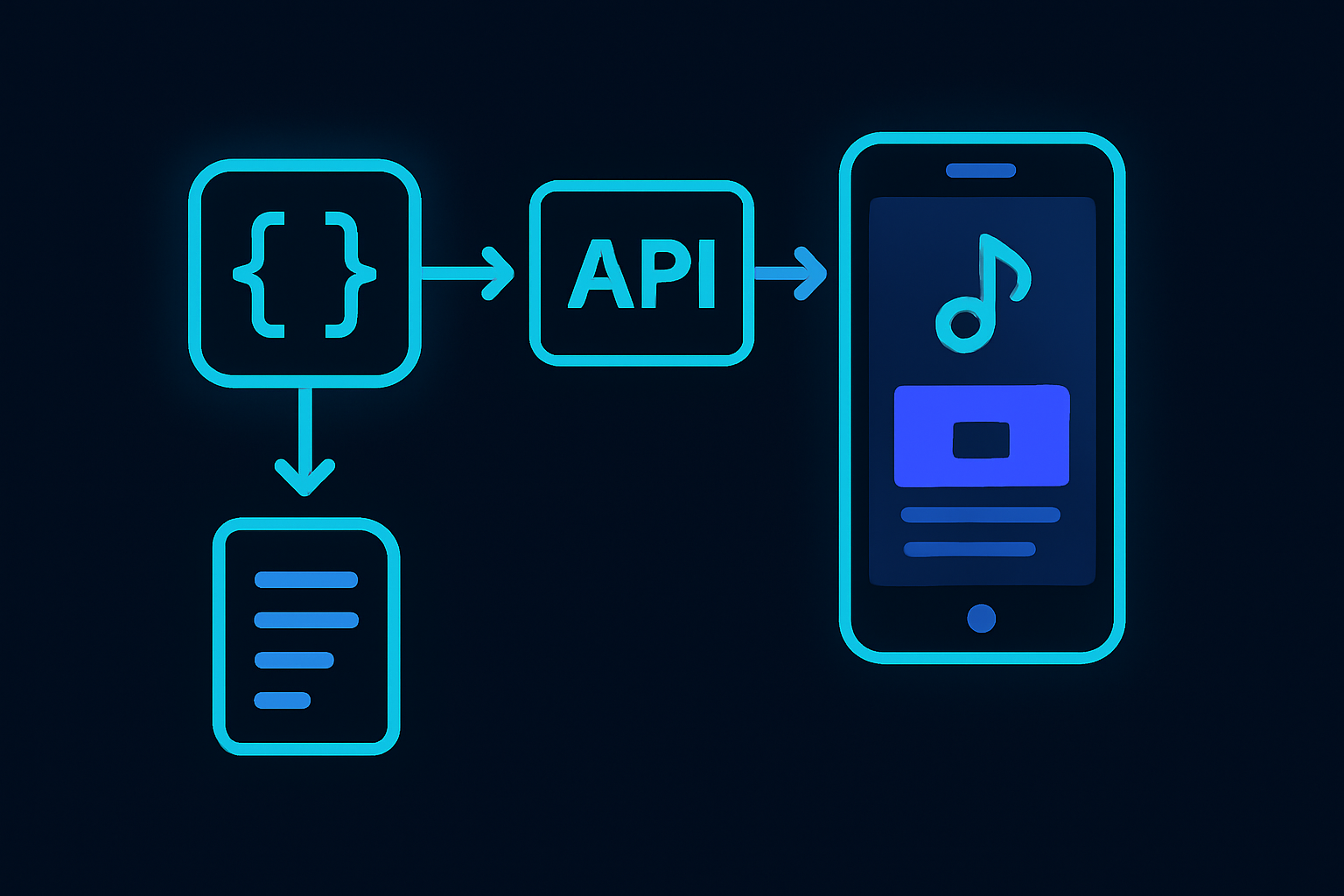
To begin, you will need an API that supports TikTok video transcription. By sending a request with the relevant video URL to the API endpoint, you can receive a transcript in a standardized JSON format. This method reduces the complexity of web scraping or manual transcription, thus accelerating the development process. For instance, using Captapi, you can authenticate using an API key and access transcripts under the specific API documentation guidelines available at captapi.com/docs. Here is a simplified workflow:
- Sign up for an API key.
- Locate the TikTok video you are interested in.
- Make an API request with the video URL.
- Receive the transcript in JSON format.
This approach not only ensures accuracy but also supports scalability. API responses typically provide metadata alongside transcripts, allowing for better data management and analysis. By delegating the transcription workload to specialized tools, you maintain a focus on integrating and using the data within your application’s architecture, thus saving time and reducing operational overhead.
Comparing TikTok Transcript Tools
When choosing a tool to extract transcripts from TikTok videos, developers have several options, each with distinct features and limitations. Selecting the right tool depends on your specific needs such as accuracy, ease of use, data formats, and platform integration. Here is a comparison of some popular TikTok transcript tools including Captapi, OpenAI's Whisper, AssemblyAI, and Google Speech-to-Text.
| Tool | Real-time Processing | Supported Languages | API Integration | Accuracy |
|---|---|---|---|---|
| Captapi | Yes | 29+ platforms | Yes | High |
| OpenAI Whisper | No | Multiple | Yes | High |
| AssemblyAI | Yes | 50+ languages | Yes | Moderate |
| Google Speech-to-Text | Yes | 120+ languages | Yes | Moderate |
These tools vary in their language support and processing capabilities. For instance, Captapi integrates seamlessly with 29+ platforms, supporting consistent results across different social media. In contrast, Google Speech-to-Text offers extensive language support but may require additional tuning for accuracy in specific contexts. OpenAI's Whisper and AssemblyAI offer strong API solutions, though Whisper does not support real-time processing. Consider these aspects carefully to find the tool that best meets your transcription needs.
Using Captapi to Get TikTok Video Transcripts
Captapi provides a straightforward way to obtain transcripts from TikTok videos. With just one API call, you can fetch the transcript data as JSON, which you can then integrate into your application or service. To get started, you need your TikTok video URL or video ID and the API key provided by Captapi. Ensure you are signed up for the free tier, which offers 100 credits without requiring a credit card.
Refer to the Captapi TikTok API documentation for detailed instructions and examples. Below is a sample of how to make a request to Captapi using both curl and Python.
curl -X GET "https://captapi.com/api/tiktok/transcript" \
-H "Authorization: Bearer YOUR_API_KEY" \
-H "Content-Type: application/json" \
-d '{"video_url": "https://www.tiktok.com/@username/video/1234567890"}'
import requests

url = "https://captapi.com/api/tiktok/transcript"
headers = {
    "Authorization": "Bearer YOUR_API_KEY",
    "Content-Type": "application/json"
}
data = {"video_url": "https://www.tiktok.com/@username/video/1234567890"}

response = requests.get(url, headers=headers, json=data)
print(response.json())
A successful response will return JSON data similar to the following:
{
    "video_id": "1234567890",
    "transcript": "This is a sample transcript of the TikTok video."
}
Benefits of Using APIs for TikTok Transcripts
Utilizing APIs for extracting TikTok transcripts offers several advantages that streamline the process and improve accuracy. First and foremost, APIs provide programmatic access to TikTok data, allowing developers to automate the extraction process. This automation reduces the need for manual intervention, saving time and minimizing errors.
Another key advantage is the consistency APIs bring to data extraction. By using a reliable API, developers can ensure that their script is consistently fetching data in a uniform format, which is crucial for further processing and analysis. This uniformity simplifies data handling and enables seamless integration with other systems and applications.
APIs also support high scalability. As demand for TikTok analytics grows, APIs can easily handle large volumes of requests without significant degradation in performance. This makes it feasible for businesses and developers to scale their operations and incorporate comprehensive transcript data into larger datasets.
The ability to access real-time data is another significant advantage of using APIs for TikTok transcripts. APIs like Captapi provide real-time data retrieval, ensuring that users are working with the most current information available. This is particularly important for time-sensitive applications such as trend analyses and urgent reporting.
- Automation of transcript extraction
- Consistency in data format
- Scalability for growing demand
- Real-time data access
Finally, leveraging APIs can enhance security by limiting the exposure of sensitive information to external entities. APIs often come with authentication methods that allow developers to securely access data, reducing the risk of unauthorized access.
Handling Multi-Language Transcripts
Managing multi-language transcripts can be more complex compared to single-language text, mainly due to character encoding, language detection, and translation needs. When working with APIs like Captapi, the process becomes significantly more streamlined. To extract and manage these transcripts effectively, it's crucial to understand the capabilities and limitations of your API tool.
Firstly, ensure that the API supports multiple languages and can auto-detect the language used in the TikTok video. This feature is essential for automating transcript extraction from videos with mixed-language content. Look for an API that can identify the primary language and offer options for retrieving transcripts in the detected language or providing translations into another target language if needed.
Secondly, consider the character encoding standards used by the API. UTF-8 encoding is commonly used and supports a broad range of characters necessary for handling diverse languages. Verify that the API you're using adheres to this standard to avoid issues with special characters or symbols.
- Verify API language detection capabilities.
- Ensure support for UTF-8 encoding.
- Check for translation options if necessary.
APIs like Captapi, which support multi-language transcripts, often provide detailed documentation that outlines how to specify preferred languages and handle translations. Consult the API documentation to understand how to leverage these features fully. Taking these steps will help ensure smooth handling of transcripts from TikTok videos in a global context, whether developing multilingual applications or conducting international market research.

Exporting TikTok Transcripts to Various Formats
Once you have extracted transcripts from TikTok videos using tools like Captapi, the next step is often to export these transcripts into different formats for easy use. Common formats include plain text, CSV, JSON, and PDF. Each format serves different purposes, such as plain text for basic readability, CSV for importing into data analysis tools, and PDF for sharing with stakeholders.
To export transcripts as plain text, you can simply write the text data to a .txt file using a script in languages like Python or Node.js. This is often the simplest option and retains the transcript's readability without any formatting.
For CSV export, you can structure the transcript with additional meta-data columns, such as video ID or creator ID. Libraries like Python's csv or Node.js's fast-csv module are effective for writing JSON data to a .csv file.
JSON is a structured format that is ideal for further processing or API-based applications. Since transcript data from Captapi is already in JSON, exporting keeps the structure intact. Simply save this data to a .json file for future use.
- Plain Text: Use for simplicity and ease of sharing.
- CSV: Ideal for databases and data manipulation.
- JSON: Best for maintaining data structure and using in applications.
- PDF: Suitable for presentations and reports.
Exporting to PDF usually involves converting the transcript text into a more readable format and adding necessary styling. Libraries such as fpdf for Python or pdfkit for Node.js can handle this conversion effectively. Select the format that best suits your needs for sharing or analysis purposes.
Frequently asked questions
How can I get a transcript from a TikTok video?
To get a transcript from a TikTok video, you can use audio-to-text software or third-party services that specialize in transcription. These tools analyze the video's audio track and convert it into text. Some platforms may provide built-in transcripts if the video creator has enabled captions.
What tools are available for generating TikTok transcripts?
Various tools are available for generating TikTok transcripts, ranging from basic audio transcription software to advanced applications offering enhanced accuracy with AI. Some options include web-based platforms, desktop applications, and APIs like Captapi that provide clean, structured transcript data from TikTok.
Can I retrieve TikTok transcripts using an API?
Yes, you can retrieve TikTok transcripts using APIs designed for social media data extraction. Captapi, for instance, allows developers to access TikTok video transcripts in JSON format, along with other social media data, using a single API key. This method can streamline the process for applications that require integration of transcript data.
How do TikTok transcript generators handle multiple languages?
TikTok transcript generators typically support multiple languages by leveraging language detection and multi-language processing capabilities. Advanced tools use AI models trained on diverse datasets to accurately transcribe audio text across different languages, providing developers with access to multilingual transcript data.