
Optimal Facebook Cover Photo Size Guide 2023
Correct Facebook Cover Photo Size
When creating or updating a Facebook cover photo, using the correct dimensions is essential to ensure your image displays properly across different devices. For optimal results, your Facebook cover photo should be 820 pixels wide by 312 pixels tall. This specific size ensures that your cover photo will look sharp and professional on desktop computers, where the full image is visible.
While the desktop version of Facebook requires the 820x312 pixels dimensions, it is also important to consider how your cover photo will appear on mobile devices. On mobile, the cover photo displays at 640 pixels wide by 360 pixels tall. This means portions of your cover photo may be cropped out on mobile devices if important content is placed outside the central safe zone.
- Recommended desktop size: 820 pixels wide by 312 pixels tall
- Recommended mobile size: 640 pixels wide by 360 pixels tall
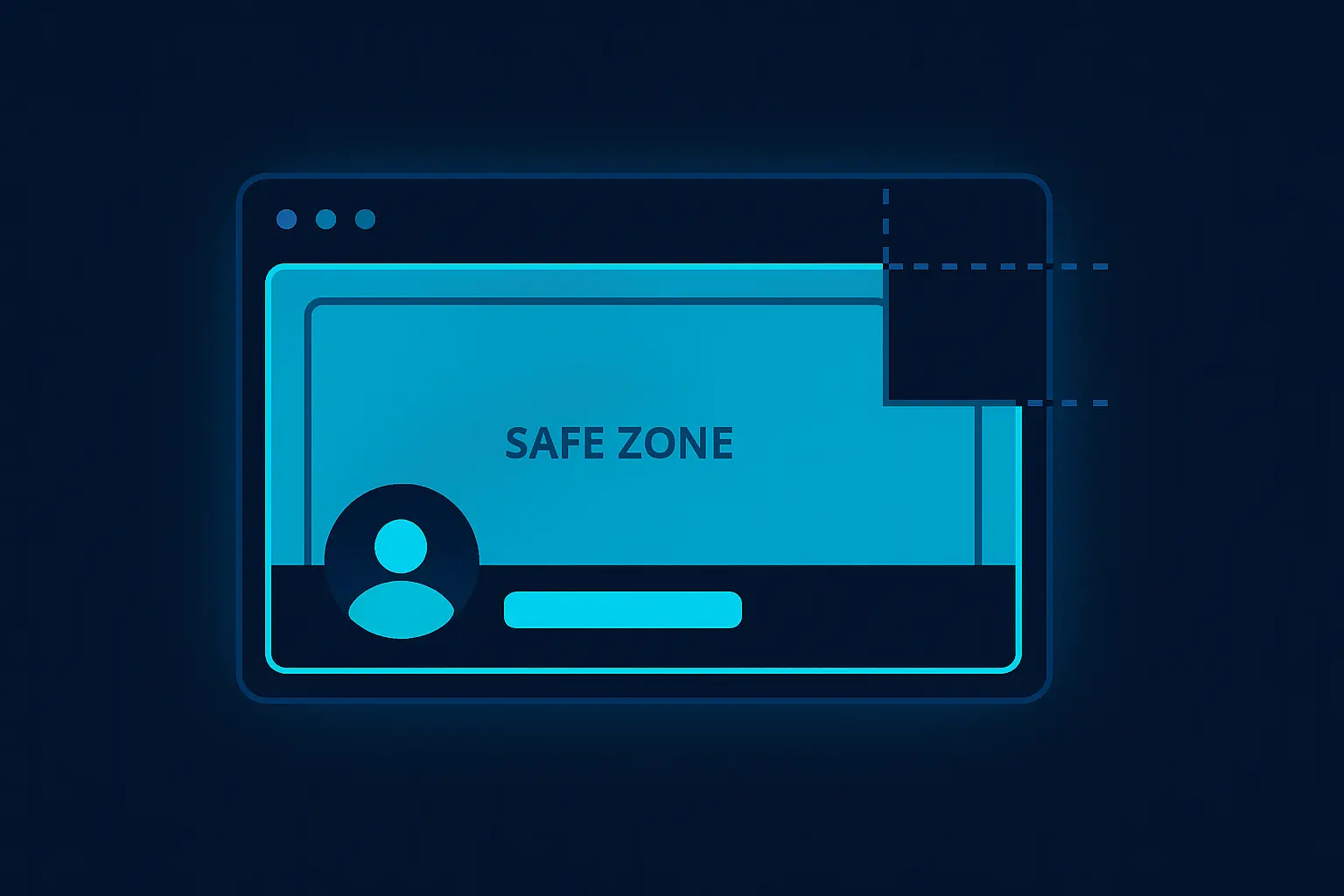
To ensure your cover photo displays correctly across both desktop and mobile platforms, it's best to keep all the essential elements like text, logos, and key image parts within the center-safe area. This safe area is typically the central part of your image, approximated within 640x312 pixels, where no cropping occurs. Designing with this in mind provides a cohesive experience for all users regardless of how they access Facebook.
Maintaining the right aspect ratio and focusing on the safe zone are key to making a Facebook cover photo that displays beautifully on both desktop and mobile devices. By adhering to these dimensions, you can effectively communicate your brand or personal message without losing any crucial parts of your design.

Aspect Ratio and Safe Zone
The aspect ratio for a Facebook cover photo is crucial to ensure your photo displays correctly across all platforms and devices. Facebook's recommended aspect ratio for cover photos is 16:9. This ratio ensures that the image maintains its proportions and is displayed properly, whether viewed on a desktop, tablet, or mobile device.
The ideal dimensions for a cover photo are 820 pixels wide by 312 pixels tall on desktop. On mobile devices, the cover photo displays at 640 pixels wide by 360 pixels tall. Because of these variations, it's important to focus on the safe zone of your image. The safe zone is an area within the cover photo where key elements such as text or logos should be positioned to ensure they are not cut off or obscured on different devices.
The safe zone measures approximately 640 pixels wide by 312 pixels tall. Within this space, ensure that any critical content or key visual elements are centralized. This guarantees that the vital parts of your cover photo are visible, regardless of whether it’s being viewed on a desktop or mobile device.
- Desktop: 820px by 312px
- Mobile: 640px by 360px
- Safe Zone: 640px by 312px
For exact measurements and resizing tools, refer to the Facebook cover photo size guide. Adhering to these guidelines ensures a professional appearance for your Facebook page across all devices.
Dimensions Comparison Table
When creating a Facebook cover photo, adhering to the recommended dimensions ensures your image displays correctly across different devices. Facebook provides its own recommended size, but various sources and experts suggest alternatives to optimize for image quality and loading times. Below is a comparison table highlighting recommendations from different sources to accommodate the diverse needs and preferences of users.
| Source | Recommended Dimensions | Aspect Ratio | Device-Specific Guidelines |
|---|---|---|---|
| Facebook Official | 820 x 312 pixels | 2.628:1 | Minimum size for full desktop display |
| Buffer | 820 x 360 pixels | 2.278:1 | Accounts for potential cropping |
| Canva | 820 x 360 pixels | 2.278:1 | Suggests extra height for mobile optimization |
| HubSpot | 820 x 462 pixels | 1.775:1 | Includes additional space for responsive design |
| TechSmith | 820 x 461 pixels | 1.778:1 | Prioritizes desktop and mobile alignment |
The differences in recommended dimensions usually result from variations in how images are displayed on mobile versus desktop devices and efforts to maximize visual appeal without compromising loading speeds. Choosing a dimension that balances these factors will provide a better user experience for your audience across all platforms.
How to Resize Your Photo for Facebook
Resizing your photo to fit the Facebook cover photo dimensions requires attention to detail to ensure that important elements are not cropped out. The recommended dimensions for a Facebook cover photo are 820 pixels wide by 312 pixels tall on a desktop and 640 pixels wide by 360 pixels tall on mobile. Start by choosing an image with high resolution to avoid pixelation during resizing.
Use an image editing tool like Adobe Photoshop, GIMP, or any online resizing platform such as Canva or Fotor. Follow these basic steps to resize your image:
- Open your chosen image editing tool and import the photo you want to resize.
- Locate the cropping tool and set the aspect ratio to 820x312 pixels.
- Adjust the crop area to cover the important parts of your image. Make sure critical content is centralized within the top and bottom safe zones to avoid overlap with profile picture and page elements.
- Apply the crop to cut down unnecessary parts of the image.
- If applicable, use the resize or image scaling feature and set the exact pixel dimensions of 820 by 312. Maintain the image's original aspect ratio to prevent distortion.
Once resized, export the photo using the high-quality JPEG or PNG format to maintain clarity. By ensuring your cover photo fits within Facebook’s specified dimensions, you enhance profile visuals and keep your presentation professional across devices. Remember, testing the resized image on both desktop and mobile will help ensure a cohesive look on all platforms.
CSS Code for Facebook Cover Photo Layout
When designing a Facebook cover photo, using CSS can help you ensure that the image displays correctly across different devices and screen sizes. The official Facebook cover photo dimensions are 820 pixels wide by 312 pixels tall on desktop and 640 pixels wide by 360 pixels tall on mobile. However, you should focus on the safe zone, which is centrally positioned within the full image size to prevent key elements from being cut off on various displays.
Below is a CSS example for setting up a Facebook cover photo layout:
.cover-photo {
    width: 100%;
    height: auto;
    max-width: 820px;
    max-height: 312px;
    object-fit: cover;
    position: relative;
    overflow: hidden;
}

.cover-image {
    width: 100%;
    height: 100%;
    background-size: cover;
    background-position: center;
}
These styles ensure that your image resizes and centers within the allowed space, maintaining the correct aspect ratio without distortion. Using object-fit: cover; will allow the background image to fill the container while cropping out any excess parts.
Below is an example of using curl and Python to fetch a Facebook cover photo from Captapi:
# curl example
curl -X GET "https://api.captapi.com/facebook/cover-photo" \
     -H "Authorization: Bearer YOUR_API_KEY"

# Python example
import requests

url = "https://api.captapi.com/facebook/cover-photo"
headers = {"Authorization": "Bearer YOUR_API_KEY"}
response = requests.get(url, headers=headers)
cover_photo = response.json()

# JSON response example
{
    "cover_photo_url": "https://example.com/path/to/coverphoto.jpg",
    "dimensions": {
        "width": 820,
        "height": 312
    }
}
With this CSS setup and the API calls shown, you can efficiently manage your Facebook cover photos, ensuring compatibility with the platform's layout guidelines.
Tips for Designing a Good Facebook Cover Photo
Designing an effective Facebook cover photo involves balancing aesthetics with functionality. One crucial tip is to maintain visual clarity by opting for high-resolution images. Low-quality images can appear blurry or pixelated, distracting from your message. Aim for high-quality JPEGs or PNGs to ensure your cover photo looks professional on any device.
Consider the composition of your cover photo. Centralize important elements to prevent them from being cropped out on different devices. Keep in mind that profile pictures and call-to-action buttons on business pages can obscure a portion of your cover photo. Leave ample space around these areas to ensure nothing vital is covered.
Use text sparingly. While text can help convey your brand's message, overcrowding your cover photo with too much information can make it hard to read. Focus on a single, compelling message or call to action if you include text, and choose a font that is legible against your image background.
- Leverage consistent branding by using your brand’s colors and fonts.
- Include seasonal or promotional elements when applicable to keep content fresh.
Incorporate a cohesive color scheme that aligns with your brand. Consistent use of colors helps reinforce brand identity and creates a visually appealing aesthetic. Additionally, have a mobile-first mentality; verify how the design appears on mobile devices as this is how many users will interact with it.
Frequently asked questions
Is FB cover photo 16:9?
No, the Facebook cover photo is not exactly 16:9. The recommended aspect ratio for a Facebook cover photo is 820 pixels wide by 312 pixels tall, which translates to approximately 2.64:1. This is different from the common 16:9 ratio used for videos and presentations.
How do I get my cover photo to fit on Facebook?
To ensure your cover photo fits correctly on Facebook, use the dimensions of 820 pixels wide by 312 pixels tall. Make sure that important elements such as text or focal points are within the central areas, as parts of the image can be cropped on different devices. Resize or adjust your image using an image editing tool to achieve these dimensions.
What is the recommended Facebook cover photo size in 2026?
As of now, Facebook has not announced any changes to the cover photo dimensions beyond the recommended 820 pixels wide by 312 pixels tall. It's best to use these dimensions unless Facebook updates its guidelines. Always check Facebook's official resources or documentation for the latest recommendations.
What makes a good Facebook cover photo?
A good Facebook cover photo should be clear, high-quality, and visually engaging. Aim for a simple design with minimal text to ensure readability. Consider the branding and messaging you want to convey and ensure the image aligns with your personal or business identity. Regularly updating your cover photo can also help keep your profile fresh and appealing.