
10 Best Web Scraping APIs for Every Use Case
The popular advice says there's one best web scraping API. That's the wrong premise. A social listening pipeline, a price-monitoring system, an enterprise crawler, and an AI research agent need different things from the same category of product.
The deciding factors are practical: JavaScript rendering, anti-bot difficulty, structured output, platform coverage, rate limits, pricing mechanics, and the engineering effort required to keep an integration working. A low-friction HTML endpoint may be ideal for a developer who already owns the parser, while a structured extraction API can be the better choice when parser maintenance is the true cost.
This comparison ranks ten APIs by the job they're best equipped to handle, not by a generic feature checklist. The table below gives you a decision-oriented shortlist, followed by candid reviews of each platform, pricing-model analysis, reliability guidance, and recommendations for social data, e-commerce, enterprise monitoring, structured extraction, and developer simplicity. For a broader framework on turning raw sources into usable intelligence, see this guide to extracting insights from data.
Captapi deserves separate treatment because it isn't a general-purpose page-fetching API. It focuses on normalized, public social-media data, including transcripts, comments, engagement metrics, and AI-ready summaries.
Table of Contents
- 1. Captapi
- 2. Zyte API
- 3. Bright Data Web Scraper API
- 4. Oxylabs Web Scraper API
- 5. Apify Platform and API
- 6. ScrapingBee
- 7. ScraperAPI
- 8. Crawlbase
- 9. WebScrapingAPI
- 10. Diffbot Extract and Knowledge Graph APIs
- Top 10 Web Scraping APIs, Quick Feature Comparison
- Choose by Workload, Then Validate at Scale
1. Captapi
Best for unified social-media data and AI-ready workflows
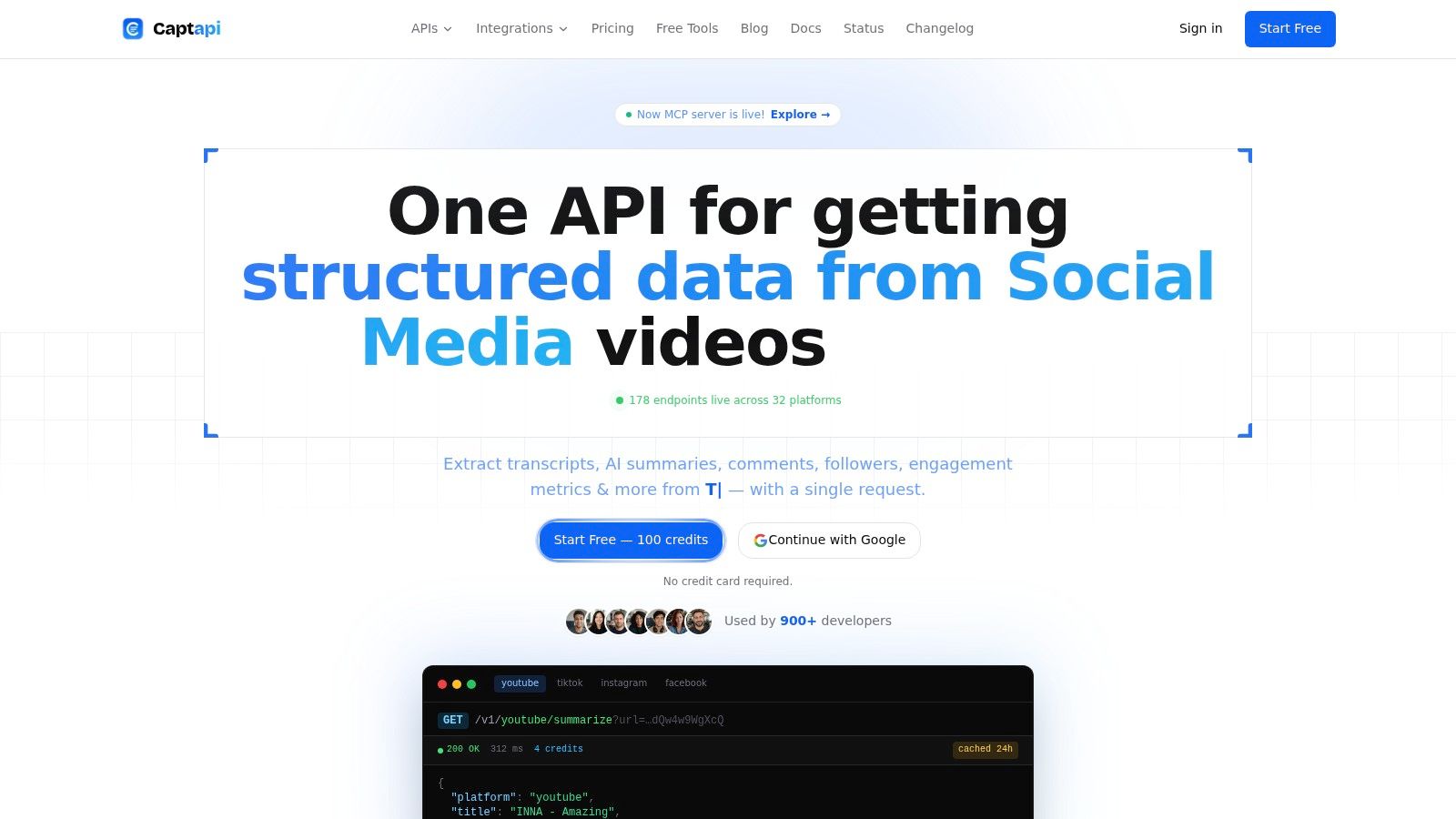
Captapi is designed for teams that need normalized social data rather than arbitrary web pages. Its developer-first REST interface covers public information from YouTube, TikTok, Instagram, Facebook, X, Reddit, LinkedIn, and Threads. That gives one integration a consistent entry point instead of requiring separate OAuth flows, SDKs, parsers, and response formats for each network.
The fit is particularly strong for social listening, competitor analysis, video intelligence, RAG pipelines, and content repurposing. Captapi returns transcripts, comments, engagement metrics, channel and page details, search results, and summaries as JSON. Its GPT-4o-mini-powered summaries can provide key points and sentiment for supported videos and posts, reducing preprocessing before the data reaches a retrieval or analytics workflow.
Why social teams should shortlist it
Cross-platform normalization is the main advantage. A marketing team can compare engagement fields across networks without first building a translation layer for each source. An ML engineer can request transcripts and summaries through one service instead of combining a scraper, an audio-processing workflow, and a separate summarization tool.
Captapi uses Apify-backed scrapers with retries and offers an optional shared cache for repeated requests. Caching can reduce duplicate extraction work, although teams should test cache behavior against their own request patterns. Coverage claims appear inconsistent across the available product materials, so buyers should confirm that the required platform and endpoint remain supported before committing to a platform-specific workflow.
Pricing uses credits and pay-as-you-go access. The published structure includes a free option and paid tiers, with higher plans intended for larger recurring workloads. That model is easy to test during prototyping, but bulk extraction can make credit consumption harder to forecast than a simple request-based plan. Teams should measure the credit cost of representative transcript, comment, search, and summary requests before estimating production spend.
Practical rule: Test the exact social endpoints your workflow needs. Broad platform coverage matters only if the required transcript, comment, search, or ad-library endpoint remains available and returns the fields your application expects.
Captapi is read-only and extracts publicly accessible data. Customers remain responsible for lawful collection, storage, processing, GDPR obligations, and platform terms. The service relies on scraping and public endpoints rather than authenticated native APIs, so platform changes and access restrictions can affect reliability. That makes it better suited to monitoring and analysis than workflows requiring account actions or guaranteed access to private data.
Pros
- Unified access: One REST interface covers normalized social data across multiple networks.
- AI-ready output: Transcripts, summaries, sentiment, comments, and metrics can feed RAG and content workflows.
- Simple onboarding: Developers can sign up, copy an API key, and call endpoints such as
/v1/youtube/summarize. - Flexible billing: Credit-based plans suit prototypes and recurring pipelines.
Cons
- Public-data dependency: Platform changes and access restrictions can affect stability.
- Read-only scope: It does not support publishing, scheduling, or account management.
- Usage economics: Heavy extraction can consume credits quickly.
See the Captapi website if the priority is standardized public social-media data rather than general page retrieval.
2. Zyte API
Best for mixed targets where automatic infrastructure selection matters
Zyte API suits teams that don't want to decide manually whether every URL needs plain HTTP, a proxy, JavaScript rendering, or a browser session. It automatically selects the least complex retrieval path it considers appropriate, which can reduce unnecessary rendering and proxy usage across a mixed target set.
That makes it a practical option for enterprise monitoring, retail catalogs, listings, and heterogeneous crawls where some pages are simple and others are protected or JavaScript-heavy. The API supports proxy mode, a hosted browser, screenshots, and Chrome DevTools Protocol access. Teams that already use Playwright or Puppeteer can drive the browser while leaving browser infrastructure and access handling to Zyte.
The trade-off is cost visibility. A site-complexity model aligns price with the work required to access a domain, but it also means you won't know the effective cost of every target from a generic plan headline. Benchmark coverage from Proxyway's 2025 scraping API report found Zyte among the providers that opened more than 80% of tested protected sites, with Zyte leading that group. That result is useful for shortlisting, not a guarantee for your domains.
Integration judgment
Zyte is a better fit than a simple endpoint when your team values automatic decision-making and browser control. Its Scrapy pathway is also attractive for Python teams migrating an existing crawler into managed infrastructure. If your application only fetches straightforward pages and already handles parsing, Zyte's broader machinery may be unnecessary.
For Node.js teams, a Node.js web scraping guide can help frame the difference between controlling a browser yourself and delegating that layer to an API.
Pros: Automatic rendering and anti-ban decisions, strong browser controls, and an enterprise-oriented integration path.
Cons: Per-site pricing requires target-level testing, and teams get less direct control over forcing the cheapest retrieval mode.
Visit the Zyte API product page before choosing it for a high-volume target set.
3. Bright Data Web Scraper API
Best for e-commerce breadth and difficult targets at scale
Bright Data suits teams that want one supplier for prebuilt site scrapers, proxy infrastructure, web access handling, and managed datasets. Its Web Scraper API provides ready-made scrapers for popular websites, while the wider platform connects those workflows to proxy networks and Web Unblocker capabilities.
That combination can reduce vendor sprawl for e-commerce operations. A product intelligence system may require retailer-specific extraction, geographic access, and a fallback for pages protected by CAPTCHA or fingerprinting systems. Bright Data's control panel and IDE also let teams configure jobs before transferring them into API-driven production.
The trade-off is procurement complexity. A request price can hide meaningful differences between a prebuilt structured scraper, a general accessor, proxy traffic, and a dataset product. Compare cost per usable product record, not only cost per request. For example, $0.002 per request at 70% field-valid success costs about $0.0029 per usable record, while $0.005 per request at 98% valid product records costs about $0.0051. The lower request price is not automatically the lower data cost.
Where it earns its place
Bright Data belongs on a shortlist when catalog coverage matters more than minimal integration. It also fits enterprise procurement teams seeking one provider across several layers of the data stack.
Validate performance against the domains that affect revenue. Independent provider testing shows that protected-target results vary sharply, so broad network claims cannot replace a success-content test using representative pages.
Pros: Broad site coverage, ready-made scrapers, proxy and access infrastructure, and dataset options.
Cons: Volume pricing and contracts can be difficult to compare, and the platform may be excessive for a small HTML retrieval task.
Explore the Bright Data Web Scraper API when e-commerce scale and target difficulty justify a broader platform.
4. Oxylabs Web Scraper API
Best for enterprise monitoring, SERP data, and structured commercial intelligence
Oxylabs is built for organizations that need more than fetched HTML. Its product range includes general web scraping, e-commerce, and SERP APIs, with options for real-time HTML or parsed JSON. The Oxy Parser is especially relevant when downstream systems expect consistent product, search, or listing fields instead of raw pages.
That output model makes Oxylabs a natural candidate for price tracking, SERP monitoring, catalog intelligence, and enterprise data pipelines. Teams can integrate through a direct API or a proxy-style endpoint, depending on whether they want the provider to manage more of the retrieval and parsing layer.
Its enterprise orientation is both an advantage and a limitation. Buyers get stronger support expectations and guidance around domain success rates, rate limits, and scale. Smaller teams may find the commercial process heavier than necessary, particularly if they only need occasional pages.
A useful operational distinction
Oxylabs should be evaluated on field-level accuracy, not just access. A response that loads successfully but maps the wrong price, availability state, or search position is still a failed business request. Define the required JSON fields and validation rules before comparing vendors.
For teams deciding between direct scraping and proxy infrastructure, this residential backconnect proxy explanation provides useful context on where proxy-only approaches fit.
Pros: Structured output, enterprise support, flexible integration modes, and strong relevance to SERP and e-commerce workflows.
Cons: Pricing generally favors enterprise buyers, and simple projects may pay for capabilities they won't use.
Review the Oxylabs Web Scraper API if structured commercial data and operational governance are central requirements.
5. Apify Platform and API
Best for reusable actors, scheduled workflows, and custom automation
Apify isn't merely a single scraping endpoint. It is a platform for running Actors, which can be prebuilt scrapers, custom crawlers, or broader automations. The REST API and JavaScript and Python SDKs let teams run Actors, store results, schedule jobs, trigger webhooks, and manage datasets and key-value storage.
That architecture is valuable when a team expects its scraping requirements to evolve. One Actor might collect product data, another might process reviews, and a third might transform results before sending them to a warehouse. The Apify Store accelerates time to value by offering a marketplace of ready-made scrapers, but marketplace code still needs evaluation for maintenance quality, output accuracy, and target fit.
Platform versus endpoint
Apify's strength is orchestration. A developer who needs one URL fetched and returned may prefer a simpler API. A data team that needs repeatable jobs, storage, scheduling, and reusable code gets more value from the platform model.
The pricing model also requires planning because subscription commitments combine with Actor-level usage and compute consumption. That isn't problematic, but it makes total cost more dependent on runtime, memory, retries, and the behavior of the selected Actor.
Pros: Strong developer tooling, reusable automation, storage, scheduling, webhooks, and marketplace breadth.
Cons: Platform overhead can slow down simple integrations, and metered Actor execution makes careless workflows expensive.
Read the Apify alternatives guide if you're deciding between a full Actor platform and a focused API.
The Apify platform is the better choice when reusable workflows matter more than the smallest possible request surface.
6. ScrapingBee
Best for straightforward developer integrations
ScrapingBee targets the common developer problem: retrieve a page without managing proxy rotation, browser rendering, or anti-bot infrastructure yourself. Its API can enable JavaScript rendering when required, rotate proxies automatically, and provide e-commerce-focused helpers for selected targets.
That makes it a sensible first test for small SaaS products, internal tools, prototypes, and teams that already own their parsing logic. The integration model is less platform-heavy than Apify and less enterprise-oriented than Bright Data or Oxylabs. Clear plan descriptions and concurrency guidance also make it easier to estimate whether the service can support an initial workload.
Its limitation is coverage depth. ScrapingBee doesn't offer the same breadth of site-specific parsers as the largest data platforms, so a team may still need to write and maintain selectors for unusual targets. Rendering and premium proxy features can also change the effective credit consumption, which means a static-page test doesn't predict a protected JavaScript workflow.
Choose simplicity only after testing the hardest page. A clean first request says little about how the API behaves once rendering, geolocation, and anti-bot handling are enabled.
Pros: Low setup effort, readable documentation, JavaScript rendering, and automatic proxy rotation.
Cons: Custom parsing may remain your responsibility, and advanced target requirements can consume credits faster than basic tests suggest.
Start with the ScrapingBee API if developer ergonomics are more important than a large parser catalog.
7. ScraperAPI
Best for plug-and-go retrieval and bulk URL collection
ScraperAPI takes a direct approach. One endpoint handles IP rotation, rendering, CAPTCHA solving, geotargeting, and output-related parameters, while crawler and asynchronous features support larger URL lists.
This is useful for teams that want to ship quickly and don't want proxy management to become a separate engineering project. The API also includes cost-estimation tools and integrations aimed at crawler, LLM, and agent workflows. Those features make it practical for SaaS products, lead research, content collection, and bulk page retrieval.
The cost question is target difficulty. Protected or premium domains may require higher request minimums or more expensive request settings, so a plan that looks attractive for ordinary pages may perform differently on e-commerce or search targets. Teams should calculate cost per successful, content-validated page rather than cost per nominal request.
The right implementation boundary
ScraperAPI works best when the provider handles access and your application handles extraction. If you need reliable product schemas, recurring orchestration, and long-term parser maintenance, a structured data platform may be a better fit.
Pros: Fast integration, one endpoint, asynchronous collection, geotargeting, and rendering controls.
Cons: Difficult domains can carry higher effective costs, and custom extraction remains necessary for many targets.
Evaluate the ScraperAPI service with a representative URL set before moving production traffic.
8. Crawlbase
Best for teams that value success-based billing and a unified crawl stack
Crawlbase combines crawling, scraping, proxy access, storage, queuing, and an AI proxy under a shared credit balance. Its appeal is operational consistency. A team can begin with a crawling endpoint and expand into storage or proxy products without introducing a separate account and billing system for every layer.
The billing approach is especially relevant for buyers worried about paying for failed retrievals. Crawlbase emphasizes successful-request billing, and supported sites can return structured JSON at the same cost as raw HTML. That makes it attractive for recurring collection, practical migration from proxy-only setups, and workflows where failed requests should not inflate the bill.
Coverage remains target-dependent. A unified rate card doesn't guarantee that every site has the same parser quality or access reliability. Teams should confirm whether their domains support the desired structured output and whether the provider's definition of success matches their own content validation rules.
Pros: Success-focused billing, shared product balance, storage and queueing options, and a clear path from proxy use to API scraping.
Cons: Fewer add-ons than the largest platforms, with variable site-specific parser coverage.
The Crawlbase platform is worth testing when predictable billing matters more than the broadest feature catalog.
9. WebScrapingAPI
Best for transparent entry points and multiple web-access modes
WebScrapingAPI offers a family of products rather than a single retrieval path. Its suite includes scraper, SERP, browser, crawl, and data APIs, alongside proxy products and managed delivery. That gives teams a way to choose a mode based on the workload instead of forcing every request through a general-purpose endpoint.
The platform is particularly suitable for buyers who prioritize published starting plans, free quotas for evaluation, and a visible product menu. A team can begin with standard page retrieval, then test the Browser API for JavaScript-heavy targets or a site-specific data API for a known marketplace.
The trade-off is market validation. Compared with the largest enterprise vendors, WebScrapingAPI has less brand recognition, so production buyers should spend more time testing coverage, latency, support responsiveness, and failure handling at their actual workload.
What to test first
Use one static page, one JavaScript-rendered page, one localized request, and one structured target. Compare not only whether the response arrives, but whether the expected fields are present and whether blocked content is correctly identified.
Pros: Published entry points, several API modes, documentation, SDKs, and a status page.
Cons: Large-scale reliability needs validation, and the product range can require careful selection.
Visit WebScrapingAPI if pricing transparency and multiple access modes are high on your buying criteria.
10. Diffbot Extract and Knowledge Graph APIs
Best for structured extraction and knowledge enrichment
Diffbot is designed for teams that care more about the extracted object than the page transport. Its Extract APIs classify pages such as articles, products, and lists, then return structured records. Custom API rules can add or override fields, while Bulk Extract supports asynchronous jobs and crawls.
That makes Diffbot a strong choice for knowledge bases, entity enrichment, product intelligence, research systems, and GraphRAG workflows. It can remove much of the selector maintenance that comes with raw HTML scraping, particularly when a team would otherwise create and maintain parsers for many page types.
The trade-off is control and cost. Diffbot is not the natural choice for low-level browser automation, screenshots, or highly customized interaction flows. Its value comes from high-quality structured output and enrichment, so teams should compare the cost of the service with the engineering time required to build and maintain equivalent extraction internally.
When structured output wins
A raw page is only an intermediate asset. If the next system needs a product name, price, author, date, or entity relationship, returning those fields directly can simplify validation and reduce downstream transformation.
Pros: High-quality typed output, custom extraction rules, bulk processing, and optional knowledge-graph enrichment.
Cons: Typically a poor fit for browser automation and a more expensive option than commodity fetch-and-render APIs.
Explore Diffbot when the value lies in structured entities and relationships, not merely in downloading HTML.
Top 10 Web Scraping APIs, Quick Feature Comparison
| Product | Core features | Unique selling points | Quality (UX) | Pricing & value |
|---|---|---|---|---|
| Captapi 🏆 | Unified REST endpoints for YouTube/TikTok/IG/FB, transcripts, comments, metrics, GPT-4o-mini summaries, 24h shared cache | ✨ One API key for cross-platform data, GPT summaries, sub‑second cached hits, Apify-backed reliability | ★★★★★ (fast, dev-friendly) | 💰 Free tier (100 lifetime credits) → Starter/Pro/Business; credit-based PAYG, high RPS |
| Zyte API | Auto render/no-render, headless browser/CDP, anti-ban, proxy mode | ✨ Automatic per-URL tooling selection, CDP control for Playwright/Puppeteer | ★★★★☆ (flexible, robust) | 💰 Per-site pricing; optimized for cost/latency tradeoffs |
| Bright Data – Web Scraper API | 1000+ ready scrapers, proxy network, Web Unlocker, control panel/IDE | ✨ Broad site coverage, strong unblock/CAPTCHA handling | ★★★★★ (enterprise-grade reliability) | 💰 Can be pricey at scale; proxy + scraper bundles |
| Oxylabs – Web Scraper API | Proxies, CAPTCHA handling, JS rendering, Oxy Parser for structured JSON | ✨ Oxy Parser, enterprise SLAs, flexible integration modes | ★★★★★ (mature enterprise support) | 💰 Enterprise-skewed pricing; higher for large pipelines |
| Apify Platform & API | Run Actors, datasets, scheduling, SDKs, Apify Store | ✨ Marketplace of prebuilt actors, strong dev tooling & OpenAPI | ★★★★☆ (platform-first, reusable) | 💰 Subscription + actor metering; plan complexity to consider |
| ScrapingBee | On-demand JS rendering, proxy rotation, e‑commerce helpers | ✨ Simple developer experience, transparent concurrency guidance | ★★★★ (easy to use) | 💰 Clear credit-based plans, cost-effective for small teams |
| ScraperAPI | Single endpoint IP rotation, rendering, CAPTCHA solving, crawler mode | ✨ Plug-and-go with geotargeting & bulk/crawler features | ★★★★ (quick integrate) | 💰 Credit billing, higher cost on very difficult targets |
| Crawlbase | Unified credits across products, success-based billing, structured JSON | ✨ One-rate-card, pay-for-success model, built-in storage/queue | ★★★★ (predictable billing) | 💰 Predictable success-based pricing; fewer add-ons |
| WebScrapingAPI | Scraper/Browser/SERP/Crawl APIs, public starting prices, SDKs | ✨ Transparent published plans, free quotas for core APIs | ★★★ (transparent entry-level) | 💰 Clear entry prices, good for evaluation/smaller projects |
| Diffbot Extract & Knowledge Graph | Auto-extract Article/Product/List, Bulk Extract, Knowledge Graph | ✨ High-quality structured extraction, entity graph enrichment for RAG | ★★★★★ (best-in-class structured data) | 💰 Higher cost per job, suited to value-driven extraction |
Choose by Workload, Then Validate at Scale
The shortlist changes as soon as the workload changes. For unified public social-media data, Captapi is the specialist fit. It combines normalized access to multiple social platforms with transcripts, comments, engagement metrics, summaries, and clean JSON, making it useful for RAG pipelines, social listening, video analysis, and content automation.
For straightforward developer integrations, start with Zyte API or ScrapingBee. Zyte is the stronger candidate when targets vary in complexity and browser control matters. ScrapingBee is simpler when the team wants managed rendering and proxy rotation without adopting a larger platform.
For heavily protected targets and enterprise scale, compare Bright Data and Oxylabs. Bright Data is attractive when prebuilt scrapers, proxy infrastructure, and datasets belong under one vendor. Oxylabs is especially relevant to structured e-commerce and SERP workflows where parsed fields and enterprise operating practices matter.
Choose Apify when the requirement is a reusable automation platform rather than a single endpoint. Actors, storage, scheduling, webhooks, and marketplace components give engineering teams more room to build a durable data workflow, although they also introduce platform and compute considerations.
For structured extraction and knowledge enrichment, Diffbot deserves the closest evaluation. It can eliminate substantial parser maintenance when your application needs typed entities, product records, article objects, or graph relationships rather than raw page content.
If billing transparency is the priority, compare WebScrapingAPI and Crawlbase. WebScrapingAPI offers multiple published access modes, while Crawlbase's success-based approach can be attractive when failed attempts would otherwise distort cost.
Independent performance evidence should shape the shortlist, not replace testing. Proxyway's 2025 benchmark tested 11 APIs against 15 protected sites, found only four providers opening those sites more than 80% of the time, recorded a 5.05-second median response time, and concluded that none of the tested APIs were adequate for agentic Google access. Those findings show why a general ranking can mislead teams with specialized targets.
Before signing a contract or moving a production workload, run a controlled validation:
- Target-domain coverage: Test the exact retailers, social platforms, search engines, or publishers you need.
- Rendered versus raw output: Compare plain HTTP responses with JavaScript-rendered pages and check for empty shells.
- Parser accuracy: Assert expected fields such as price, availability, author, transcript content, or search position.
- Content success: Treat a CAPTCHA page, login wall, or challenge screen as a failed business response even if the HTTP status is successful.
- Reliability and latency: Measure successful responses, retries, timeout behavior, and response time under realistic concurrency.
- Rate limits: Confirm sustained throughput, burst behavior, queue handling, and how limits affect asynchronous jobs.
- Effective cost: Normalize spend by successful, validated records, including rendering, proxy, geolocation, extraction, and retry costs.
- Caching: Check whether repeated requests can use shared or customer-controlled caching, and whether cached results remain fresh enough.
- Compliance ownership: Document who is responsible for terms of service, personal data, retention, access controls, and lawful processing.
- Support quality: Ask how the vendor handles target changes, parser failures, outages, refunds, and escalation at your expected scale.
The best web scraping APIs are not the ones with the longest feature pages. They're the ones that return the right content, in the right shape, at a reliable effective cost for the workload your team really runs.
Captapi gives developers one REST interface for public social-media data across multiple platforms, including transcripts, comments, engagement metrics, search results, and AI-powered summaries. If your scraping project involves social intelligence, RAG, video analysis, or content repurposing, visit Captapi and test the endpoints against your real workflow.