
Facebook Data API: Official vs Third-Party Options
You've got a page URL, a list of fields, and a deadline. Then the official request returns an authorization error, the permission you need requires review, or a previously stable endpoint starts behaving differently after a version change. The syntax wasn't the hard part. Access scope, operational limits, and maintenance risk were.
That's the practical problem behind choosing a Facebook data API. Meta's Graph API remains the official route for applications working with eligible assets, but a unified third-party API can be more practical when you need public data across platforms without maintaining several authentication and versioning systems. The right choice depends on ownership, compliance, freshness, throughput, and how much platform-specific infrastructure your team wants to operate.
| Feature | Official Meta Graph API | Unified third-party API |
|---|---|---|
| Authentication | OAuth tokens, permissions, and app configuration | Usually one provider API key |
| Data scope | Primarily eligible, owned assets and approved use cases | Public data exposed by the provider's supported endpoints |
| Versioning | Meta versions, deprecations, and changelogs | Provider-managed upstream adaptation |
| Rate limits | Formula-based platform limits tied to app usage | Provider-defined quotas, caching, and credit rules |
| Engineering burden | You own reviews, retries, schema changes, and monitoring | Provider absorbs much of the platform-specific plumbing |
| Best fit | Durable first-party integrations and Meta-native workflows | Cross-platform research, monitoring, prototypes, and data products |
Table of Contents
- The Reality of Accessing Facebook Data
- Navigating the Official Meta Graph API
- Comparing Official and Third-Party Data APIs
- Rate Limits and Throughput Engineering
- Matching the API to Your Specific Use Case
- The Case for Unified Social Data APIs
- Shipping Your First Integration in Minutes
The Reality of Accessing Facebook Data
A common failure starts innocently. A developer creates a Meta app, obtains a token, calls a page endpoint, and expects public posts or comments to behave like ordinary web data. Instead, the response is incomplete, the token lacks the required scope, or the app can only access assets connected to the developer's test setup.
That experience is frustrating because the Graph API looks simple at the HTTP layer. The request might be a familiar GET against a node or edge, but the result depends on which object is being queried, which token is being used, which permissions were approved, and whether the endpoint still exists in the selected version. Meta's Facebook API documentation guide is useful for understanding the terminology, but production access still requires careful validation against Meta's own current references.
There are two broad paths:
- Build directly on Meta's official Graph API. You control the integration, use Meta's canonical interface, and align with its permissions and platform policies. This is the natural route for assets your organization owns and workflows that must remain inside Meta's ecosystem.
- Use a unified third-party social data API. A provider handles the platform-specific collection layer and exposes normalized REST responses. This can reduce OAuth work and make public-data collection easier to combine with data from other networks.
The second option doesn't remove responsibility. You still need to confirm that the provider's collection practices, terms, retention rules, and supported data scope fit your use case. It does, however, move several operational tasks away from your application.
Practical rule: Decide first whether you need Meta-owned data or public social data. The answer determines the access path more reliably than the endpoint name.
The hidden cost of the official route is maintenance. Permission reviews consume engineering time, version changes create recurring upgrade work, and throttling forces a fetcher to coordinate retries, caching, and request prioritization. A third-party layer trades some direct control for a more predictable interface. That trade is often sensible for monitoring, research, and cross-platform products, but less so when you need privileged actions on assets your business manages.
Navigating the Official Meta Graph API
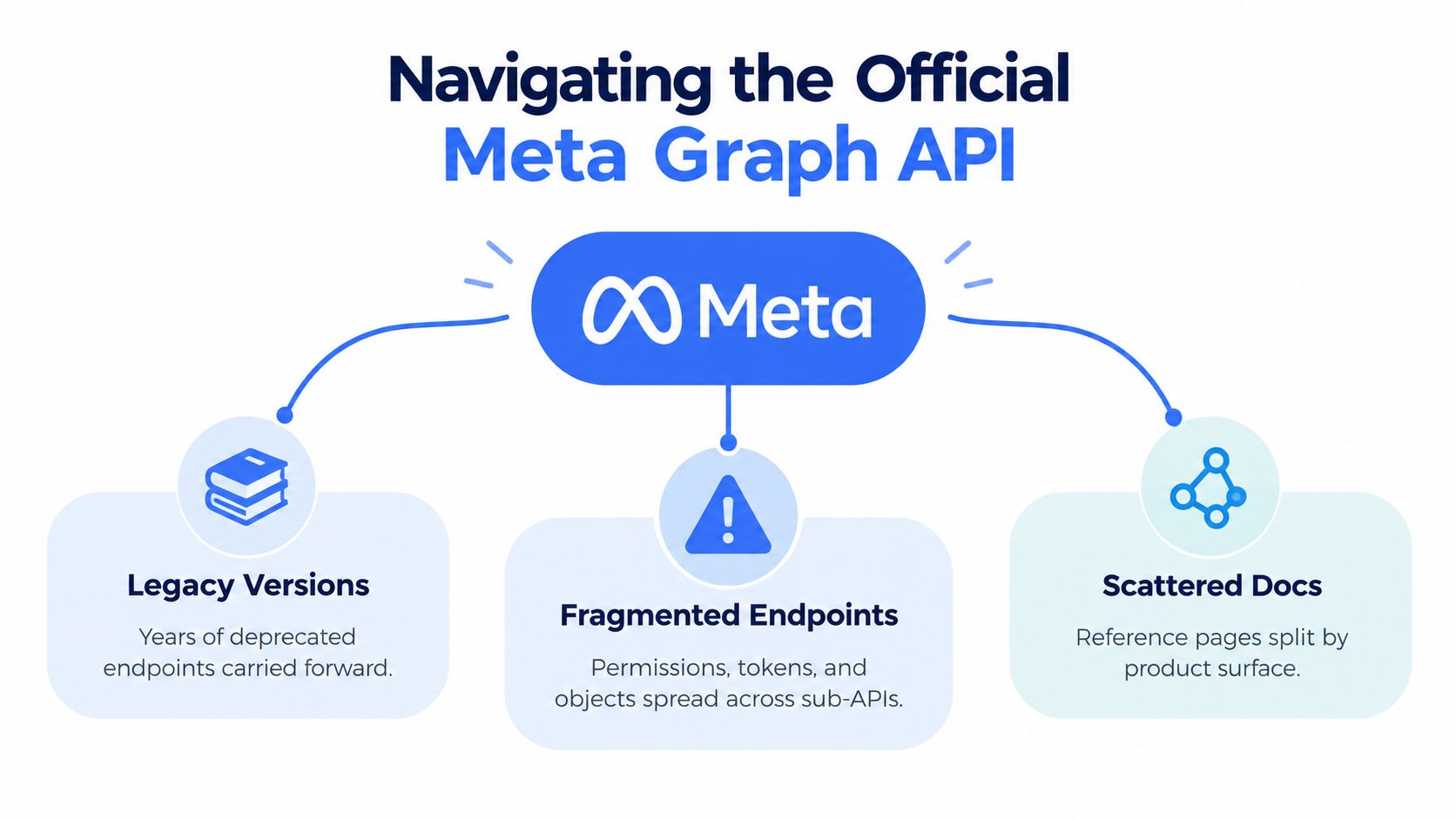
The official ecosystem isn't one uniform Facebook data API. It's a group of product surfaces with different purposes and access rules. The Graph API is the primary interface for reading and writing eligible objects in Meta's social graph. The Marketing API serves advertising workflows, while transparency and product-specific interfaces address narrower discovery or reporting needs.
That distinction matters because an endpoint that sounds relevant may belong to the wrong surface. A team building ad reporting shouldn't treat the Graph API as a substitute for the Marketing API. Likewise, a request for public page comments doesn't automatically grant access to personal profiles, group membership, Marketplace listings, or discontinued commerce workflows.
Version lifecycle is part of the integration
Meta's changelog shows frequent version turnover and scheduled expiration of older versions. That means a production integration needs more than a working request. It needs a version policy, a deprecation watch process, regression tests, and a planned upgrade path.
The cost appears in several places:
- Endpoint validation: A request that worked in one version may return an error, omit a field, or require a different permission later.
- Schema contracts: Downstream tables and models can break when fields change or disappear.
- Release management: Developers must test the new version before the old one expires, not after production starts failing.
- Documentation tracking: Reference pages, changelogs, and product-specific guides need to be read together.
Meta's recent developer communications describe major breaking changes in 2026, including Graph API v26.0 changes that block 47 commerce endpoints connected to the discontinued Shops checkout experience. The same communication also describes earlier removals or restrictions affecting group-related capabilities and other fields, as documented in Meta's Graph API breaking changes announcement. The lesson isn't that every integration will break. It's that unsupported or product-dependent surfaces carry lifecycle risk that should be modeled before you commit to them.
Scope restrictions shape the product
The official API works best when your application operates on assets it owns or is explicitly authorized to access. It's much less suitable as a general-purpose public-data firehose. Group content, Marketplace records, and commerce-like data are especially risky assumptions because capabilities can be restricted or removed as products change.
For comment workflows, Meta provides structured object-level edges such as /{object-id}/comments and a dedicated Comment node. That gives engineers a clear object model, but permissions still depend on the queried object and token. A well-built implementation separates discovery from hydration. First identify eligible pages or posts, then fetch comments only where the application has a valid reason and permission to do so.
Teams working on advertising infrastructure should also separate organic social collection from campaign operations. For a practical discussion of bulk upload Meta ads fixes, see the AdManage.ai resource. For engagement-specific modeling, the Facebook engagement API overview offers a useful complementary reference.
Comparing Official and Third-Party Data APIs
The decision is not “official is safe, third-party is fast.” Each option solves a different engineering problem. The official API gives you direct alignment with Meta's supported surfaces, but your team owns the permission journey and the platform's lifecycle changes. A unified provider can streamline public-data retrieval, but you depend on its coverage, normalization, and operational practices.
| Feature | Official Graph API | Unified Third-Party API |
|---|---|---|
| Authentication complexity | OAuth flows, token types, scopes, and app review | One API key or provider-specific credential |
| Data scope | Approved access to eligible objects, especially owned assets | Public data supported by the provider's collection layer |
| Rate-limit behavior | Rolling, formula-based limits and CPU or time throttling | Provider quotas, caching, concurrency rules, and credits |
| Compliance model | Direct Meta policies and permission requirements | Provider terms plus your own lawful-use and privacy controls |
| Integration speed | Slower when review and business validation are required | Faster for supported public endpoints |
| Platform breadth | Facebook and related Meta surfaces | Often multiple social networks behind one interface |
| Failure ownership | Your team handles upstream changes | Provider handles much of the upstream adaptation |
| Best architectural fit | First-party publishing, account data, ads, and durable Meta workflows | Monitoring, enrichment, research, prototypes, and cross-platform products |
Authentication and scope
Direct integration is strongest when your application needs to read or write on behalf of a business, page, or ad account. The permission model creates useful boundaries, but it also introduces approval work and token management. A provider key is simpler for a public-data workflow, yet it doesn't grant access to private or restricted content. It only changes who operates the collection layer.
That distinction prevents a common design mistake. A third-party API isn't a workaround for data your team has no right to access. It's an abstraction for supported public collection, normalization, retries, and delivery.
Predictability versus control
Direct Graph API access gives you maximum control over fields, query shape, and request timing. You can optimize payloads precisely, but you must also manage every edge case. A unified API typically offers less low-level control and more operational convenience. Built-in caching can reduce repeated upstream work, while a normalized schema can make it easier to add YouTube, TikTok, or Instagram without building another connector.
The same principle applies to event-driven designs. If you're deciding whether a change notification or a polling request fits your system, this guide to comparing webhooks and APIs from Refact provides useful architectural context. For broader social integrations, see the social media API guide.
Choose direct access when Meta is a core system of record and your team can operate the permissions, versioning, and monitoring. Choose a unified provider when the value lies in the resulting dataset, not in owning every upstream request.
Rate Limits and Throughput Engineering
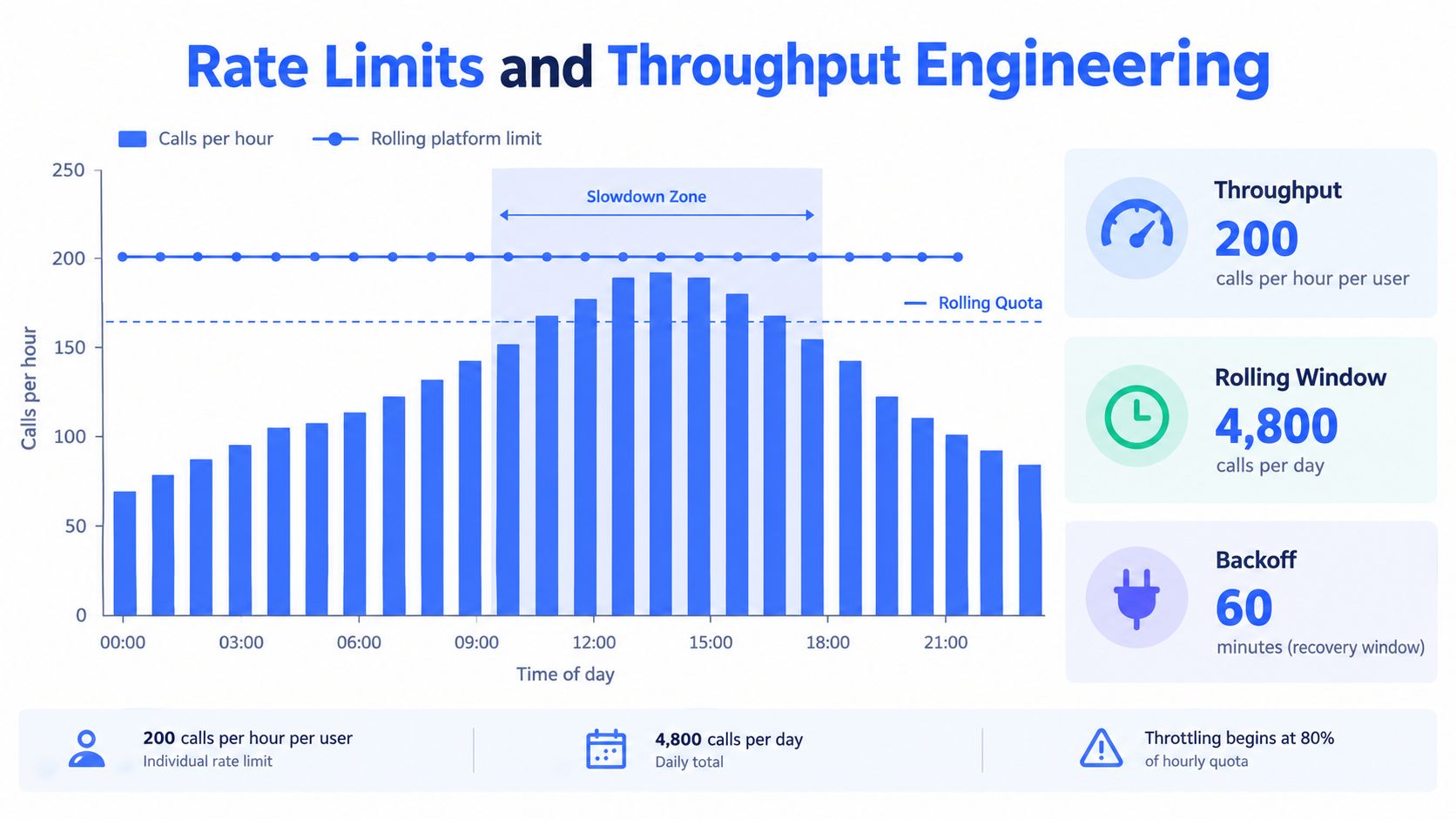
Rate limits are where a prototype becomes a production system. Meta doesn't use one universal fixed quota for Graph API traffic. Its platform rate limiting is rolling and formula-based, with app and user-token traffic constrained by an app call count over a one-hour window. Meta documents the formula as 200 multiplied by the number of users, and requests can be throttled when CPU or total-time thresholds are exceeded in addition to call volume. See the official Graph API rate-limiting documentation.
The math you need to design around
Suppose the relevant user count for your app is U. Your call-count allowance for the rolling hour is:
200 × U
That isn't a promise that every request will complete. Heavy field expansion, expensive objects, and concurrent workers can push CPU or total-time usage high enough to trigger throttling before the call-count calculation looks exhausted.
A production fetcher should therefore:
- Cache stable fields: Don't repeatedly request page metadata that hasn't changed.
- Separate request classes: Give discovery, post retrieval, and comment hydration different queues.
- Limit field expansion: Ask for the fields the pipeline consumes.
- Use bounded concurrency: More workers can increase contention rather than throughput.
- Back off with jitter: When throttled, avoid synchronized retries from every worker.
- Record usage signals: Monitor response headers and error patterns, not just HTTP status.
Backoff is a scheduling policy, not a sleep statement. Your worker needs to know which requests are urgent, which can wait, and which results can be served from cache.
The API's object model reinforces this design. Comment summaries can be requested through metadata fields, while individual comment records are hydrated through the Comment reference. Fetching summaries first and details second keeps payloads smaller and reduces wasted calls.
Where a unified provider changes the equation
A third-party data API can offer a different throughput model. Instead of every application worker calling Meta directly, the provider manages collection, retries, caching, and upstream coordination. Repeated requests may be served from a shared cache, which makes refresh behavior more predictable for public monitoring workloads.
That approach shifts the bottleneck from Meta's per-app formula to the provider's quota and credit model. You still need concurrency controls and failure handling, but you can plan capacity around documented provider limits rather than an audience-dependent allowance. Teams researching collection infrastructure may also benefit from Stella Proxies' data collection guide, especially when comparing direct API access with managed collection approaches.
For implementation patterns, the API rate limits guide is a useful reference. The core choice is straightforward: engineer carefully around Meta's rolling limits, or buy a layer that absorbs much of that variability.
Matching the API to Your Specific Use Case
The right Facebook data API depends on the data product you're building. A page-monitoring dashboard, a first-party publishing tool, and an academic comment corpus may all ask for “Facebook data,” but they have different authorization, freshness, and reliability requirements.
AI pipelines and retrieval systems
An AI startup feeding social content into a retrieval-augmented generation system usually needs structured text, stable identifiers, timestamps, engagement context, and repeatable refreshes. Raw Graph API responses can work when the startup owns the relevant pages and has approved access. For public competitor content, a unified provider often reduces the time spent building platform-specific collectors.
The important design decision is normalization. Store the original platform identifier, canonical URL, author or page context where available, publication time, text, media references, and collection timestamp. Keep raw payloads separately from your cleaned document so you can reprocess embeddings or summaries without recollecting everything.
Competitive intelligence and social listening
Marketing teams usually care about change detection rather than one-time retrieval. They may track page posts, comments, engagement signals, and recurring mentions across several platforms. Direct Meta access can be appropriate for owned pages, but a unified interface is easier to operate when the dashboard combines Facebook with other networks.
Build the pipeline around idempotency. Use the post or comment identifier as the deduplication key, preserve the first-seen and last-seen timestamps, and update engagement fields independently from immutable text. Don't treat a missing field as a deletion until the provider or source confirms that interpretation.
Research, OSINT, and comment extraction
Researchers often need granular comment records rather than only aggregate counts. Meta's Graph API exposes the /{object-id}/comments edge and a dedicated Comment node, with summaries available through metadata and individual records available through the reference schema, as described in the official Comment reference.
That structure supports a two-stage collector:
- Discovery: Identify eligible page posts or other authorized objects.
- Hydration: Retrieve comment records, pagination state, and selected fields.
Researchers should document collection scope, consent or lawful basis where applicable, access dates, filtering decisions, and deletion handling. A third-party provider can simplify collection, but it doesn't transfer research ethics or data-protection duties away from the institution.
A useful rule is to match the integration to the authority you possess. Use Meta directly for first-party operations. Use an abstraction layer for public, cross-platform data where speed and maintainability matter more than low-level control.
The Case for Unified Social Data APIs
Cross-platform products accumulate integration debt quickly. One connector uses OAuth scopes, another uses a different token lifecycle, and a third exposes a schema that doesn't resemble either. The engineering team ends up maintaining authentication code and deprecation calendars instead of improving search, classification, alerts, or reporting.
A unified social data API addresses that problem by presenting a common REST surface. Captapi is one option in this category. It provides structured public-data endpoints across Facebook, YouTube, TikTok, and Instagram, including content details, comments, engagement information, page or channel data, and related search workflows. Its provider-managed collection layer, retries, shared caching, and credit-based usage model are designed to reduce repeated platform-specific work.

What the abstraction buys you
The main benefit isn't just a shorter first request. It's a smaller operational surface:
- One credential pattern: Your application can avoid implementing separate OAuth flows for every public-data connector.
- One internal schema: Normalize page, post, comment, and engagement fields before they reach analytics or machine-learning systems.
- One retry policy: Handle transient failures consistently instead of encoding every platform's behavior in application code.
- One monitoring layer: Track latency, error rates, freshness, and credit consumption through a common interface.
- One expansion path: Add another social source without rebuilding the entire ingestion framework.
This doesn't make the official Graph API obsolete. Teams with first-party permissions, publishing requirements, ad-account access, or strict control over query semantics may still be better served by direct Meta integration. A hybrid architecture is often sensible: use official APIs for owned assets and a unified provider for eligible public research or cross-platform enrichment.
The operational calculation is simple. If your product's differentiation comes from what you do with the data, outsourcing repetitive collection infrastructure can free engineers to work on the differentiating layer. If your differentiation depends on privileged Meta actions, keep the direct integration and treat its maintenance as a core product capability.
Shipping Your First Integration in Minutes
A unified provider lets you validate the data path before committing to a full Meta app review process. Keep the first test narrow, inspect the response, and only then design pagination, storage, and refresh behavior.
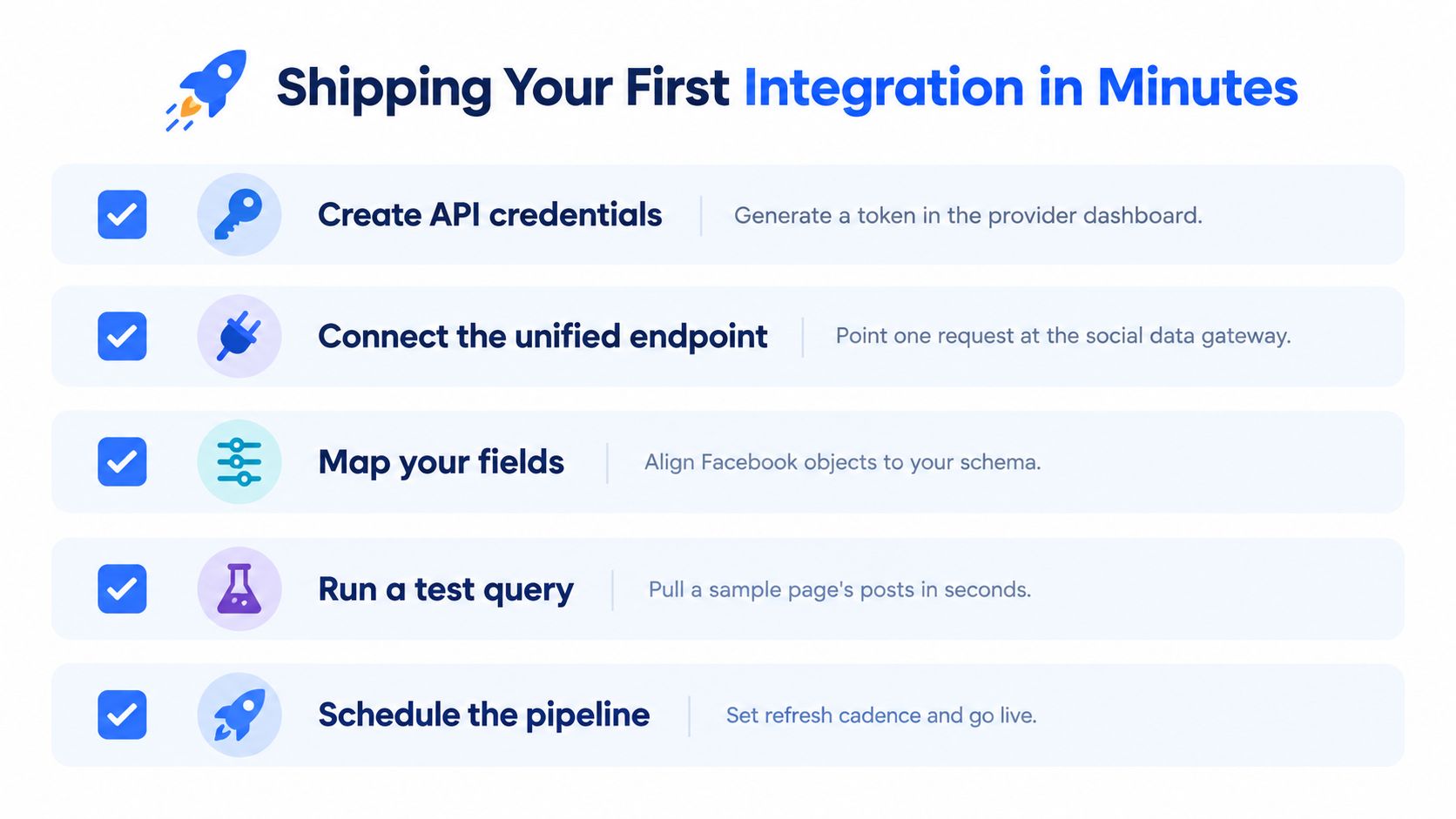
- Create credentials: Generate an API key in the provider dashboard and store it outside source control.
- Choose the endpoint: Start with page details, posts, or comments. Don't request every resource in the first call.
- Map the response: Define a small internal schema for identifiers, URLs, text, timestamps, and engagement fields.
- Run a test query: Check status handling, empty results, pagination fields, and malformed input before adding workers.
- Schedule refreshes: Set a cadence based on how quickly the monitored data changes, then add retries, logging, and deduplication.
The Captapi integration tutorials provide implementation guidance for moving from credentials to a working request. For production, persist the raw response, record the provider request identifier if available, and separate transient errors from permission or input errors.
Start with one page and one response shape. Once that works, add cursor handling, cache-aware refreshes, and a queue for comment hydration. That sequence keeps debugging focused and prevents an unstable upstream assumption from spreading through your data model.
Captapi provides a unified REST interface for structured public data from Facebook and other major social platforms, with endpoints for pages, posts, comments, engagement, and related content workflows. If you want to test a Facebook data pipeline without building every platform-specific integration first, visit Captapi and start with a focused endpoint request.