
Explore Top EnsembleData Alternatives for Developers
Top Alternatives to EnsembleData
When searching for viable alternatives to EnsembleData, several REST APIs stand out for their ability to provide comprehensive social media data across multiple platforms. These alternatives not only fetch user profiles and content but also offer varied features and integrations tailored to specific developer needs.
Captapi delivers data from 27 social media platforms, offering consistent JSON responses with a single API key. Its free tier provides 100 credits without requiring a credit card, making it accessible for testing. Captapi is particularly noted for supporting a range of platforms including newer networks like Threads and Bluesky, alongside traditional giants such as YouTube and Instagram.
SocialPanda API is another competitor, focusing on providing deep analytics and engagement metrics for platforms like Facebook, Instagram, and Twitter. While it does not support as many platforms as Captapi, its detailed insights into user interactions make it a popular choice for brands seeking engagement analytics.
Octoparse API stands out for its robust scraping capabilities, allowing users to extract varied data types from websites beyond just social media. It supports automated data extraction for custom datasets, although it requires more setup and learning for effective use compared to plug-and-play APIs like Captapi.
- Brandwatch API: Offers real-time data retrieval from key social platforms, excelling in sentiment analysis features.
- GetSocial API: Specializes in providing a suite of tools for tracking social media performance metrics across multiple channels.
These alternatives cater to different aspects of social media data handling, from simple profile retrievals to advanced analytics and data extraction, ensuring developers can choose a solution aligned with their specific requirements.
Features Comparison Table
Comparing data aggregation APIs requires a focus on key features like platform support, data types, response format, authentication, and pricing models. EnsembleData offers services across multiple social media platforms, allowing users to aggregate profiles, posts, comments, and more. However, it's crucial to evaluate alternatives to find a solution that best fits your needs. The following table provides a feature-focused comparison between EnsembleData and other APIs, including Captapi.| Feature | EnsembleData | Captapi | Alternative 1 | Alternative 2 |
|---|---|---|---|---|
| Supported Platforms | 20+ | 27 | 15+ | 10+ |
| Data Types Offered | Profiles, Posts | Profiles, Posts, Comments, Transcripts, Summaries | Profiles, Comments | Posts, Transcripts |
| Response Format | JSON, XML | JSON | JSON | JSON, XML |
| API Authentication | OAuth | API Key | API Key | OAuth |
| Free Tier Availability | Limited | No card, 100 credits | No | Limited |
Benefits of a Unified API Solution
Using a unified API solution to gather social media data offers significant advantages over managing multiple platform-specific APIs. One major benefit is streamlined integration. Developers can interact with a single, consolidated API, such as Captapi, to retrieve data from various platforms like YouTube, TikTok, and LinkedIn, reducing the complexity and maintenance overhead associated with handling multiple keys and endpoints.
Another advantage is consistency in data formatting. A unified API presents data in a uniform JSON format, eliminating the need to normalize disparate data structures from different platforms. This simplifies data processing pipelines and reduces potential errors that can occur when handling heterogeneous data models.
Efficiency is also enhanced by a unified API solution. With a single API key, developers have easier access management. There's no need to track multiple credentials for different platform accounts, which can decrease security risks associated with accidentally exposing sensitive keys.
Additionally, using a unified service often leads to cost and time savings. Developers can focus on core application development instead of spending resources on learning different API implementations and managing version changes across platforms. This centralized approach can significantly speed up the development process from prototype to production.
- Streamlined integration
- Consistent data formatting
- Improved efficiency and security
- Cost and time savings
Breakdown of Pricing Models
Social media data APIs typically offer a variety of pricing models, each catering to different levels of usage and customer needs. Common structures include pay-as-you-go, subscription tiers, and enterprise-level agreements. Understanding these models is crucial for selecting a solution that aligns with your specific requirements and budget constraints.
Pay-as-you-go pricing is flexible and suited to those needing sporadic access to social media data. In this model, users are charged based on the number of API requests they make or credits they consume, without any monthly commitments. This is beneficial for developers and startups who may not need regular or high-volume access.
Subscription tiers, on the other hand, provide a more predictable cost structure with set monthly or annual fees. These tiers typically vary by the number of API requests allowed, data retention timelines, and access to advanced features like real-time data or historical archives. Subscriptions are ideal for businesses with consistent data needs, offering additional services such as premium support or higher data processing limits.
- Basic Tier: Generally includes a limited number of requests and core features suitable for small-scale projects.
- Professional Tier: Offers a higher request limit, more advanced features, and improved support.
- Enterprise Tier: Customizable solutions for high-demand users, usually with service level agreements (SLAs).
Finally, enterprise agreements are tailor-made packages designed for large organizations with extensive data integration needs. These agreements often come with dedicated account management, premium support, and negotiated pricing, allowing for maximum flexibility and resource allocation.
Integrating with a REST API
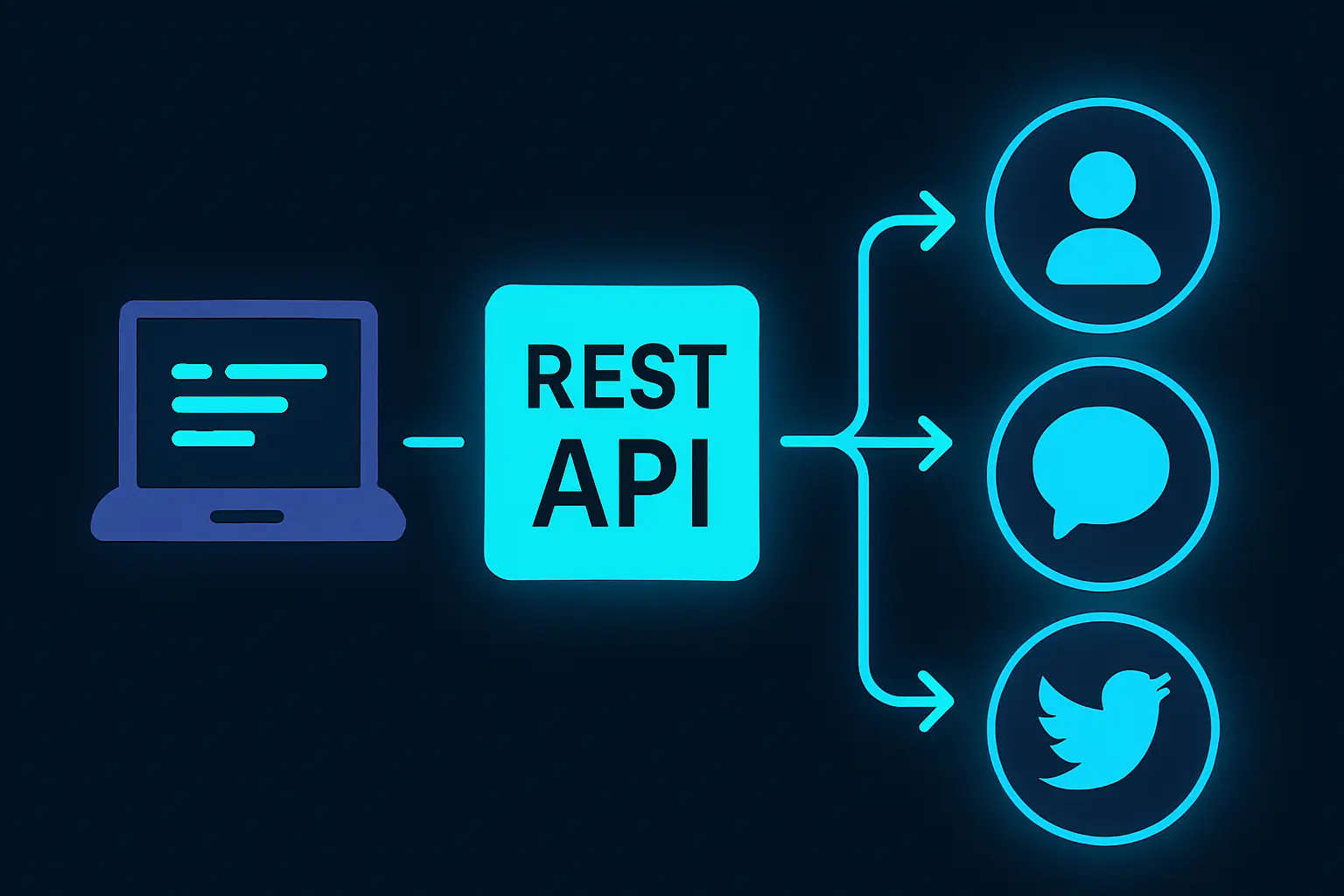
Integrating a social media data REST API into your project involves making HTTP requests to receive data in a structured format. In this example, we demonstrate how to fetch user profile data from a platform using a REST API. We'll provide both curl and Python code snippets to perform the same request, showcasing the simplicity of accessing such APIs programmatically.
Using curl
curl -X GET "https://api.captapi.com/v1/profiles" \
-H "Authorization: Bearer YOUR_API_KEY" \
-d "platform=twitter" \
-d "username=example_user"
Using Python
import requests

url = "https://api.captapi.com/v1/profiles"
headers = {
    "Authorization": "Bearer YOUR_API_KEY"
}
params = {
    "platform": "twitter",
    "username": "example_user"
}

response = requests.get(url, headers=headers, params=params)
profile_data = response.json()
print(profile_data)
The API query is sending a GET request to retrieve social media profile information. It includes headers for authorization and parameters specifying the platform and username. Ensure that you replace YOUR_API_KEY with your actual API key.
Below is a snippet of what a typical JSON response might look like:
{
  "id": "123456",
  "username": "example_user",
  "name": "Example User",
  "bio": "This is an example user.",
  "followers_count": 1500
}
By using such an API, you can seamlessly pull data from various platforms into your application, allowing for easier data aggregation and analysis.

Considerations for Data Accuracy and Latency
When selecting a social media API, data accuracy and latency are critical elements to consider. Data accuracy refers to the precision of the information retrieved from social media platforms. Factor in how frequently the API provider updates their datasets to reflect real-time changes. While some APIs provide updates every few seconds, others might only refresh data every few minutes or hours. These update intervals can significantly impact applications requiring real-time data analysis.
Latency, on the other hand, is the time it takes for a request to be made to the API and for the corresponding data to be returned. It is influenced by multiple factors, including the physical distance of API servers, network traffic loads, and the efficiency of the API's backend infrastructure. A low-latency API is crucial for applications that demand rapid data processing, such as live analytics dashboards and monitoring systems.
APIs aggregate data from multiple social media platforms and may experience discrepancies in native platform APIs due to rate limits, downtime, or restrictions imposed by the platforms themselves. When evaluating APIs, investigate the mechanisms they employ for data normalization and error handling. This includes their ability to handle inconsistencies across diverse platforms, re-try logic for failed requests, and how they communicate issues to developers.
- Data refresh intervals
- Latency due to server location
- Impact of data normalization
- Rate limiting and handling retries
Choosing an API solution that balances both accuracy and latency will depend on the specific use case requirements, ensuring seamless integration and reliable performance of applications dependent on social data.
Frequently asked questions
What is the best free alternative to EnsembleData?
Captapi offers a competitive free tier with 100 credits and no credit card requirement. It provides data from 27 social media platforms, making it a robust alternative for developers needing diverse social media data without upfront costs.
How does EnsembleData compare to its competitors in terms of pricing?
EnsembleData's pricing structure can vary based on the specific package and volume of data required. It's advisable to compare their pricing directly with competitors like Captapi and others, considering factors such as the number of platforms supported and the data or API call limits included in their tiers.
Can I use EnsembleData for Reddit or Threads data?
It's important to check EnsembleData's documentation or contact their support to confirm the platforms they support, as availability can change. Meanwhile, Captapi explicitly supports data retrieval from both Reddit and Threads among its 27 platforms.
What are key considerations when selecting a social media data API?
Consider the breadth of platforms covered, data types offered, ease of integration, and any rate limits or costs associated with higher usage. Additionally, evaluate the quality of the documentation and the availability of support or community help for troubleshooting and implementation.