
Curl Username Password Guide: Secure Authentication Tips
You need to test a protected API endpoint, so you type curl -u username:password https://api.example.com/resource into a terminal and get the response you need. The request works, but the credential may now exist in shell history, process inspection output, CI logs, or a shared script. The command was technically correct, yet the workflow created a security problem before the API returned anything.
The curl username password pattern is simple to use, but the safe implementation depends on where the credential travels, which authentication method the server expects, and whether the request crosses a proxy or redirect. This guide focuses on the practical details that prevent authentication failures and accidental secret exposure.
Table of Contents
- Why Curl Username Password Authentication Matters
- Two Ways to Pass Credentials with Curl
- Real Curl Examples for API Authentication
- Security Mechanics Behind Basic Authentication
- Troubleshooting Common Authentication Errors
- Building Secure Curl Authentication Workflows
Why Curl Username Password Authentication Matters
A hardcoded credential is convenient during a rushed debugging session. It's also easy to copy into a ticket, commit into a script, paste into a CI configuration, or leave visible while another user can inspect running processes. curl's password guidance specifically warns that passwords supplied directly in commands may appear in shell history, tools such as ps or top, CI logs, and shared scripts.
That exposure often happens outside the API itself. A terminal records commands, a build system records output, and a teammate may reuse a troubleshooting snippet without realizing it contains a live secret. Removing the command from the screen afterward doesn't remove those copies.

Start with the safer manual pattern
For an interactive test, provide the username and leave the password out:
curl -u alice https://api.example.com/resource
Curl then prompts for the password separately. The secret doesn't appear in the command text, which reduces exposure through history and process listings. This is the right default for a developer testing an endpoint from a local terminal.
For repeated requests, use a protected .netrc file or curl configuration file rather than putting credentials in a URL or script. Treat those files as secrets. They should not enter source control, shared archives, or unrestricted build workspaces.
Practical rule: A working authentication command isn't automatically a safe authentication workflow. Check where the credential is stored before checking whether the endpoint responds.
HTTPS remains essential. Hiding a password from shell history protects one part of the workflow, but it doesn't secure credentials sent over plain HTTP. Basic Authentication sends a reusable credential representation, so the transport must protect it from interception.
Two Ways to Pass Credentials with Curl
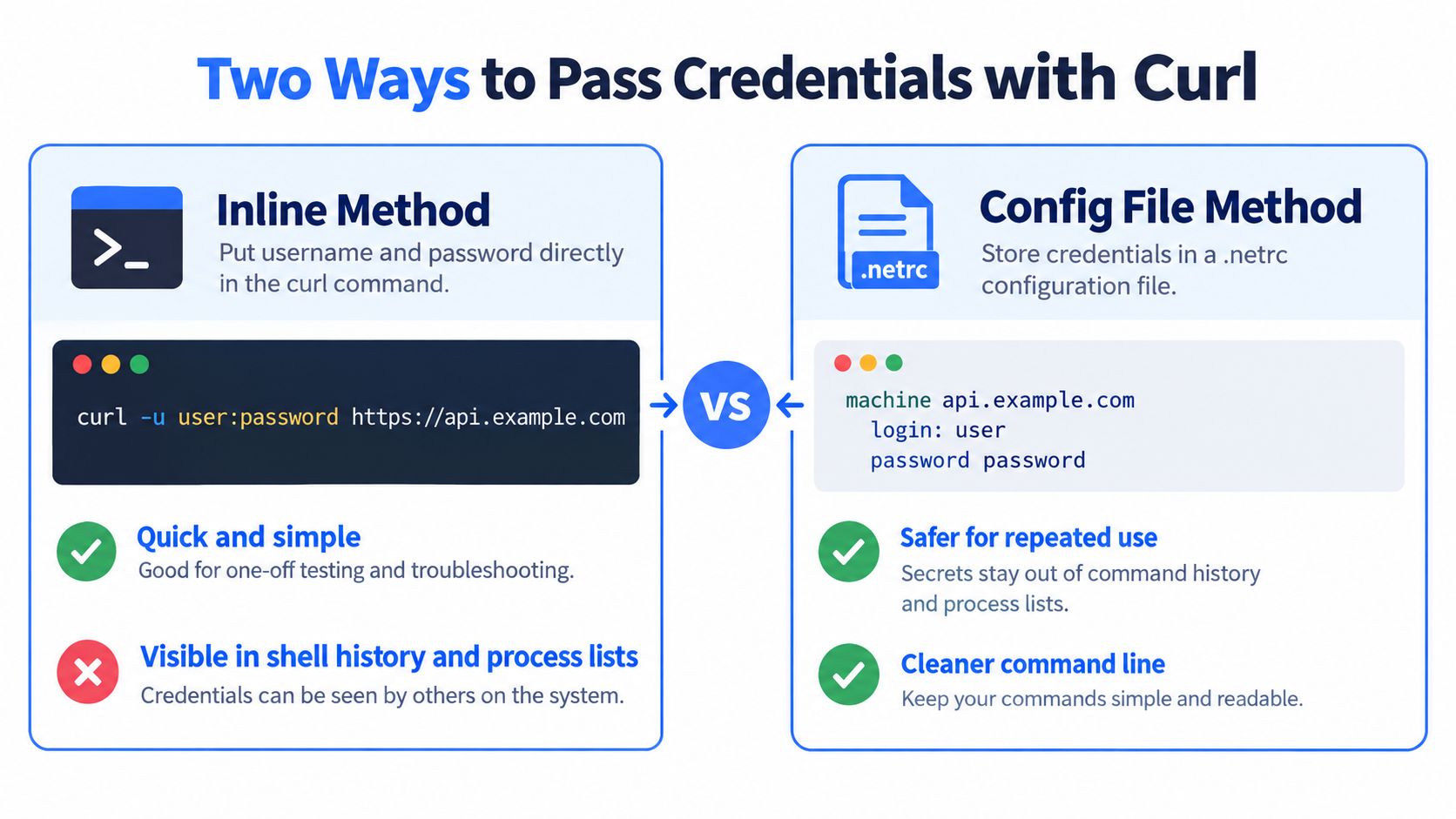
Curl accepts username-and-password credentials primarily through -u or --user. The inline form places the username and password after the option, separated by a colon, while the username-only form prompts for the password. The curl manual's authentication documentation also describes HTTP mechanisms including Basic, Digest, NTLM, and Negotiate. If you don't explicitly select a method, curl defaults to Basic for HTTP authentication.
The difference is operational, not cosmetic:
| Method | Example | Useful for | Main trade-off |
|---|---|---|---|
| Inline credentials | curl --user alice:password https://example.com/ |
Fast, disposable testing | The password can appear in history, process output, logs, or scripts |
| Interactive password | curl --user alice https://example.com/ |
Manual debugging and local checks | It requires an interactive terminal |
| Protected configuration | curl --netrc-file ~/.netrc https://example.com/ |
Repeated use and automation | The file must be protected and managed as a secret |
The inline form is easy to understand, and it can be useful for a short-lived test with a disposable credential in an isolated environment. It shouldn't become the copied template for production scripts. A command placed in a README can outlive the credential, the project, and the person who wrote it.
Choose by execution context
Interactive work favors curl --user USERNAME URL, followed by the password prompt. Automation needs a non-interactive source, so a protected .netrc file or curl configuration file is preferable to embedding the secret in a shell command.
If you're integrating an external service that occasionally fails, credential hygiene is only part of the problem. A practical guide to handling flaky VAT validation services is useful because retries, response handling, and secret management need to work together rather than being patched independently.
For request-body patterns, compare the authentication setup with this curl POST example. Keep the credential source separate from the payload and endpoint logic, especially when the same request is later moved into a build pipeline.
Real Curl Examples for API Authentication
A manual request often fails before it reaches the API because the credential was exposed while the command was being prepared. Start with a username only and let curl prompt for the password:
curl --user alice https://api.example.com/resource
Curl reads the password from the terminal, so the secret is not part of the command copied into a ticket, README, or shell history. The username and endpoint remain visible, which still helps verify the target environment.
Automation needs a non-interactive credential source. Store the login in a protected .netrc file:
machine api.example.com login alice password YOUR_PASSWORD
Then invoke the endpoint without placing the credential in the command:
curl --netrc-file ~/.netrc https://api.example.com/resource
Restrict the file permissions and exclude it from version control. A file reduces command-line exposure, but it remains a live secret and can still be read by a process or user with access to it.
Select the authentication mechanism deliberately
Use Digest authentication when the server requires it:
curl --digest --user alice https://api.example.com/resource
If the server supports several authentication mechanisms and curl should choose one, use:
curl --anyauth --user alice https://api.example.com/resource
For interactive requests, the password prompt keeps the secret out of the command text. Proxy authentication uses a separate credential path. Sending the origin login to a proxy can cause authentication failures and disclose a credential to infrastructure that should never receive it.
Redirects need the same scrutiny as the original URL. Avoid blindly following redirects with credentials, and verify that the final host is trusted before enabling redirect handling. A redirect can move a request to another host or service, turning an otherwise valid login into an unintended disclosure.
Reserved characters in passwords are a common failure mode; the troubleshooting section below covers encoding and diagnostics. Remember that a Base64 authorization value is encoding, not encryption, so HTTPS remains required for protecting credentials in transit.
For application integration, this curl with PHP guide shows how PHP can configure username-and-password authentication without copying command-line syntax into application code. Keep secrets outside source files, require HTTPS, and avoid logging the complete request configuration.
Security Mechanics Behind Basic Authentication
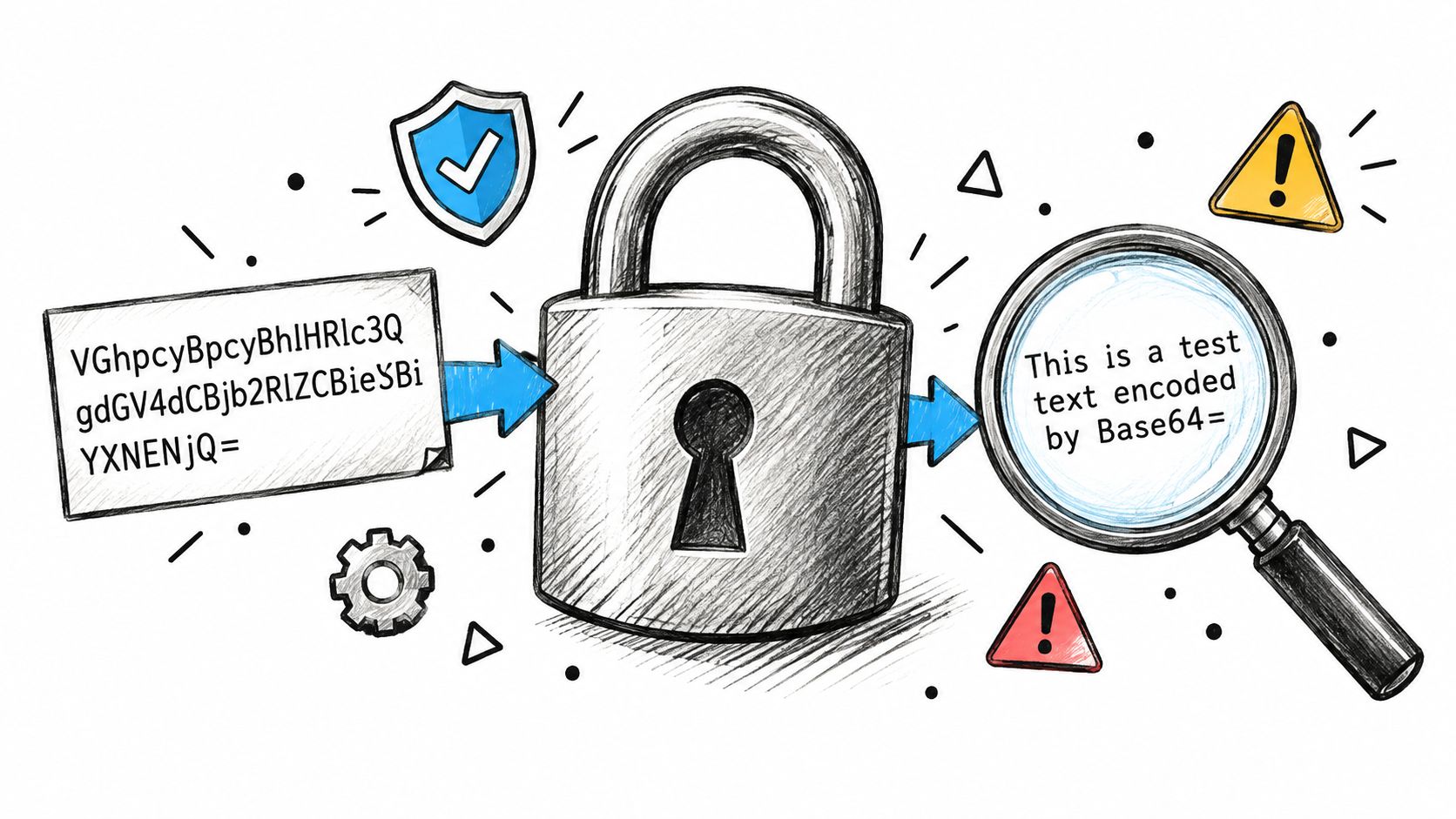
Basic Authentication doesn't encrypt a username and password. Curl combines the username, a colon, and the password, then Base64-encodes the result. Base64 is an encoding format, so anyone who obtains the value can decode it and recover the credential.
That distinction matters because developers often see an encoded authorization value and assume the secret has been protected. It hasn't. HTTPS provides the transport protection that Basic Authentication itself lacks. Without HTTPS, a network observer or a man-in-the-middle attacker may intercept authentication data and reuse it.
What HTTPS does and doesn't solve
TLS protects data while it travels between the client and the HTTPS endpoint, assuming the client verifies the connection correctly. It doesn't prevent a password from appearing in shell history, a CI log, a process list, or an application log. It also doesn't stop a server or intermediary from recording an authorization header after the request reaches its infrastructure.
Basic credentials are reusable. If an attacker obtains them, the attacker may be able to authenticate again until the credential is revoked or changed. Redirects and proxy boundaries deserve separate testing because they change where authentication is relevant. Curl's documented behavior is to send credentials only to the initial host across redirects, but that behavior isn't a substitute for reviewing redirect destinations and testing the request path.
Security boundary: HTTPS protects the connection. It doesn't make an exposed command-line password safe, and it doesn't turn Base64 into encryption.
For a broader operational view, these API security best practices provide useful context around credential handling, transport security, and access controls. When a service supports it, prefer a scoped token or another credential designed for the specific integration rather than sharing a broad human password.
The authentication method also matters. Curl supports Basic, Digest, NTLM, and Negotiate, so selecting a protocol should follow the server's challenge and security requirements. The API authentication methods reference can help compare approaches before you hardwire one into a client.
Troubleshooting Common Authentication Errors
Authentication debugging gets faster when you stop changing several variables at once. Begin with the target scheme and host, then test the credential, inspect the response, and only afterward select a protocol-specific mechanism.
Use a controlled request first:
curl --user alice --include https://api.example.com/resource
The password prompt keeps the secret out of the command. --include exposes response headers so you can inspect the status and the WWW-Authenticate challenge without immediately turning on full verbose output.
Read the response as a diagnostic signal
A 401 response means the origin server rejected authentication or returned a missing or invalid challenge. Check the username, password, target host, and advertised mechanism. If the server challenges with Digest or another supported method, select that mechanism explicitly rather than assuming Basic is correct.
A 407 response means the proxy requires authentication. That is a different path from origin authentication. Configure proxy credentials with the proxy-specific option and keep them separate from the credentials intended for the API server.
| Response | Likely boundary | First check |
|---|---|---|
401 |
Origin server authentication | Username, password, challenge, and selected mechanism |
407 |
Proxy authentication | Proxy configuration and proxy credential option |
403 |
Authorization or policy | Account permissions, endpoint policy, and request context |
A successful TCP connection only proves that the client reached something at the network layer. It doesn't prove that the server accepted the credential. If the problem is authorization rather than authentication, this guide to diagnosing an Nginx 403 Forbidden response offers a useful separate troubleshooting path.
Test redirects and special characters safely
Check the final destination before adding redirect behavior. A redirect to another host changes the security context, so don't assume that following it is harmless. Test redirects deliberately and inspect the destination, especially when credentials or cookies are involved.
Passwords containing @ or : often fail when placed inside a URL because those characters have URL meaning. Use --user or correctly percent-encode URL credentials. For diagnostics, use verbose output only in a sanitized environment. Authorization-related exchange details can appear in verbose output, so don't paste it into a public issue or unrestricted CI log.
Building Secure Curl Authentication Workflows
A reliable workflow separates four concerns: where the secret lives, how the connection is protected, which authentication mechanism the server expects, and how failures are recorded. Fixing only the command syntax leaves the surrounding pipeline exposed.
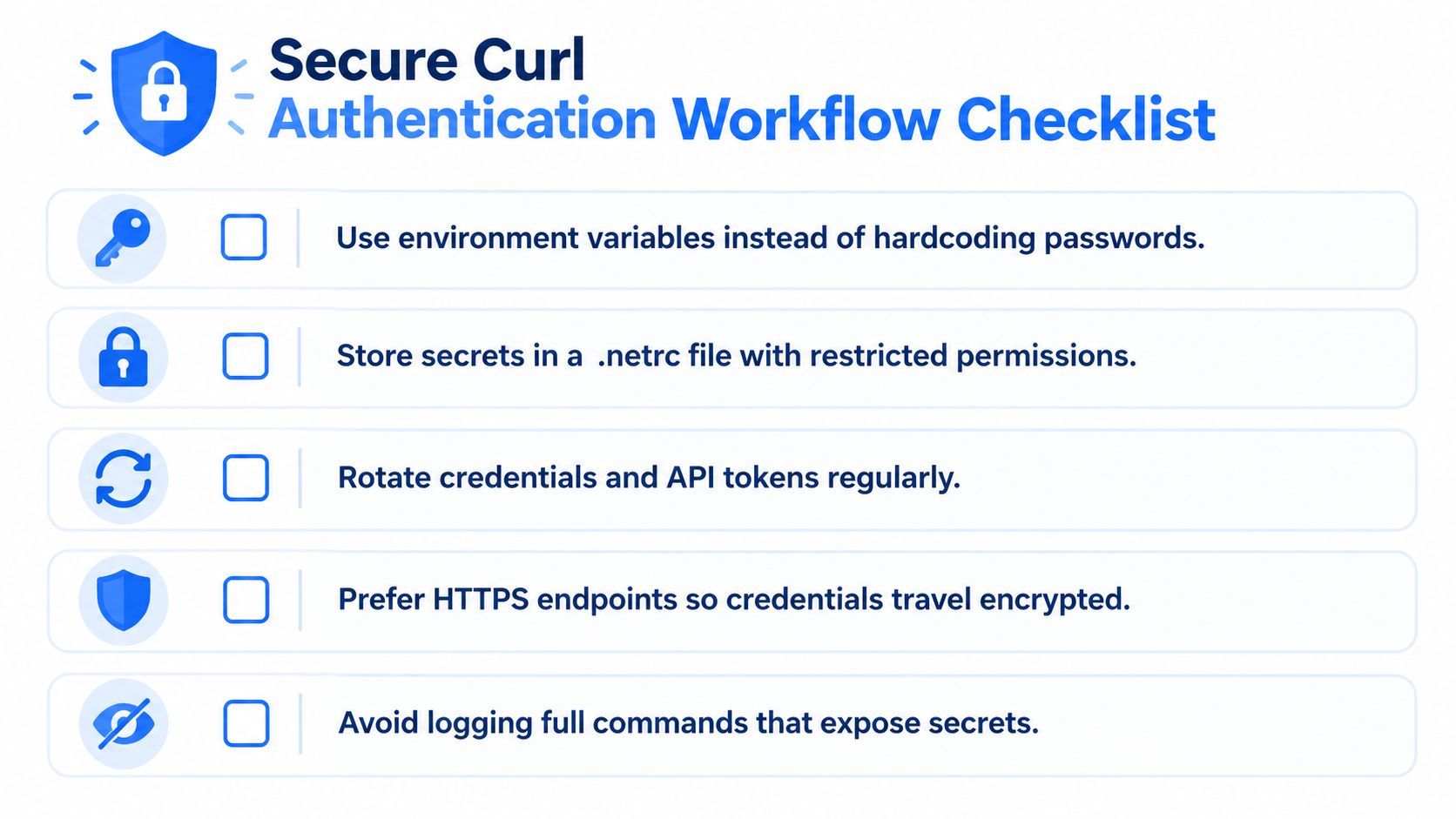
Use this checklist when moving a manual curl test toward production:
- Protect the transport: Use HTTPS, verify certificates, and reject HTTP endpoints or unsafe redirects. Basic Authentication needs TLS because encoding isn't encryption.
- Remove secrets from commands: Use the username-only prompt for local testing. For automation, use a protected
.netrcor curl configuration file instead of embedding a password in a URL or script. - Separate credential paths: Keep origin credentials distinct from proxy credentials. A
401and a407are different failures and should trigger different investigations. - Choose the mechanism from the challenge: Start with
--user, inspectWWW-Authenticate, then use--digestor--anyauthwhen the server requires or advertises those options. - Sanitize observability: Record status codes and safe response headers, but don't log full commands, passwords, authorization headers, or unsanitized verbose output.
Make automation fail safely
Retries need boundaries. A repeated 401 or 403 is a configuration or authorization problem, not a transient transport failure. Retrying it can increase noise and make logs harder to inspect. Reserve bounded retries for transport failures that may resolve without changing credentials or permissions.
Store secrets in the CI system's protected secret facility when one is available, inject them only into the process that needs them, and prevent command echoing. For local repeat use, a restricted .netrc file is more practical than repeatedly typing a password, provided the file is excluded from source control and shared backups.
API keys introduce a related lifecycle problem. The API key management guide is a useful reference for separating issuance, storage, rotation, and revocation from request construction. The same discipline applies whether the client sends a password, a token, or a key.
If you're building authenticated data integrations, Captapi provides REST API access and documents cURL requests using authentication headers and, where supported, username-and-password patterns. Review the endpoint's required credential type, test it over HTTPS, and inspect sanitized status responses before connecting the request to a production pipeline.